
Data flush: smarter data management
You now have a data flush feature for smarter data management. Here is what it brings you:
Optimize your data (📈): You get a clear overview of the raw data of each active module.
Data flush (🗑️): You can manage your data in a targeted way, keeping crucial information while removing what you no longer need. Modules eligible for flushing include:
-
Mailing (📧) (email sending data)
-
SMS (📱) (SMS sending data)
-
Participants (👥) (participant data)
-
Logistics (🏨) (rooms and roommates)
-
Check-in (🔍) (scan history)
-
Order management (📦) (global order list)
-
Agenda (📆) (session registrations)
-
Quiz (📝) (answers)
-
Q&A (❓) (answers)
-
Social Wall (📢) (full data deletion)
-
Gamification (🏆) (achievements reset)
-
Feedback (📤) (answers)
“Delete all data” button (🔴): A dedicated button makes it easy to flush all previous data in a single click.
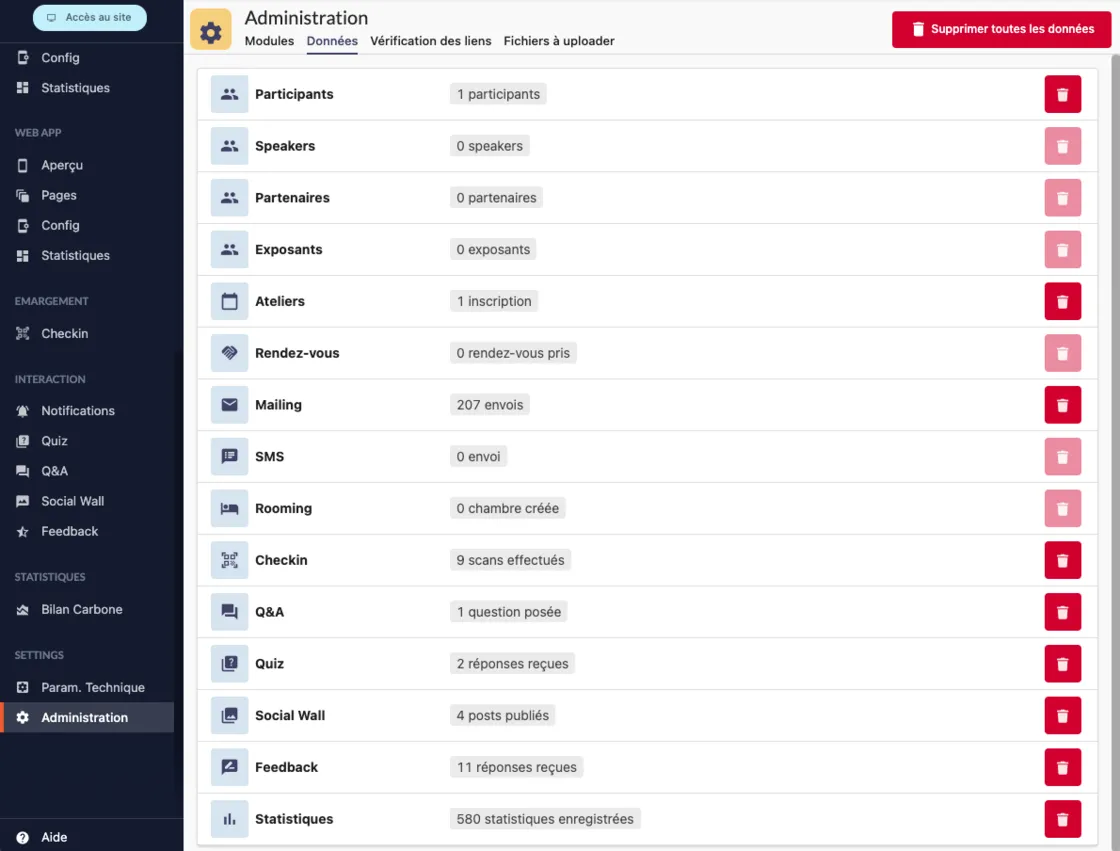
This update aims to improve how you manage active modules by giving you better control over the data you want to keep or delete. Take advantage of this new feature to optimize your data management.