Skip to content

Release notes

2026

  1. New

    The form editor gets a makeover

    The registration form editor has been completely redesigned. Your existing forms open as they are: there is nothing to migrate.
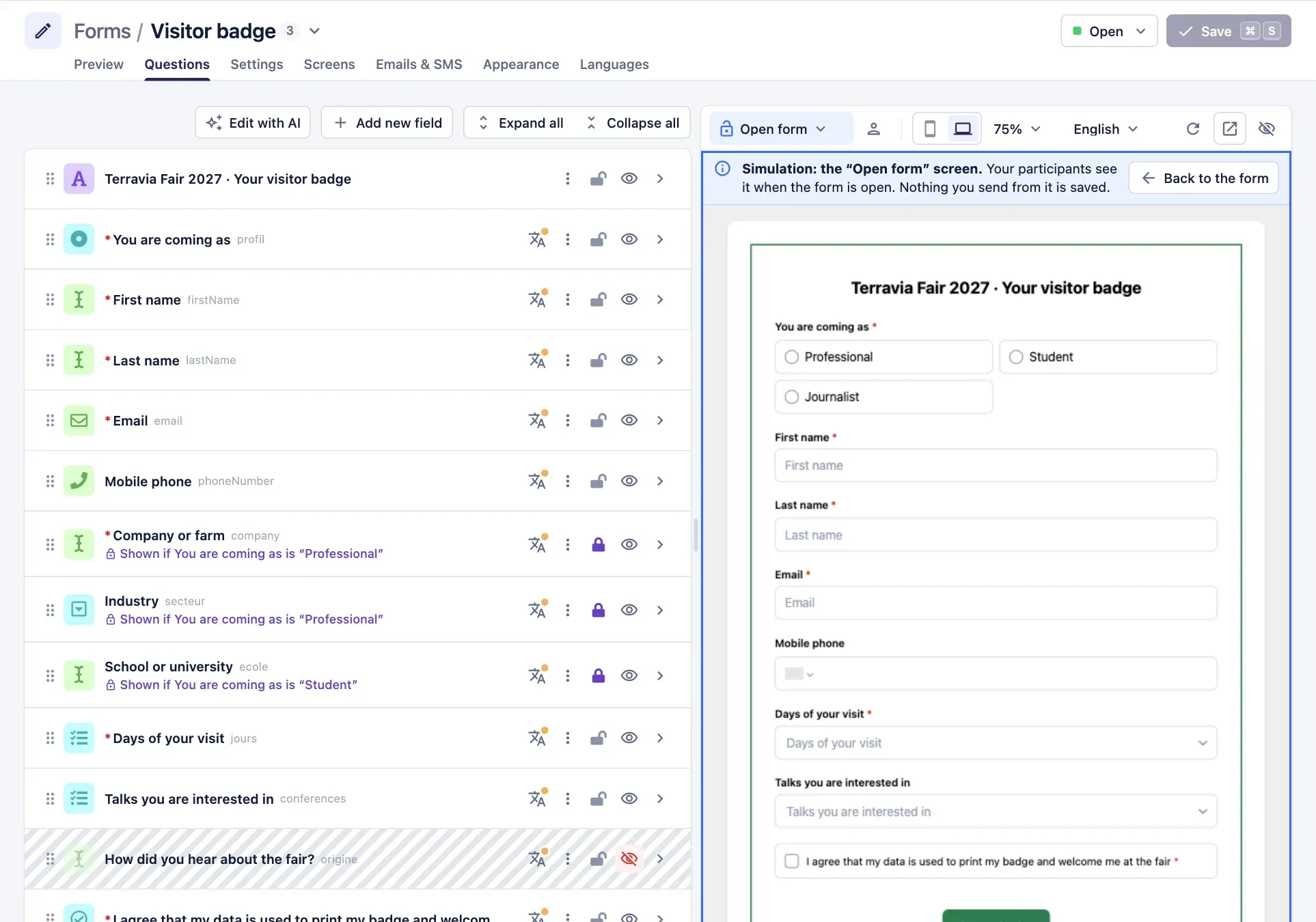
    Questions tab of a trade fair form: the list of fields on the left, the form preview on the right

    Settings are organized around the question you are asking yourself: Preview, Questions, Settings, Screens, Emails & SMS, Appearance, and Languages.

    • The form status (open, closed, or between dates, with its exceptions) is set at the top of the editor and applies right away.
    • A single Save button for everything else, with the shortcut ⌘ S / Ctrl S.
    • Old addresses lead to the right tab.
    • An add-field panel with a search that tolerates typos: type “date” or “hotel”, and Enter adds the first result.
    • Clearer field cards: the display condition is written out in full, a hidden field stands out at a glance, and rarely used settings sit under More options.
    • Redesigned drag and drop, which also works with the keyboard.
    • The Tabs field looks like a real tab bar.

    The preview follows your settings before you even save, and shows the screen of the card you are editing: confirmation, closed form, full, invited guests only… In simulation, nothing you send is saved.
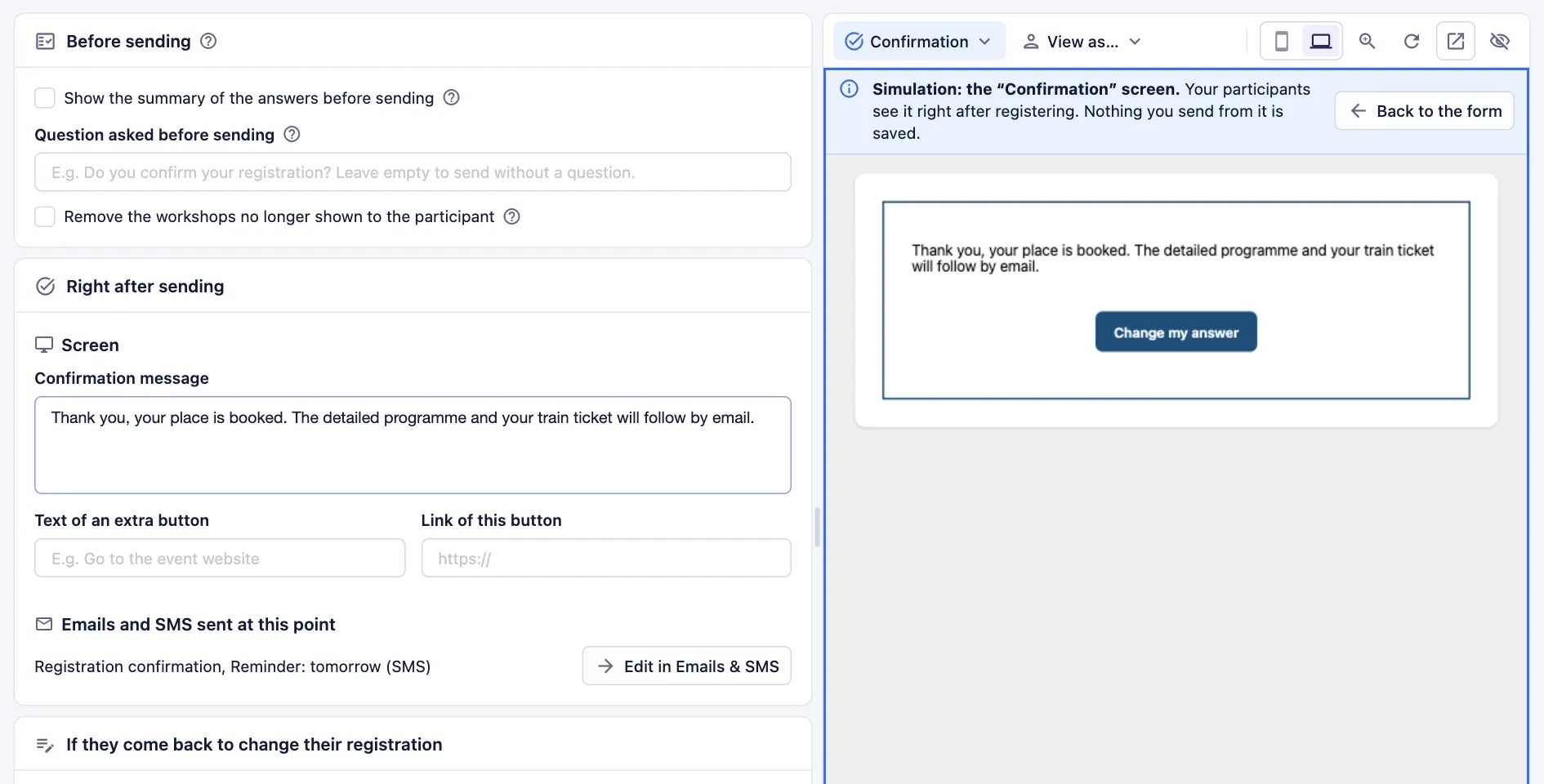
    Screens tab: the confirmation message on the left, the simulated confirmation screen on the right

    The Appearance tab brings together colors, font, images, layout, and custom CSS. The new Modern field style gives every field the same frame, height, and width, and is easy to customize with CSS; new forms use it by default.
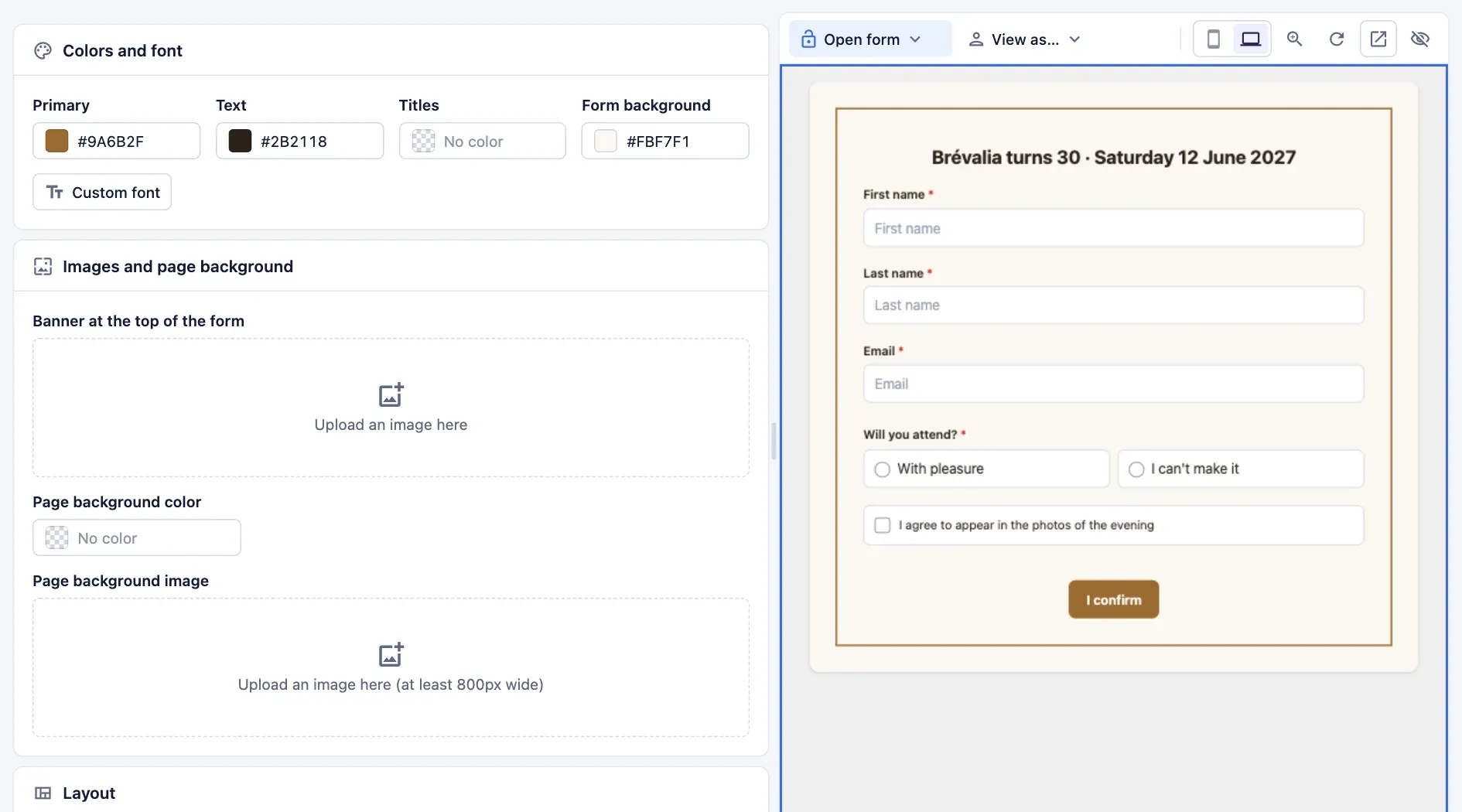
    Appearance tab of an evening party form in the Modern style, with its colors and the preview

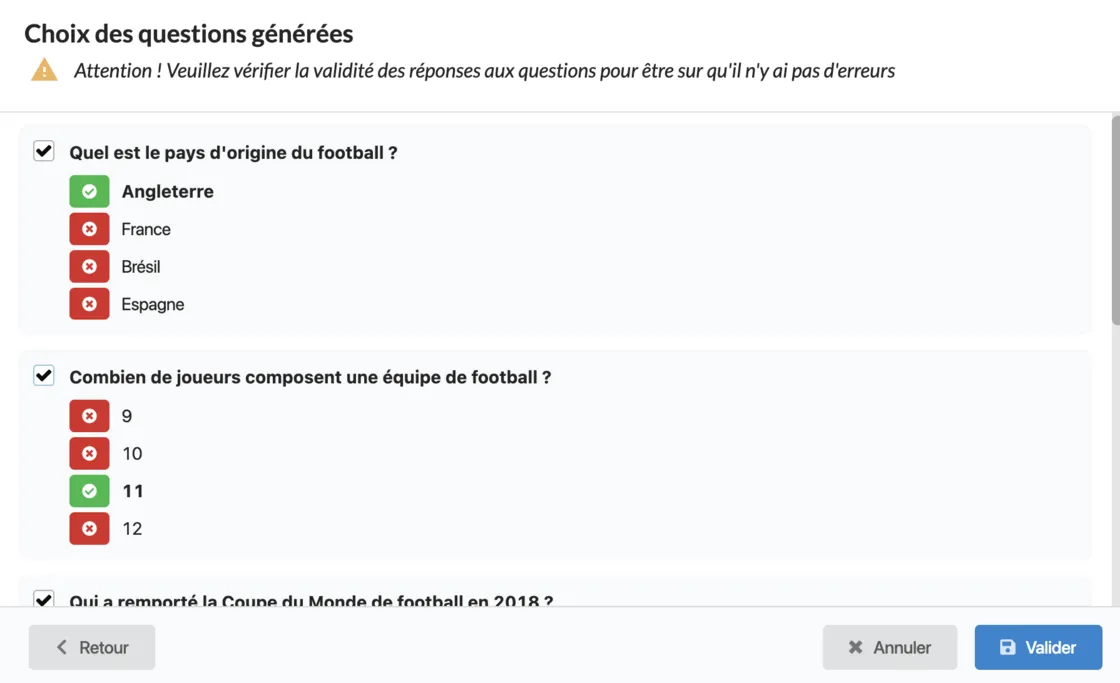
    • Create with AI: describe the form you want from the forms list, and AI suggests the questions.
    • Edit with AI: ask for a change in one sentence (“add the accommodation with the number of nights”). Each change is labeled, and you keep the ones you want before applying them.
    • Translate with AI from the Languages tab, with missing translations flagged throughout the editor.
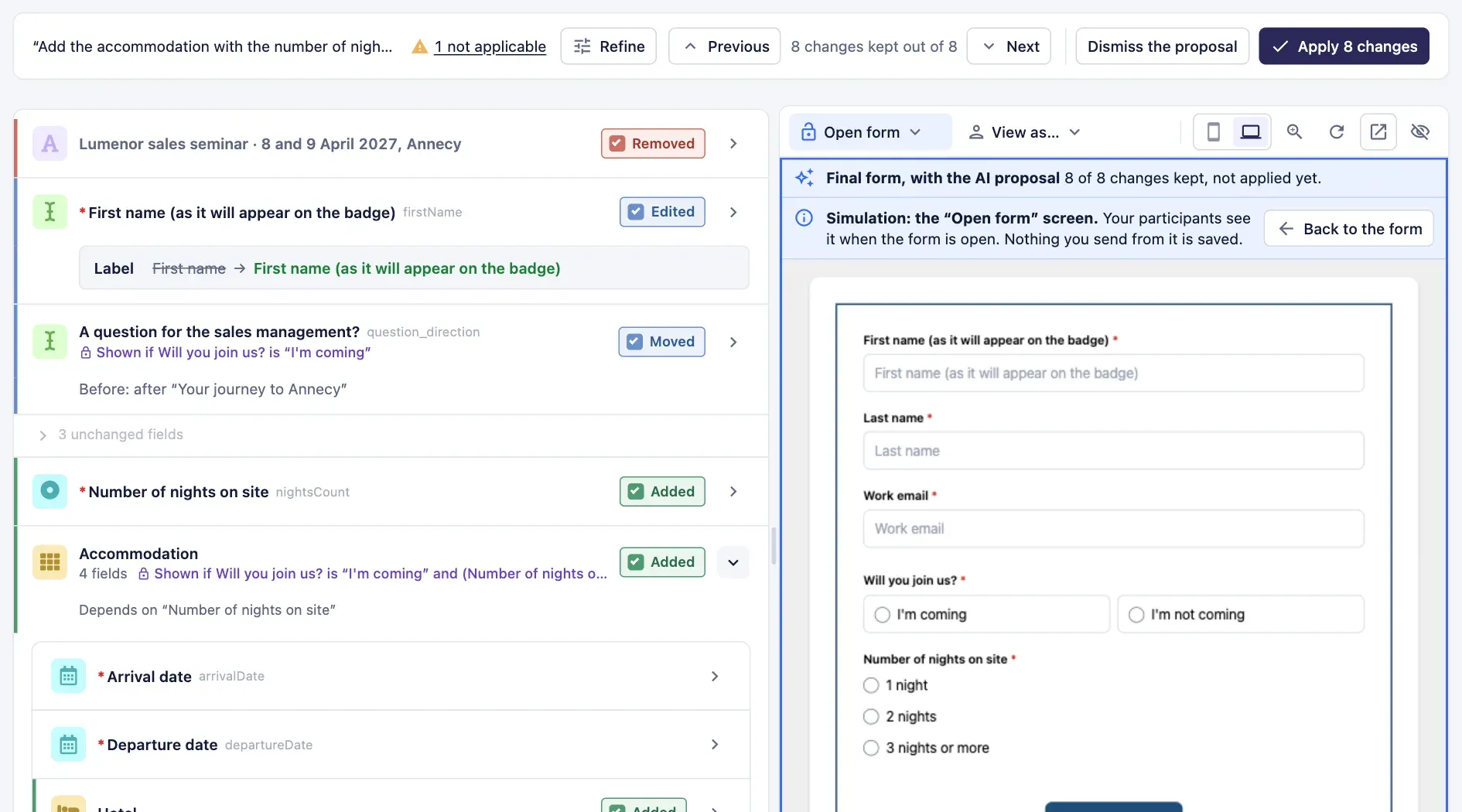
    AI proposal under review: the labeled changes and the final form in the preview

    AI is optional: a consent window explains the services used before the first use, your participants’ data is never sent, and you can turn it off for an event.

    To learn more, read Create a registration form and Create and edit a form with AI.

    Read the full note
  2. Improvement
    Add a walk-in attendee to the event from a workshop

    During workshop check-in, the on-site team can add to the event a person who is not registered yet.

    Illustration: Add a walk-in attendee to the event from a workshop

    You turn this option on once for the whole event. It then applies to every workshop. For a specific workshop, you can then allow or block it separately.

    Illustration: Add a walk-in attendee to the event from a workshop

    You don’t need to do anything if you don’t want this option. It is turned off on all events. Your workshops and participants stay unchanged.

    Read the full note
  3. New

    Improved participant history

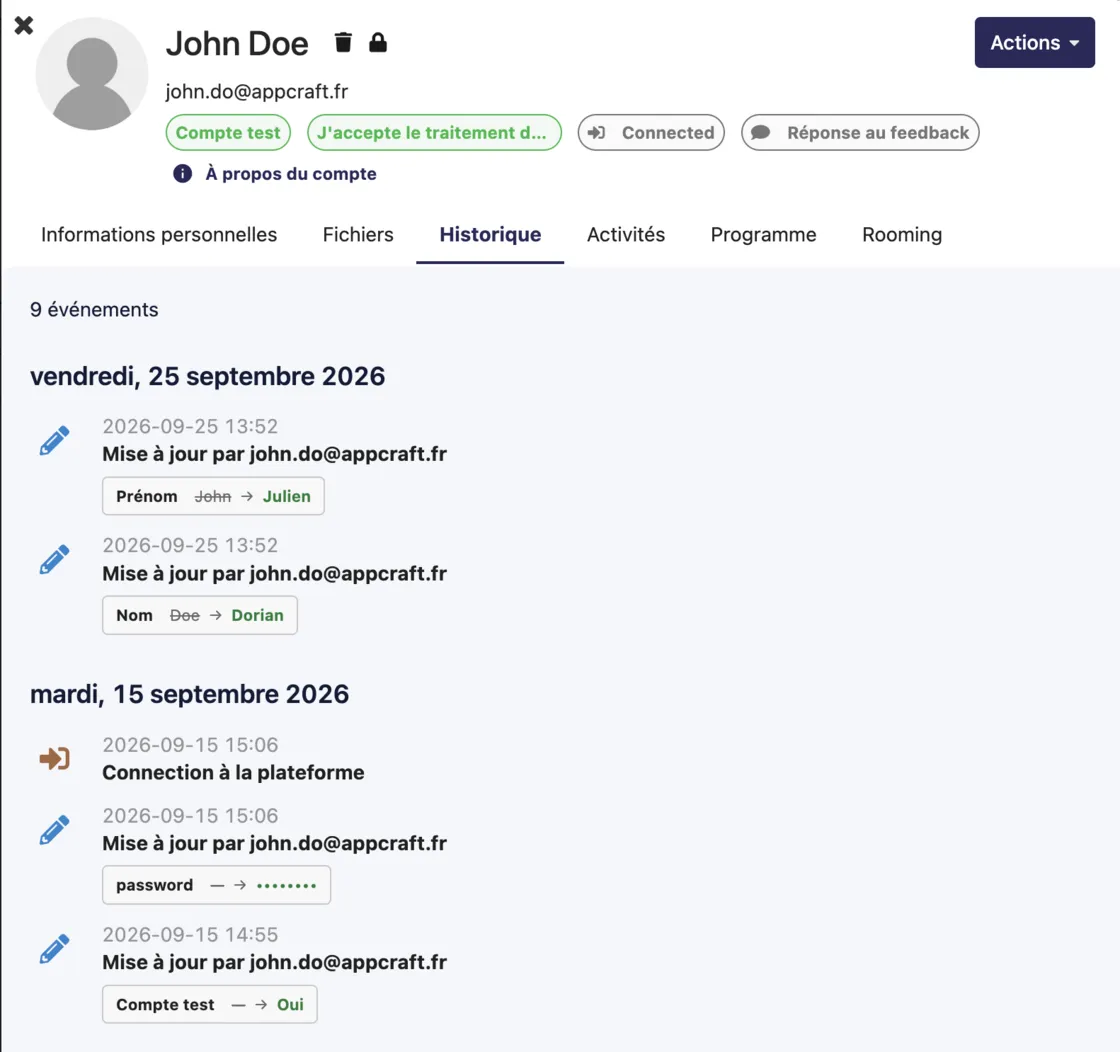
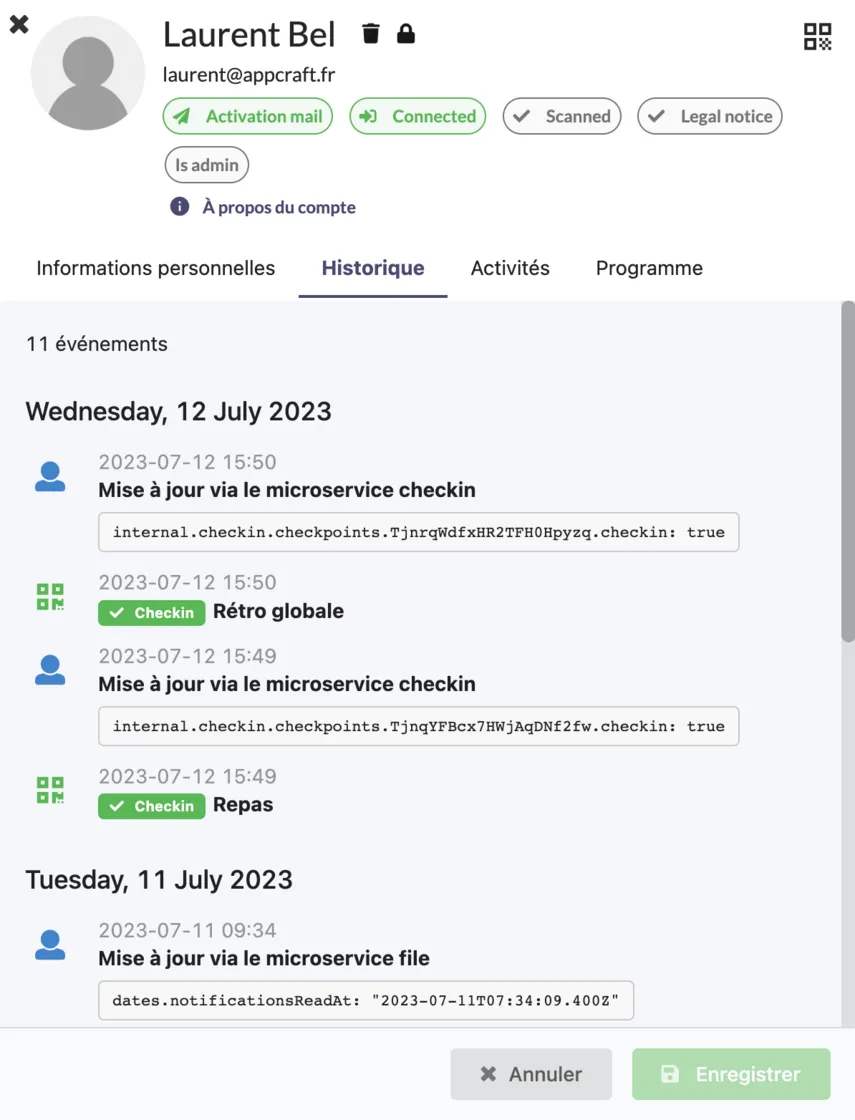
    We have improved the history in the participant profile. It is now easier to read, with modified or deleted fields highlighted.

    When data is created (rather than modified), its display is also simplified for better readability.

    Illustration: Improved participant history

    Read the full note
  4. New

    🎬 Bring your pages to life with background videos!

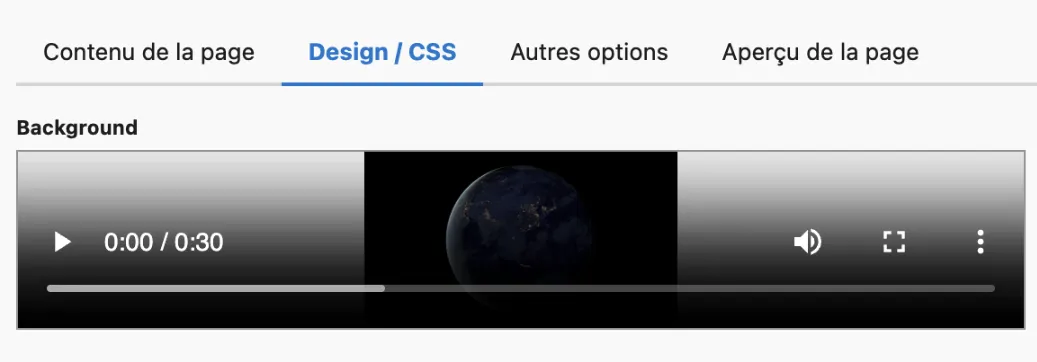
    🎬 New: Add background videos to your pages! Make your platform more dynamic! You can now set up a background video on your pages for an even more immersive visual experience.

    How does it work? We kept things simple: no new complex options have been added.

    Just go to the Design / CSS tab.

    Upload your video file directly in the usual image field.

    The system is smart and now automatically handles both formats (image and video) within that same field! 😉

    Illustration: 🎬 Bring your pages to life with background videos!

    Read the full note
  5. Improvement

    Participant status and moderation

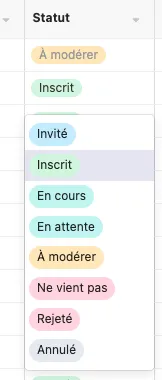
    The participant status management UI has been improved for better readability:

    Illustration: Participant status and moderation

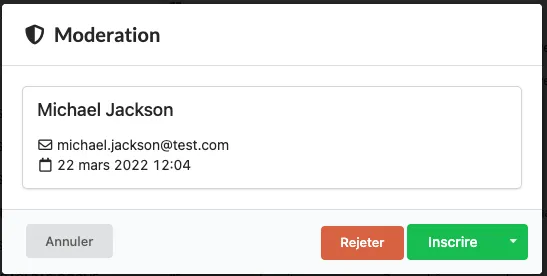
    • colors for each status, so you can see at a glance who is registered and who isn’t;

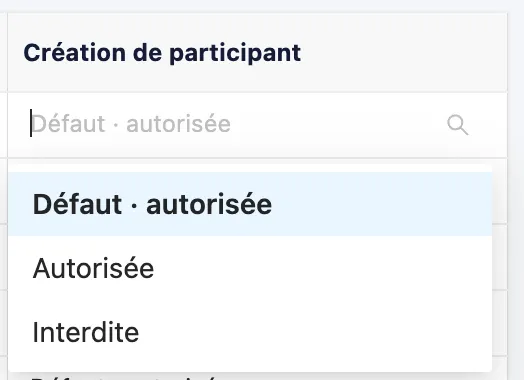
    • a moderation popup, to make approving people awaiting moderation simpler.

    Illustration: Participant status and moderation

    Read the full note

2025

  1. New

    Automations

    The automations module gains many new features, in terms of both triggers and available actions.

    New triggers:

    • entry scan
    • workshop scan
    • workshop registration/unregistration

    New actions:

    • send an email or SMS to organizers
    • send an email or SMS to the participant

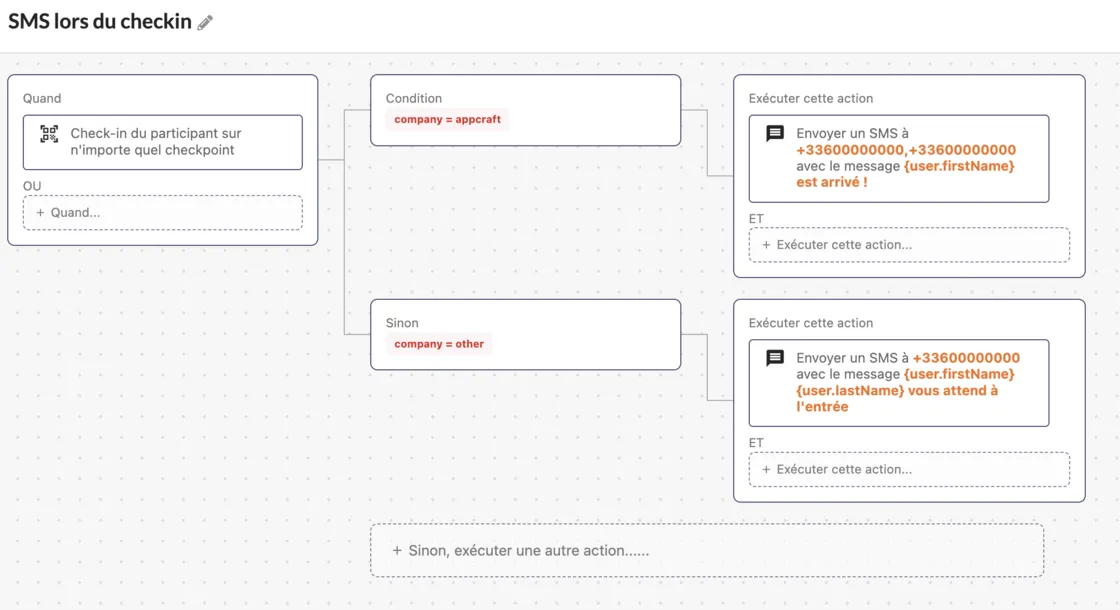
    This enables new use cases, such as automatically sending an SMS notification to a third party when certain participants arrive.

    With our condition system, it’s easy to set up different actions based on participant typologies, for ever more personalized follow-up.

    Illustration: Automations

    Read the full note
  2. New

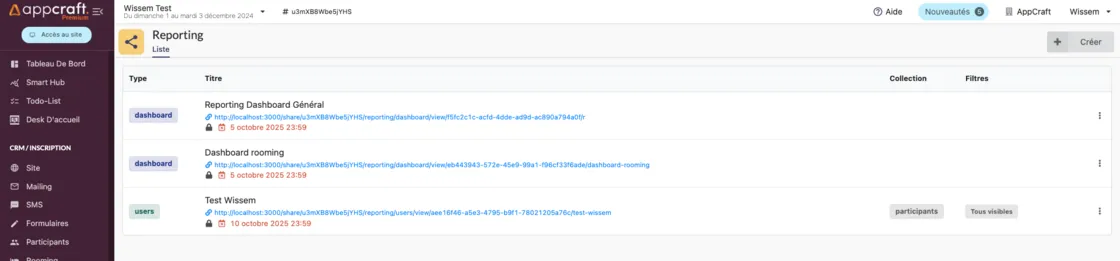
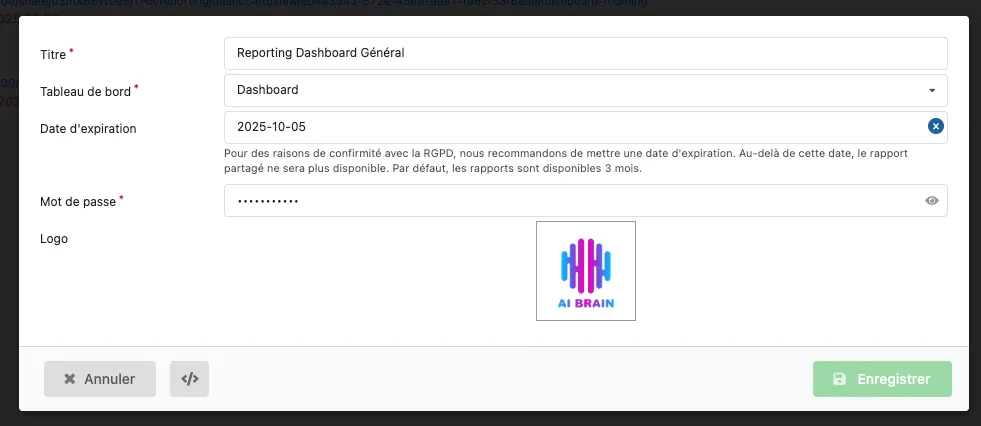
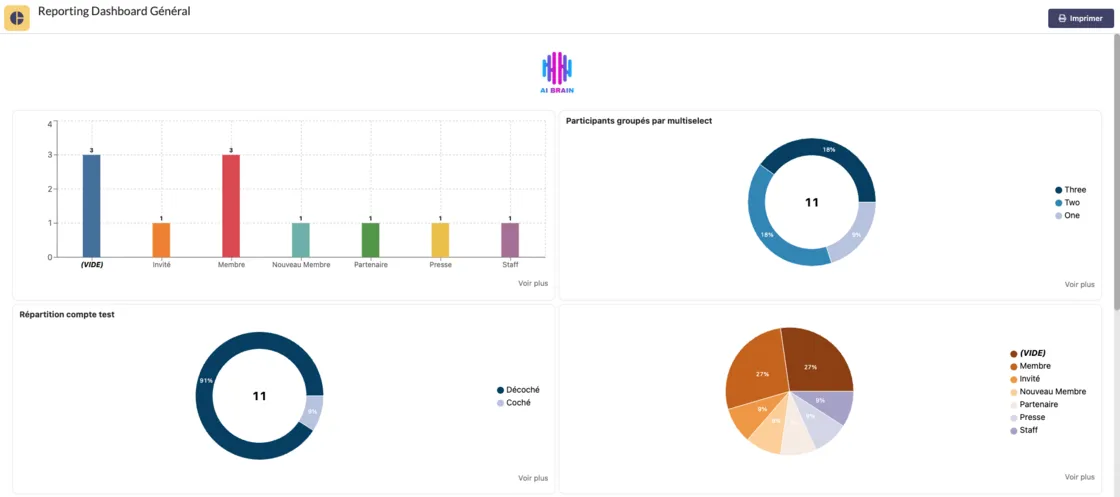
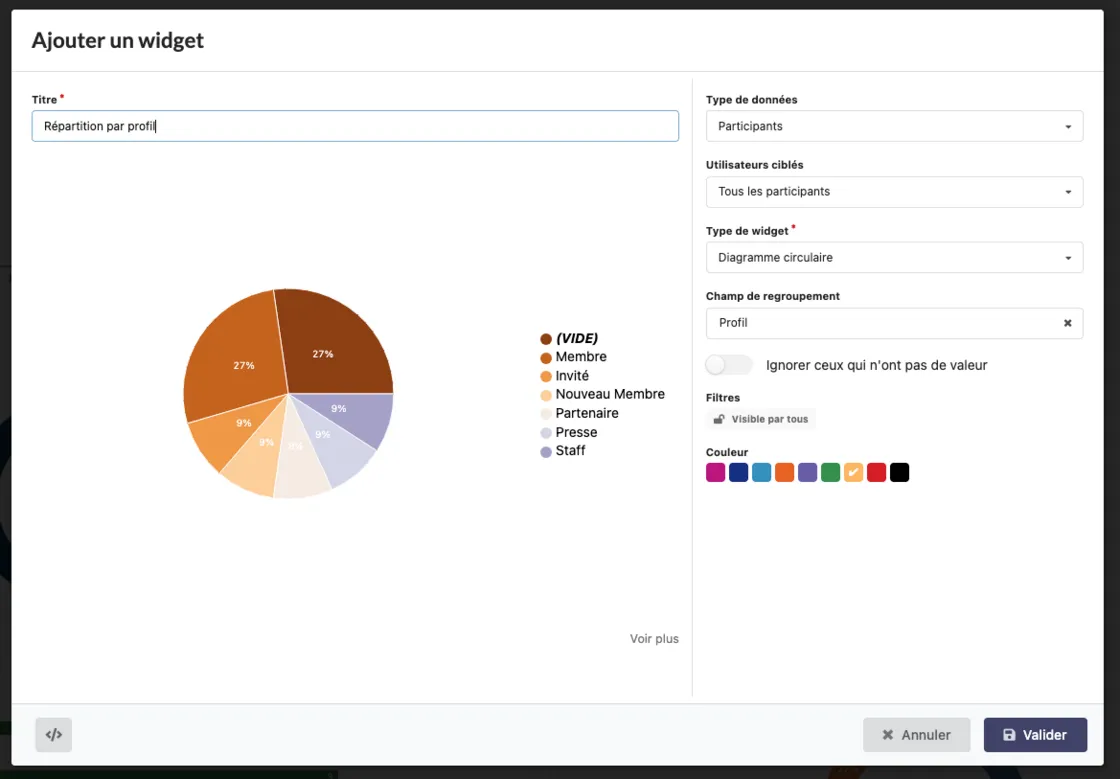
    Dashboard report

    You can now create a custom report and link it directly to a dashboard (smart hub) to easily share your analyses with other people.

    Centralize your data, highlight your key metrics, and give your partners a clear, visual view of your events’ performance.

    Illustration: Dashboard report

    Illustration: Dashboard report

    Illustration: Dashboard report

    Read the full note
  3. New

    Smart Hub (smart dashboard)

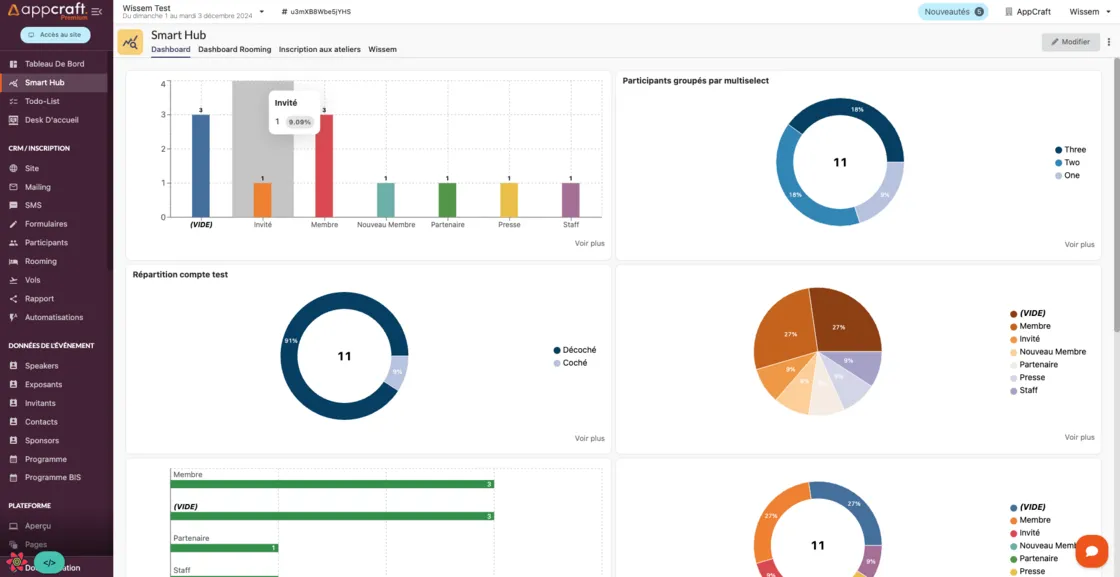
    You can now monitor your events’ performance in real time with a smart, centralized dashboard.

    You can create up to 5 custom dashboards, choosing the key data to track (registrations, attendance, workshop registrations, rooming…) and the chart type you want: donut, bar, line…

    Analysis becomes quick and easy, and you can share your insights as a PDF for internal reviews or external presentations.

    Illustration: Smart Hub (smart dashboard)

    Illustration: Smart Hub (smart dashboard)

    💡 In short:

    🧠 Centralized data and dynamic visualizations

    ⚙️ Fully customizable indicators and charts

    🖨️ Instant PDF export and sharing

    📊 Up to 5 dashboards per event

    Running your events has never been simpler or more efficient.

    Read the full note
  4. New

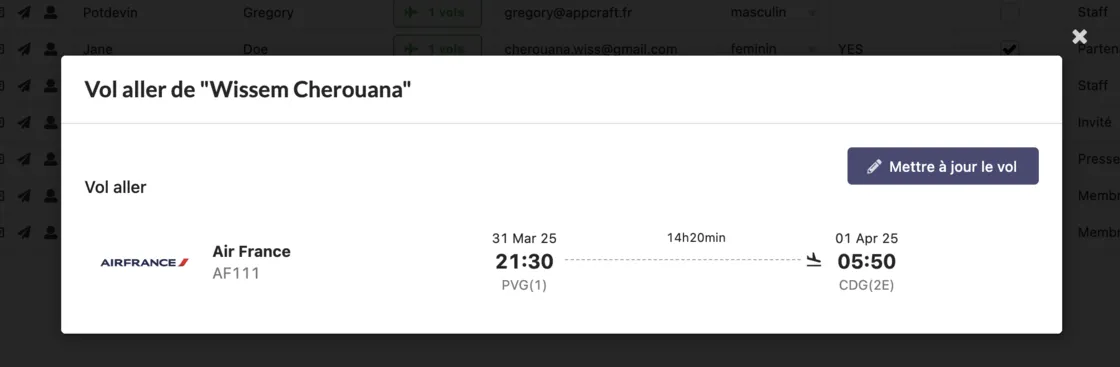
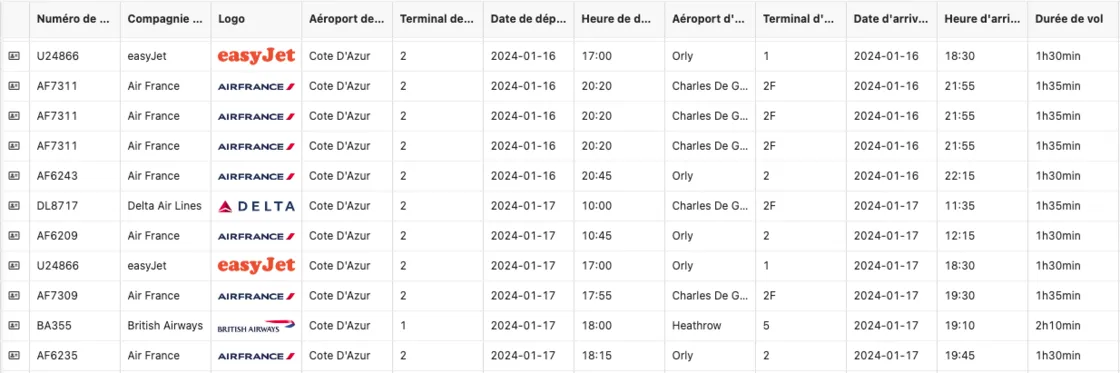
    Participant flights added to the back office

    You can now enter and manage participants’ flight information from the back office. Just follow these steps 🚀

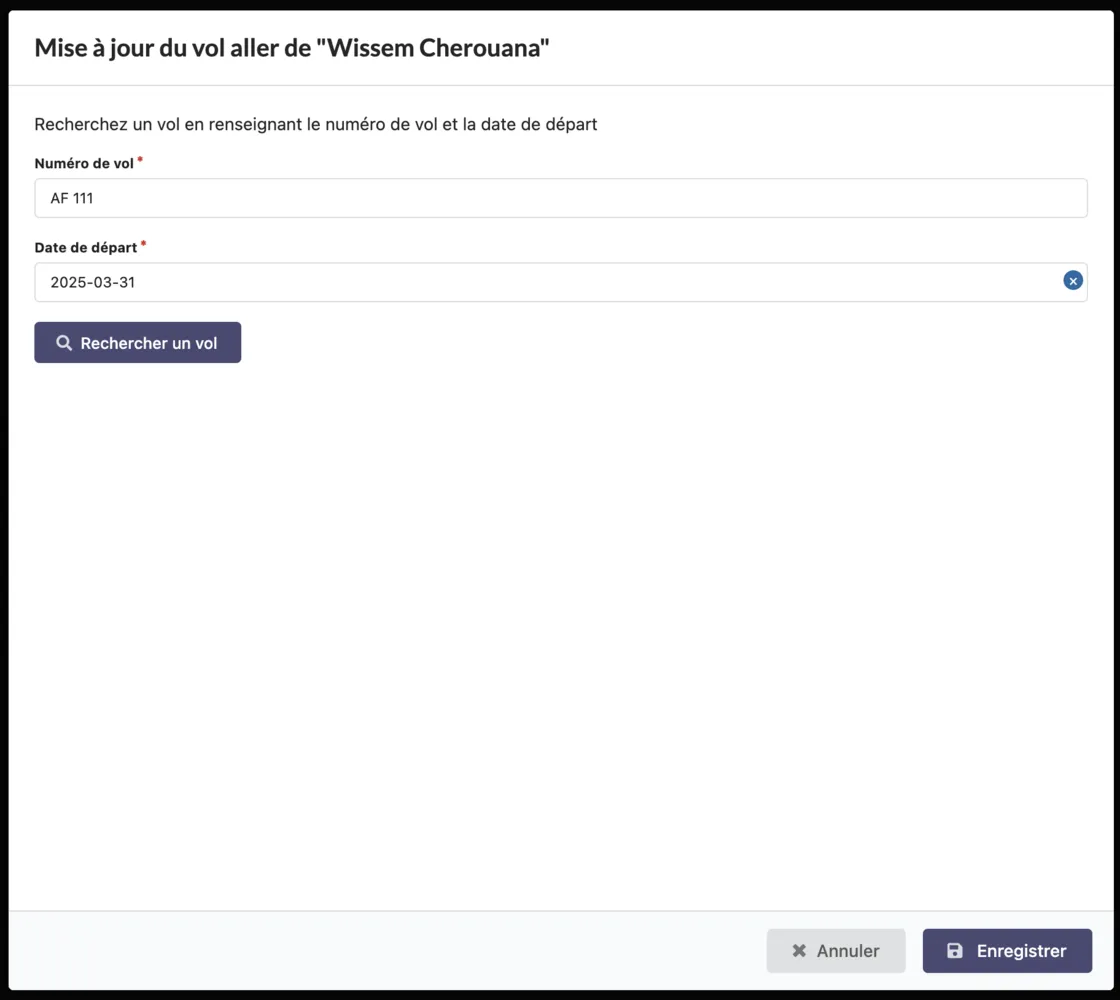
    In the participant list, click the cell in the flight column:

    Illustration: Participant flights added to the back office

    A popup opens where you select:

    • The departure date
    • The flight number

    Illustration: Participant flights added to the back office

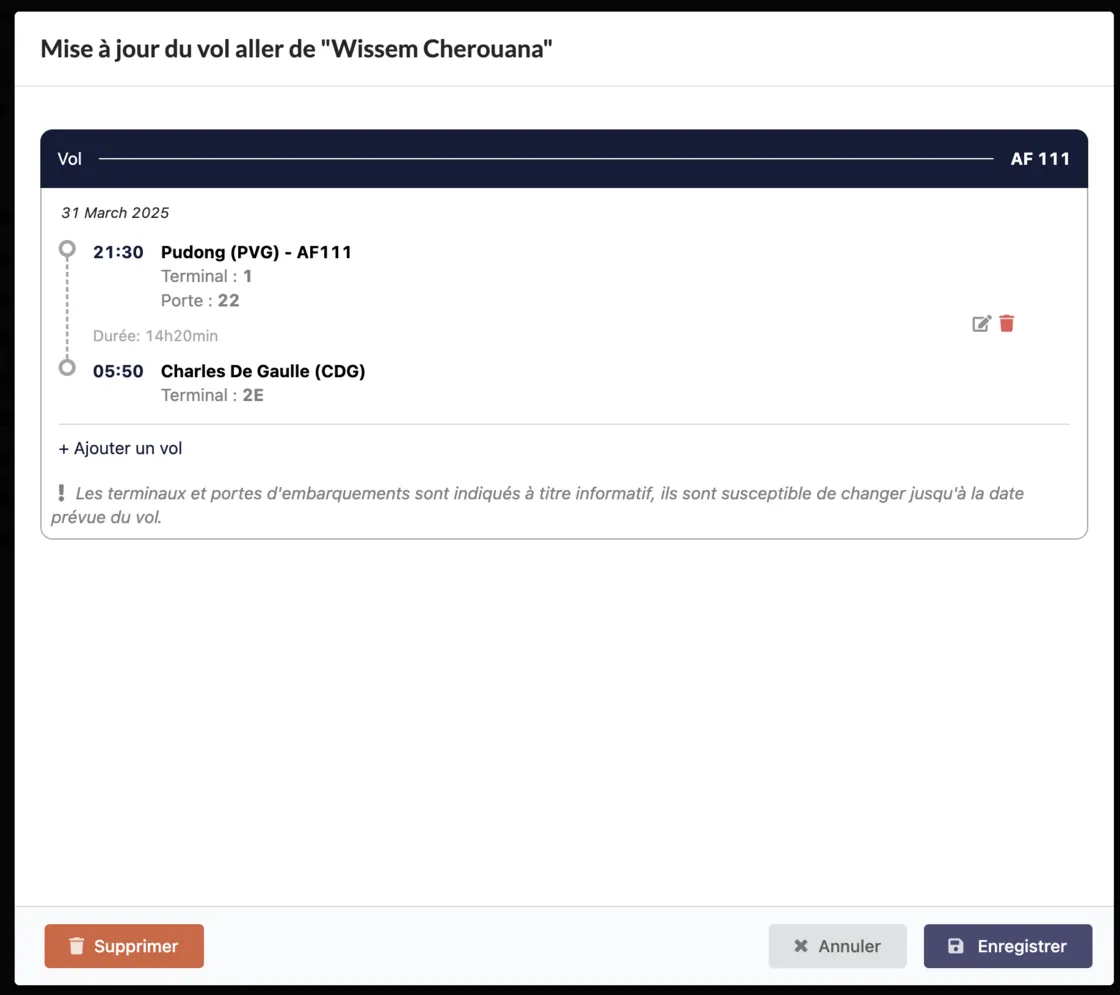
    A connection is then made to the Amadeus API to retrieve the flight information (airline, departure and arrival times, departure and arrival airports, terminal and boarding gate…)

    Illustration: Participant flights added to the back office

    You can still edit the flight afterward: Illustration: Participant flights added to the back office

    ✅ Benefits:

    ✔️ Time savings: No more entering all the information by hand
    ✔️ Greater reliability: Data retrieved directly from Amadeus
    ✔️ Better organization: Accurate tracking of participants’ flights

    Read the full note
  5. Improvement

    Editable reports

    Your reports module is evolving!

    As a reminder, this module lets you share all (or some) of your participants with a third party. Choose which participants to share, which columns, and for how long, then send the link to your partners to give them access.

    Need to share the list of participants who require a transfer? Or the list of participants expected in person with their dietary requirements? Nothing could be easier!

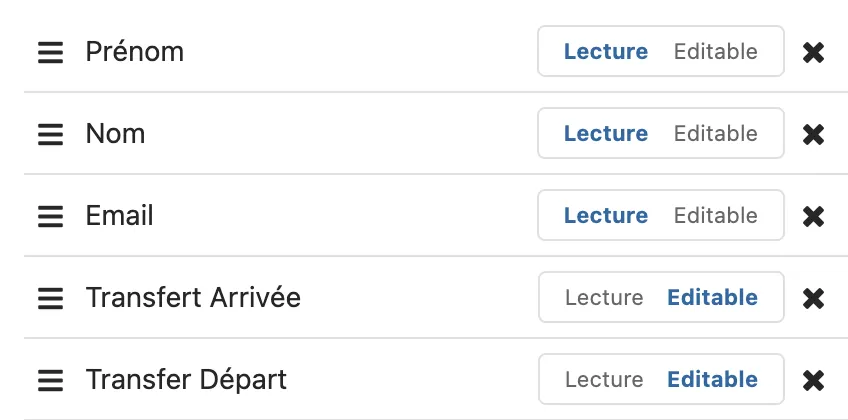
    The latest AppCraft Events update now lets you make certain columns editable. Your logistics provider can then change the transport status from “to be arranged” to “scheduled” so you can track progress.

    Illustration: Editable reports

    Read the full note
  6. New

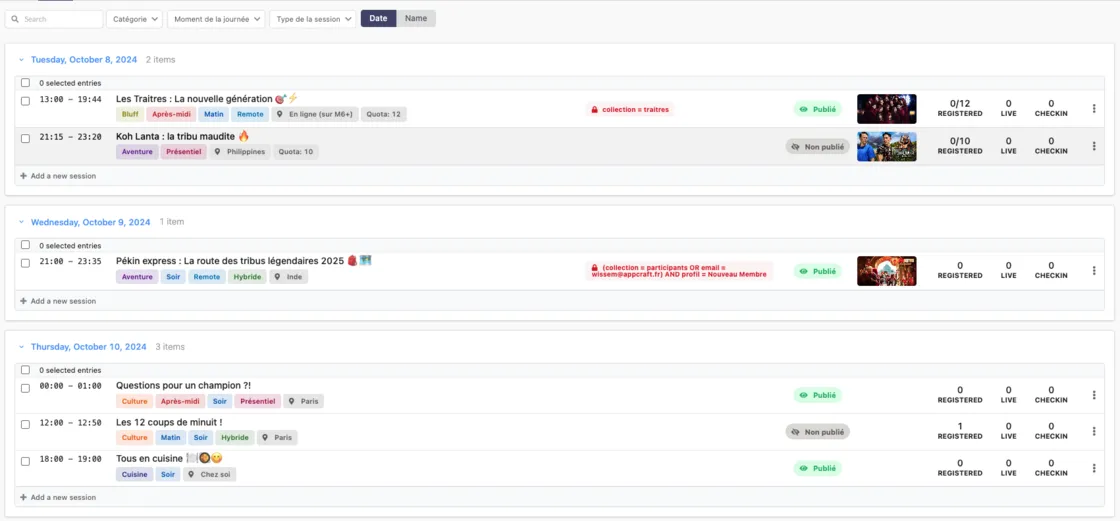
    Streamline the management of your workshops and program with our new screen!

    We’re pleased to announce the launch of a new screen designed to streamline the management of your workshops and your events’ program.

    With this new feature, you can now:

    ✅ Easily view all your workshops, whether single or split into multiple sessions.

    ✅ Import your program in one click, for maximum time savings.

    ✅ Update your program in real time, with ease.

    ✅ Apply custom filters, for quick access to key information.

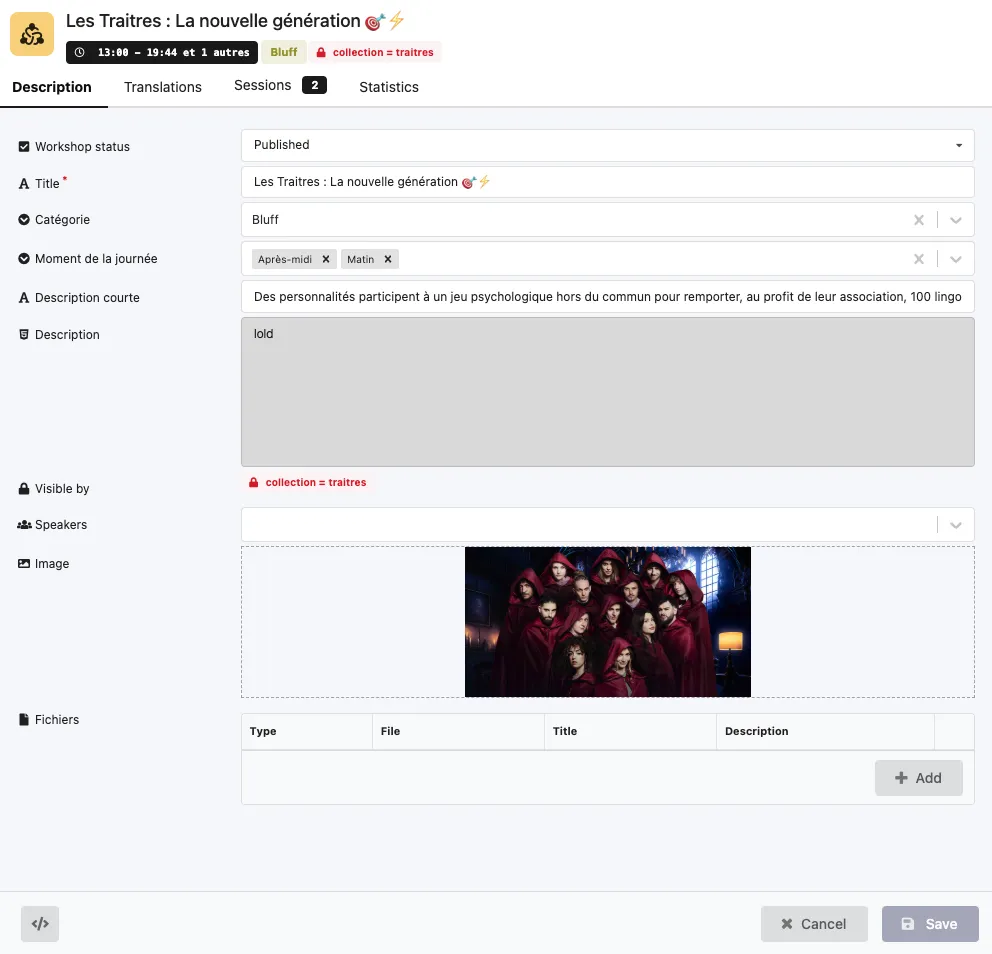
    Illustration: Streamline the management of your workshops and program with our new screen!

    Illustration: Streamline the management of your workshops and program with our new screen!

    This new solution lets you manage your event with more flexibility and efficiency!

    Try it now! 🚀

    Read the full note
  7. Improvement

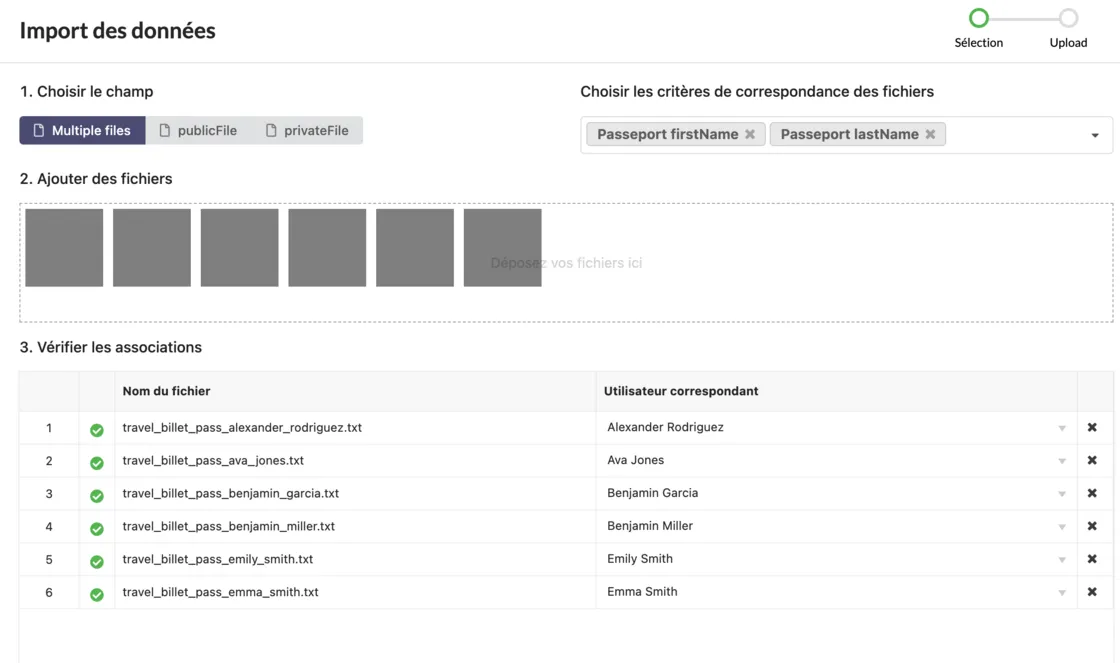
    Customizable matching criteria for batch file import

    Gain flexibility when importing your files! 📂

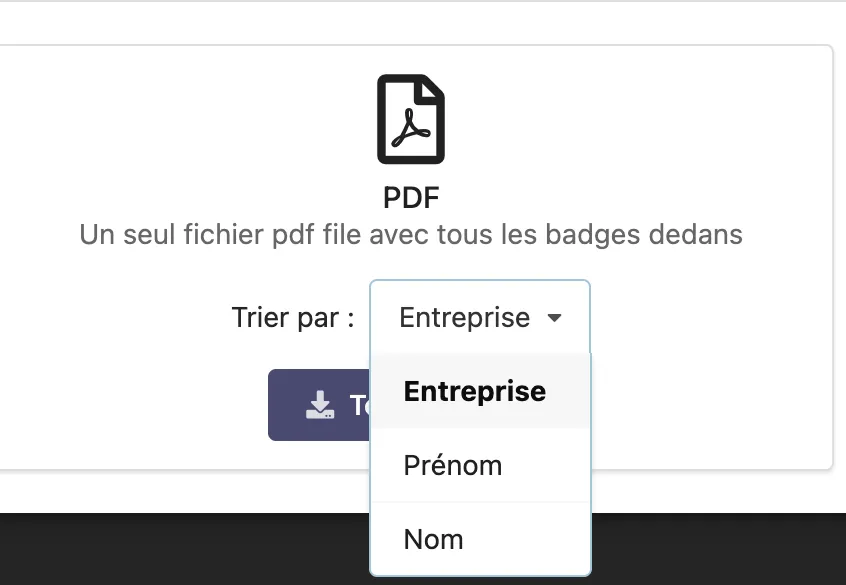
    Until now, our system automatically matched your imported files to the corresponding user based on their first and last name.

    Now you are fully in control! You can choose the matching criteria that suit you best, such as the first and last name on the passport, for even greater accuracy.

    🔧 Benefits of this update:

    • ✅ More flexibility in matching files
    • ✅ Better handling of document formats
    • ✅ An optimized experience for bulk imports

    Try it now and simplify your workflow! 🚀

    Illustration: Customizable matching criteria for batch file import

    Illustration: Customizable matching criteria for batch file import

    Read the full note

2024

  1. Improvement

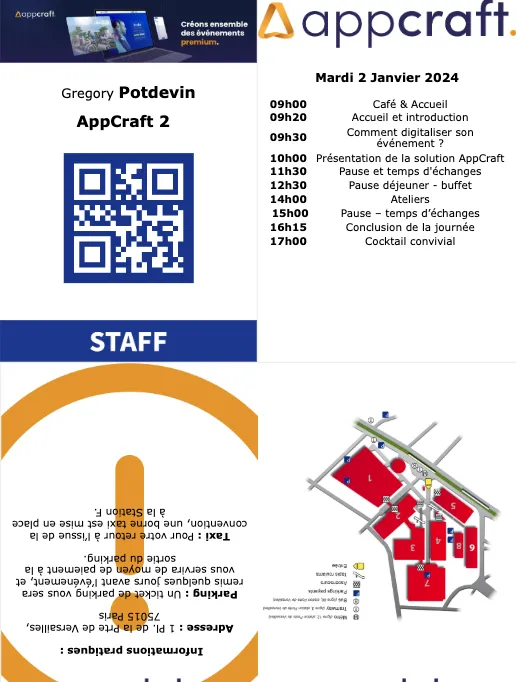
    QR code color on badges

    You can now change the color of QR codes on badges, for even more customization.

    Want participants to have different QR code colors depending on their category? No problem: using conditions, insert several QR code blocks, each with its own configuration!

    Illustration: QR code color on badges

    Read the full note
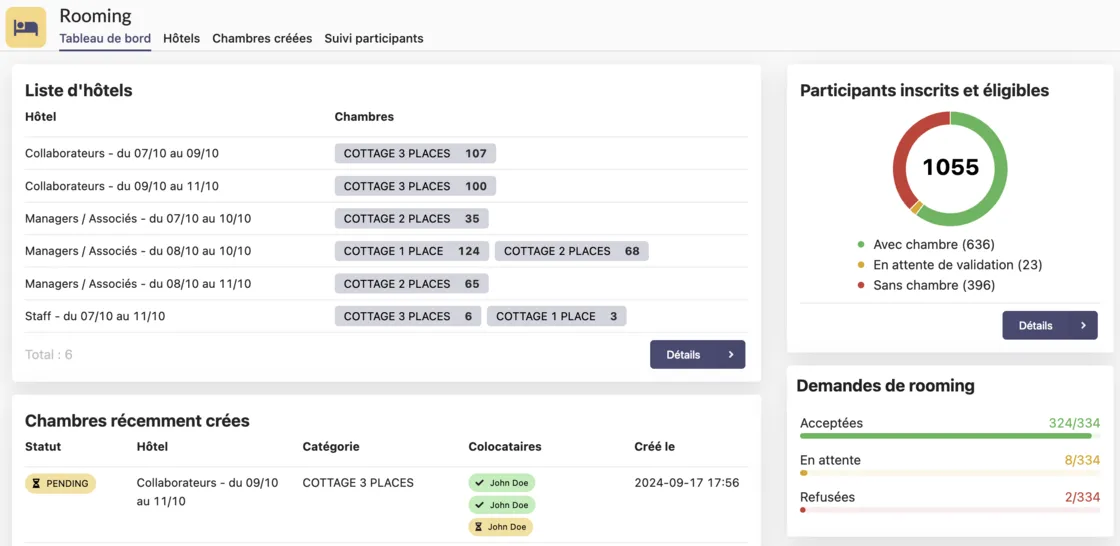
  2. New

    New rooming module

    Our rooming module has been updated to make it simpler, while keeping all existing capabilities.

    Illustration: New rooming module

    • Monitor your rooming from its dedicated dashboard
    • Create single, double, twin, triple, or other rooms.
    • Let your guests manage their room choice
    • Send reminders to guests who haven’t chosen a room
    Read the full note
  3. New

    Networking page editor

    You can now easily configure the networking page for your participants:

    • You can choose the connection mode (connect immediately with another participant, or approval required)
    • You can enable chat options (such as video chat and appointment booking)
    • You can also define who can chat with whom by setting visibility conditions
    • You can also configure the filters you want to display on your screen
    • You can configure the information you want to display on participant cards
    Read the full note
  4. Improvement

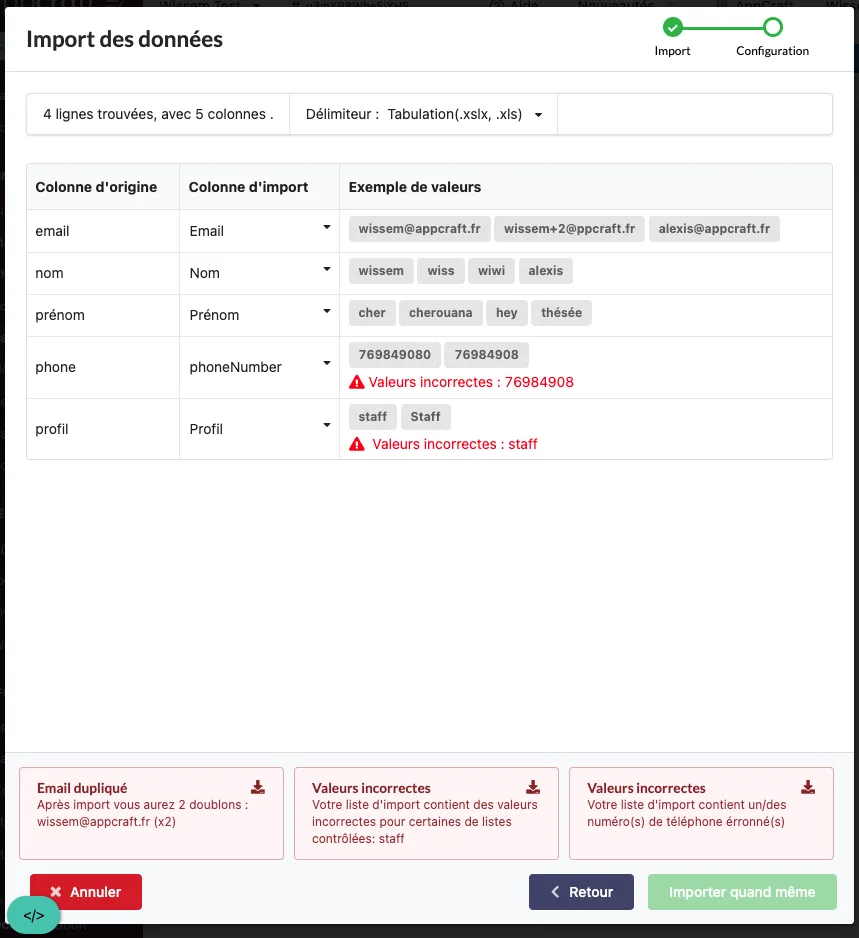
    Improved participant import

    • option to add a column on the fly
    • option to ignore a column of the import file
    • import blocked if not all conditions are met

    You can now export the errors detected in your participant import file (duplicate emails, incorrect or missing values…). The idea is to fix these errors and import a clean list with no anomalies.

    Illustration: Improved participant import

    Read the full note
  5. Improvement

    Improved UTM support

    We have improved support for UTMs (utm_source, utm_medium, utm_campaign, utm_content, and utm_term) so that they are automatically detected and included in your statistics at registration.

    You can add any parameter on your website, and it will be carried over to the participant profile.

    Read the full note
  6. New

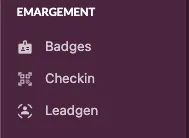
    Leadgen module

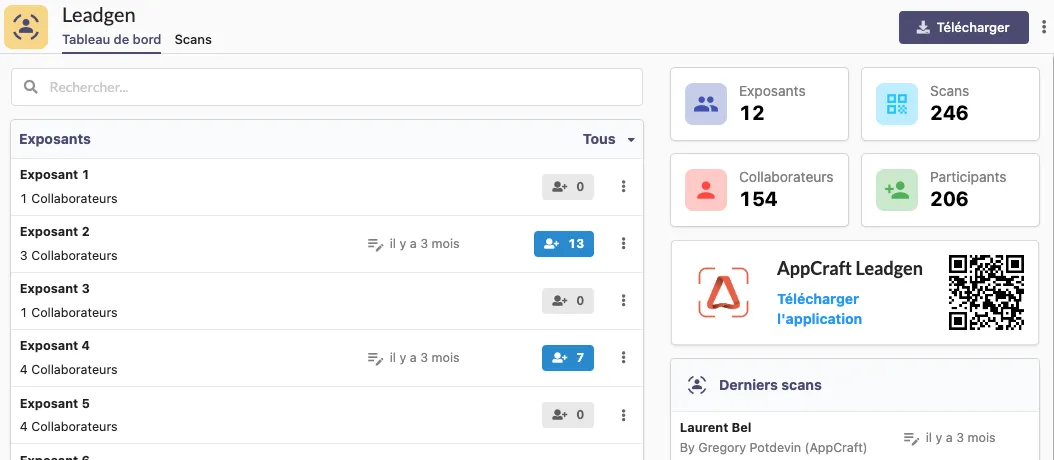
    Our Leadgen module has been redesigned to make it even easier to use:

    • new entry in the Checkin menu for direct access to your statistics

    Illustration: Leadgen module

    • dashboard with your list of exhibitors, statistics, and latest scans

    Illustration: Leadgen module

    • option to display the scans of one exhibitor or all event scans, with filters
    • Excel export for all exhibitors or per exhibitor
    Read the full note
  7. New

    New Flight ticket module available!

    This module lets you add the “flights” field to a registration form, and automatically retrieves flight information.

    When the module is enabled, a new “Flights” tab appears in the sidebar. This tab includes:

    • 📊 Flight tracking dashboard: Flights are grouped by date and flight number. You can easily download the list of participants on the same flight, and use filters to sort flights by departures and arrivals.

    • 📋 List of all flights: View all flights taken by participants, including layovers if provided. Each row is one flight, and filters are also available for easy browsing.

    Illustration: New Flight ticket module available!

    Illustration: New Flight ticket module available!

    Read the full note
  8. New

    Badge editor improvements

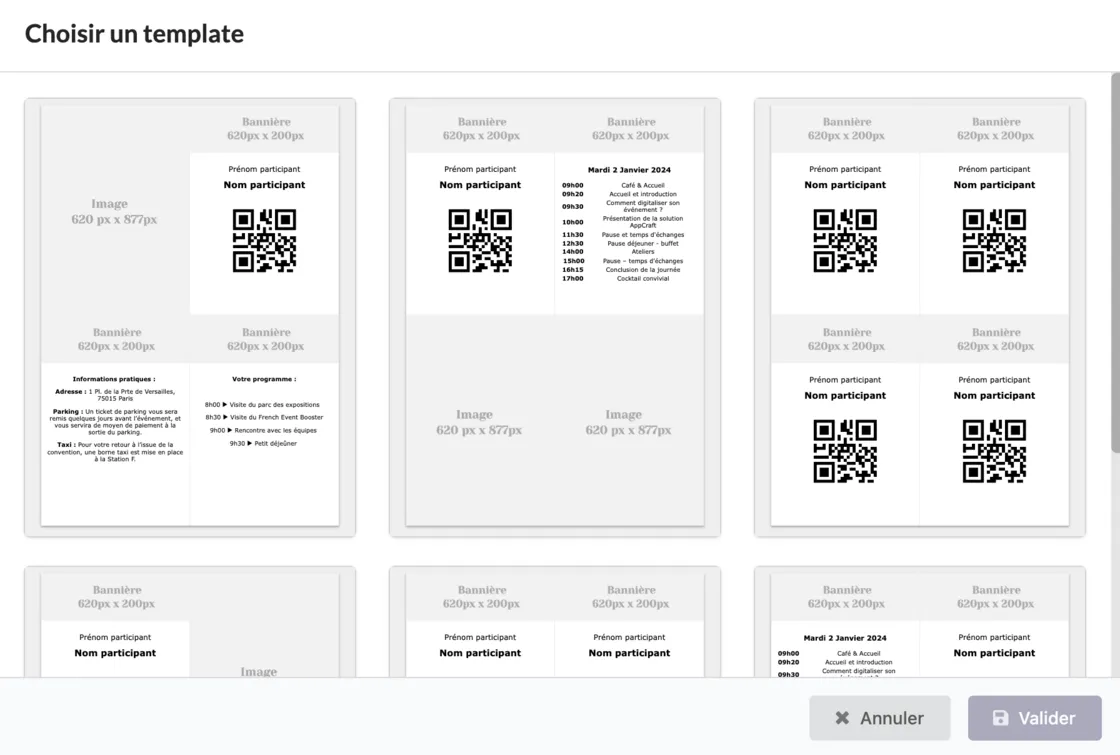
    Create badges faster with our new templates!

    The badge editor has been updated with new features to help you save time and create designs more easily.

    Here’s what’s new:

    New badge templates:

    • 6 predefined badge templates are now available.
    • These templates cover 80% of the badges used at events.
    • You can still customize the templates after selecting them.

    New panel templates:

    • 6 predefined panel templates are now available.
    • You can customize your badges by replacing one panel with another of your choice.

    These new features let you:

    • Create badges faster.
    • Start from a solid base for your designs.
    • Save time and energy.

    Illustration: Badge editor improvements

    Read the full note
  9. Improvement

    Event color management

    No more wasting time choosing the colors of every element of your events!

    You can now set the default colors of all your modules in a single click from your technical settings.

    • Setting event colors from “Settings”:
      • Go to “Technical settings” > “Event colors”.
      • Pick the colors you want (a primary color and a secondary color)
      • Save your changes.

    The default colors are applied to your Feedback, Q&A, Quiz, Word cloud, Platform, Mini-site, Form, Mailing modules, etc.

    Option to change colors individually:

    • You can still change the colors of each event module individually if you wish.

    Take advantage of this new feature to save time and create events faster and more easily!

    Read the full note
  10. New

    What's new in feedback

    We are happy to present the latest improvements to our feedback module, designed to offer an even more immersive and personalized user experience.

    What’s new:

    1. Advanced conditional options: Show or hide one or more answers of a single-choice or multiple-choice question based on specific criteria. Offer an interactive, adaptive experience that meets each participant’s specific needs.

    2. Complete flexibility with questions: Add extra questions wherever you want in your feedback form. Personalize the experience for each event and each participant.

    3. Dynamic satisfaction forms: You can now create satisfaction forms that automatically adapt to the participant’s type or category. Choose which questions to display based on previous answers and make sure every participant feels heard and valued.

    These groundbreaking features are designed to help you deliver unmatched event experiences. Discover them now and make every event a memorable moment with AppCraft.

    Read the full note
  11. Improvement

    Conditional email attachments

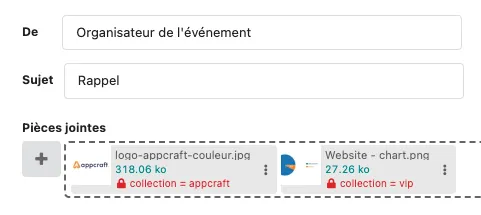
    Our mailing module has always been very flexible, so you can prepare tailored emails for all your participants. By creating a single email with advanced settings and conditions, you avoid the chore of managing several emails and several sends for each phase of your event (invitation, reminders, etc.).

    The latest update to our module goes even further: attachments can now be conditional. If you need to send an email with different roadbooks for different categories of participants, you can now create a single mailing and specify which attachment each type of participant should receive.

    Illustration: Conditional email attachments

    Read the full note

2023

  1. Improvement

    Gamification: new unlocking modes

    One of our most popular modules for engaging your event audience keeps growing: gamification.

    Illustration: Gamification: new unlocking modes

    The new unlocking modes include:

    • after check-in
    • participating in the social wall
    • completing the feedback form
    • networking
    • downloading speaker files

    For each of these, and to better script your event, you can choose whether the badge unlocks immediately or after several interactions. For example, set up a badge for the first social wall contribution, then an “expert” badge after 5 or 10 shared photos!

    Finally, to make your event even more engaging, you can hide codes to be found at your event venue or on the platform, which unlock badges via the dedicated page.

    Read the full note
  2. New

    Automatic social wall moderation

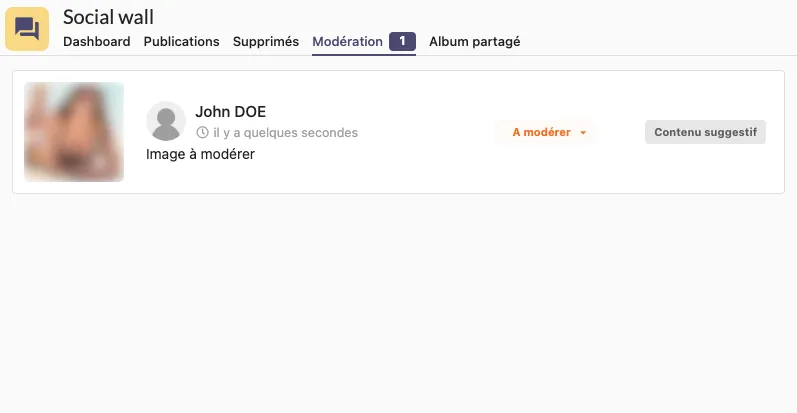
    Have you ever worried that your participants might post inappropriate content on your event’s social wall? Thanks to AI, photos posted by participants are automatically analyzed, and problematic posts are set aside and submitted for moderation. You can then calmly decide whether the content is legitimate or not.

    Illustration: Automatic social wall moderation

    And as a reminder, you still have:

    • moderation of text with a word blacklist
    • the option for a participant to report a post. The post is then automatically put on hold until an organizer approves it
    Read the full note
  3. Improvement

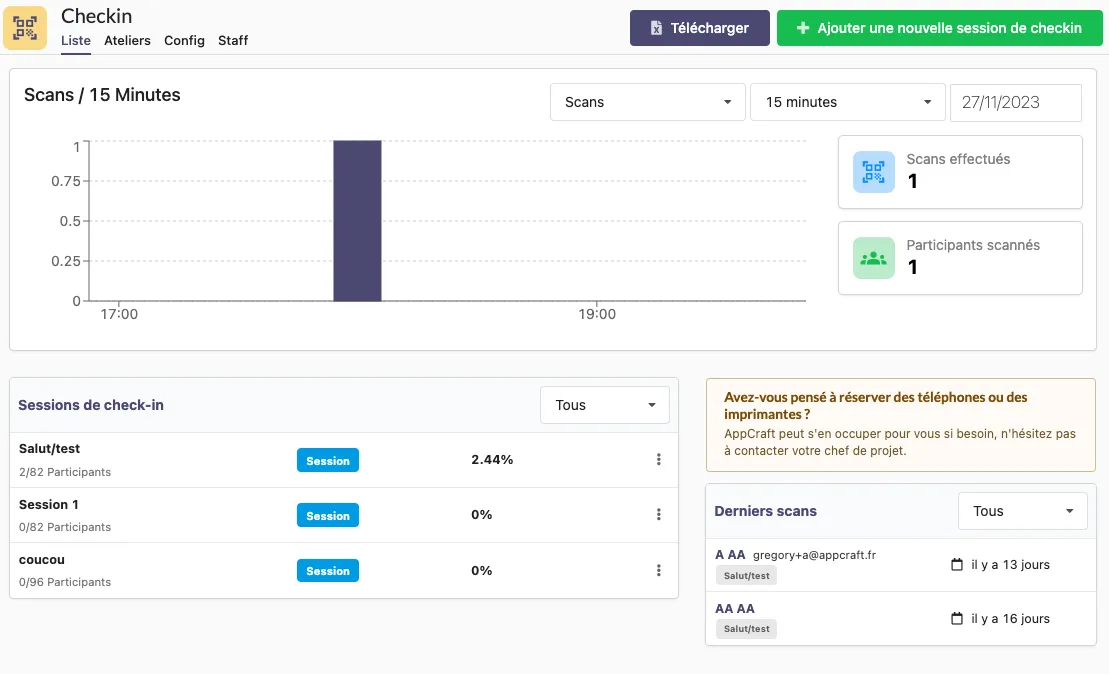
    Simplified check-in dashboard

    Your check-in dashboard gets a makeover!

    Simpler, more compact, and more intuitive. All your check-in information and sessions are now in one place.

    Illustration: Simplified check-in dashboard

    And you still keep everything that makes our check-in so powerful:

    • unlimited check-in sessions
    • advanced filters and conditions on each session, for tailor-made lists
    • check-out for those who need to closely track their participants
    Read the full note
  4. New

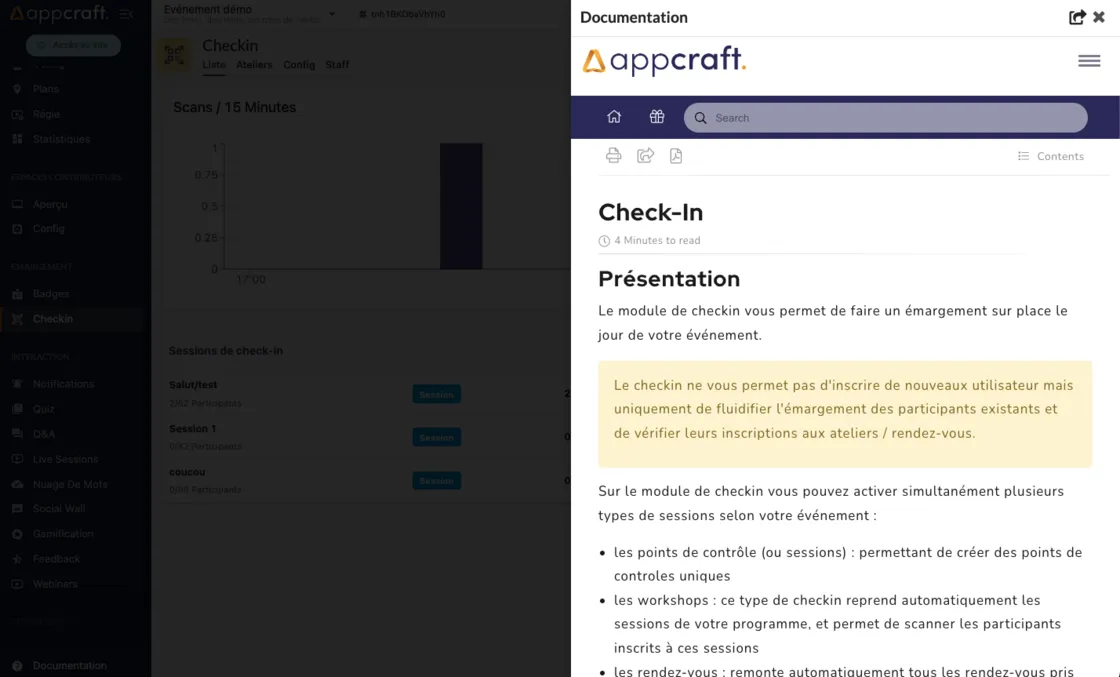
    Documentation built into the back office

    Even though we make every effort to keep our solution as clear as possible, it is sometimes useful to access our documentation to get the most out of it.

    It’s now even easier: a small help button has been added at the top right of every module.

    Illustration: Documentation built into the back office

    It opens the documentation right from the back office, on the relevant module. No more searching: everything is just a click away.

    Illustration: Documentation built into the back office

    Read the full note
  5. New

    SSO: login tracking

    For security reasons, SSO has become a must-have for all event solutions, especially internal ones. But while it is quick to set up and use for participants, some organizers run into unexpected issues: the emails entered for their colleagues do not always match the email used for SSO access. If your company has several business units with different domain names, you have probably faced this.

    To better monitor access (and access issues), AppCraft Events now includes an SSO login tracking screen: see in real time who manages to log in and who does not. And when a login fails, we automatically match it against the list you entered to suggest the email address from the list that seems to correspond.

    All you have to do is check this address and update the list.

    Read the full note
  6. New

    Sending files to your participants has never been easier

    We are pleased to introduce a major update that gives you more personalization when sending emails.

    You can now include attachments specific to each recipient, in particular your participants’ files. Here is what you can do:

    • Personalized attachments (📎): When sending an email, you can add attachments specific to each recipient, such as plane tickets (✈️), badges (📛), authorizations (📃), and more.

    • Conditional attachments (🎯): You can set conditions on these attachments so that only a specific category of people receives them. This lets you tailor information and files to the needs of each group.

    Illustration: Sending files to your participants has never been easier

    With this new feature, you can offer your participants a more relevant experience by providing information specific to their profile.

    Read the full note
  7. Improvement

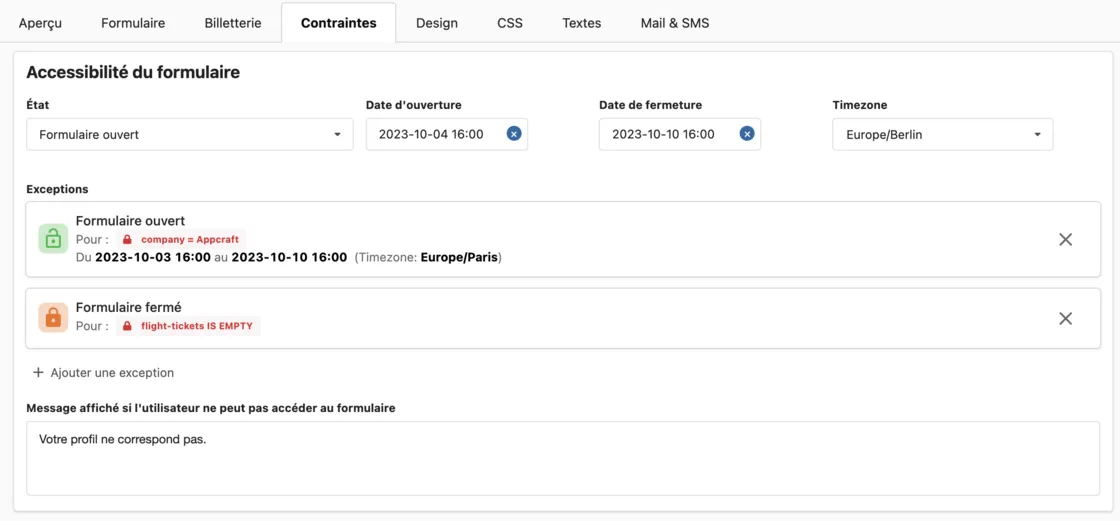
    Advanced access management for registration forms

    With this update, you can now customize access to your forms more precisely. Here’s what you can do:

    • Set registration opening and closing dates (📅⏰) for your forms, giving you full control over when they are accessible.

    • For specific needs, you can create exceptions (🎯) for particular categories of participants. For example, if VIPs need extended access to the form, you can handle this with exceptions, ensuring a tailored experience for each group.

    • When an exception applies, the form displays a custom message for those categories, offering a more targeted user experience.

    Illustration: Advanced access management for registration forms

    This update gives you full control over the accessibility of your forms, letting you adapt their availability to your needs while offering personalized experiences to your participants.

    Read the full note
  8. New

    Data flush: smarter data management

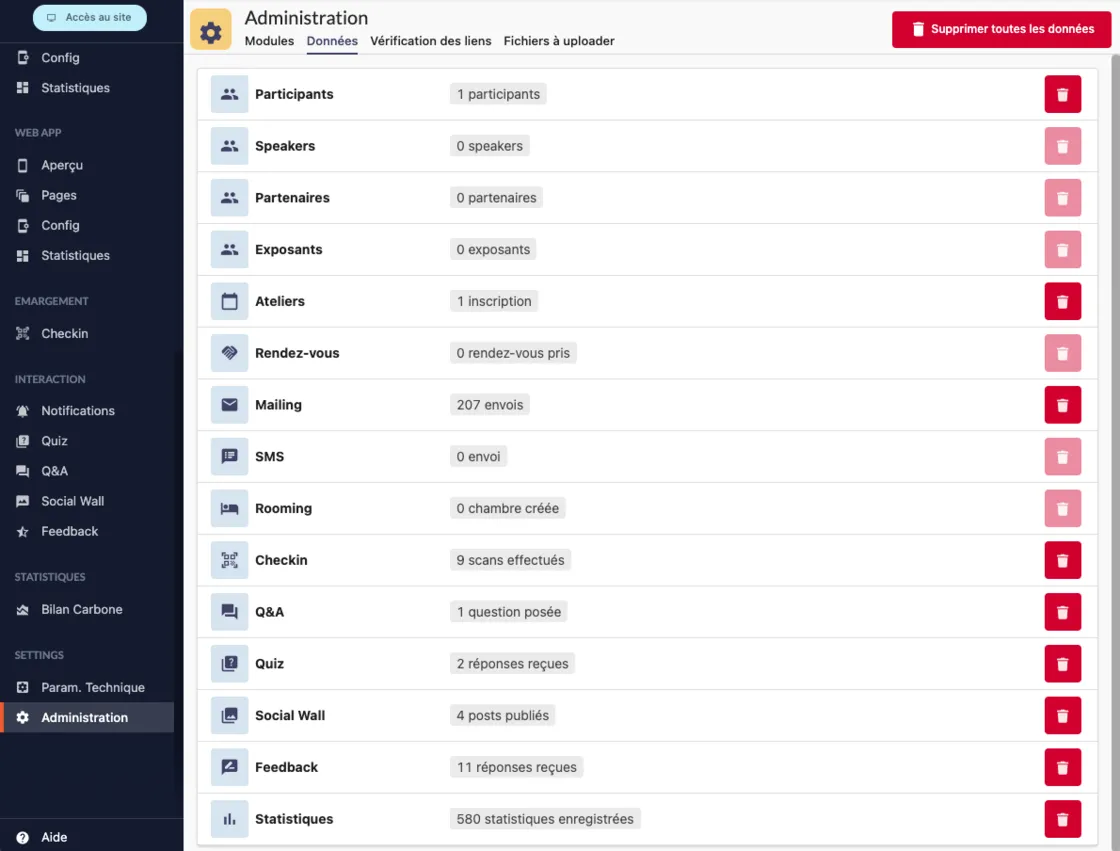
    You now have a data flush feature for smarter data management. Here is what it brings you:

    Optimize your data (📈): You get a clear overview of the raw data of each active module.

    Data flush (🗑️): You can manage your data in a targeted way, keeping crucial information while removing what you no longer need. Modules eligible for flushing include:

    • Mailing (📧) (email sending data)

    • SMS (📱) (SMS sending data)

    • Participants (👥) (participant data)

    • Logistics (🏨) (rooms and roommates)

    • Check-in (🔍) (scan history)

    • Order management (📦) (global order list)

    • Agenda (📆) (session registrations)

    • Quiz (📝) (answers)

    • Q&A (❓) (answers)

    • Social Wall (📢) (full data deletion)

    • Gamification (🏆) (achievements reset)

    • Feedback (📤) (answers)

    “Delete all data” button (🔴): A dedicated button makes it easy to flush all previous data in a single click.

    Illustration: Data flush: smarter data management

    This update aims to improve how you manage active modules by giving you better control over the data you want to keep or delete. Take advantage of this new feature to optimize your data management.

    Read the full note
  9. New

    Import: Improved duplicate detection

    When you import data, we now display an alert in the pop-up at the bottom left that flags duplicates, while still letting you continue the import without being blocked.

    This feature gives you better visibility into detected duplicates, so you can make informed decisions when importing your data.

    Read the full note
  10. New

    Integrated participant profile 📑

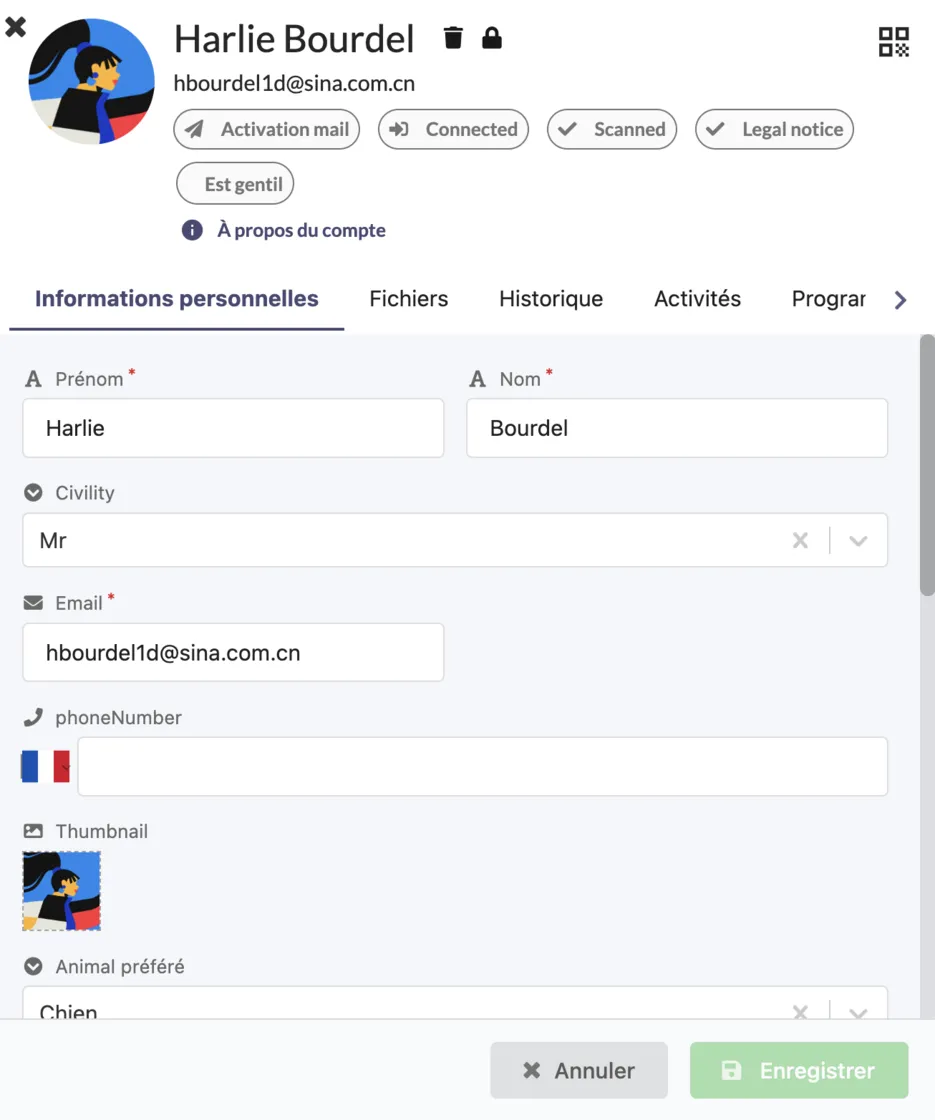
    Discover our ultimate participant profile, bringing together all the essential information! You get a complete participant profile:

    • An intuitive form 📝 to update their personal data

    • Easy management of their files 📂

    • Access to their event program 📅

    • A list of their guests 👥 with easy access to each guest’s card

    • A complete history of their account

    • Detailed tracking of their activity 📊 on Q&A, the Social Wall, gamification, and more

    Simplify management and improve the participant experience with our user-friendly, high-performance interface!

    Illustration: Integrated participant profile 📑

    Read the full note
  11. New

    The participant profile evolves: an improved experience!

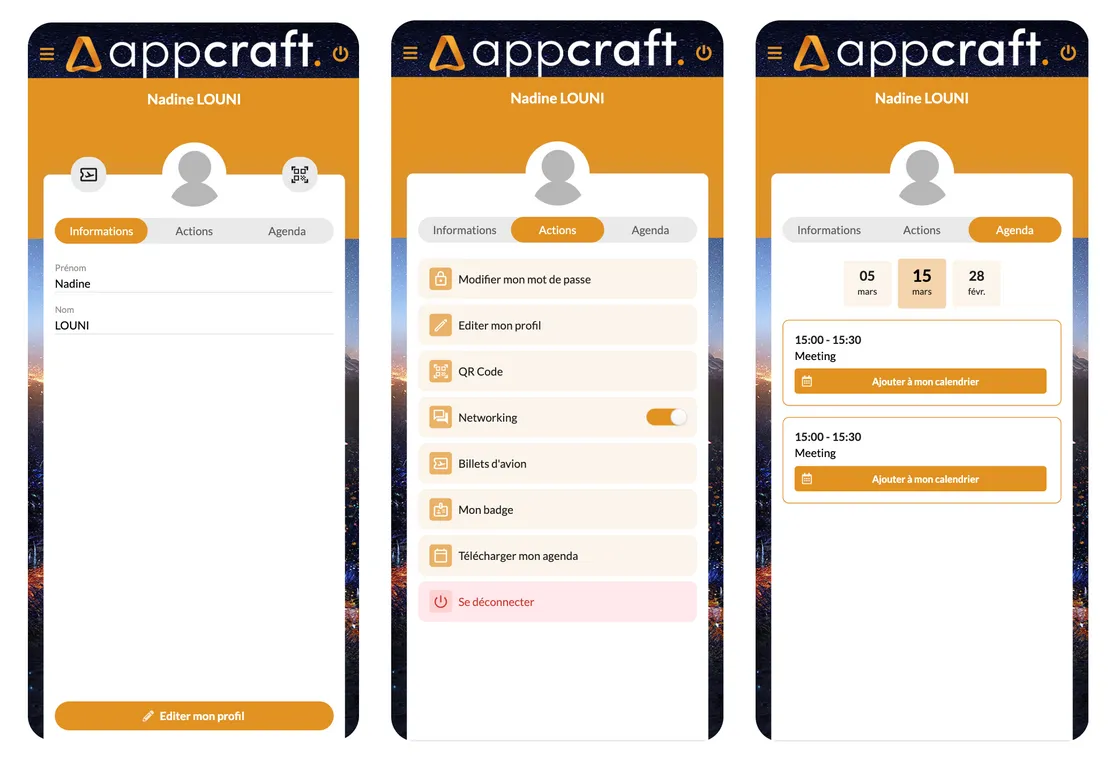
    The participant profile is now organized into three sections, which you can customize from the back office to fit your needs.

    1- Information ✏️: Lets participants manage their personal data.

    2- Actions 🔧: Gives participants control features such as changing their password, logging out, and downloading various files (QR codes, flight tickets, badge, etc.).

    3- Agenda 🗓️: Displays the participant’s personal program, including session times and names, as well as the workshops they are registered for.

    These improvements aim to make the experience more enjoyable and better suited to your event. 🌟

    Section titled “These improvements aim to make the experience more enjoyable and better suited to your event. 🌟”

    Illustration: The participant profile evolves: an improved experience!

    Read the full note
  12. Improvement

    Add media, manage and customize your Social Wall!

    Discover our latest Social Wall improvement 🌟:

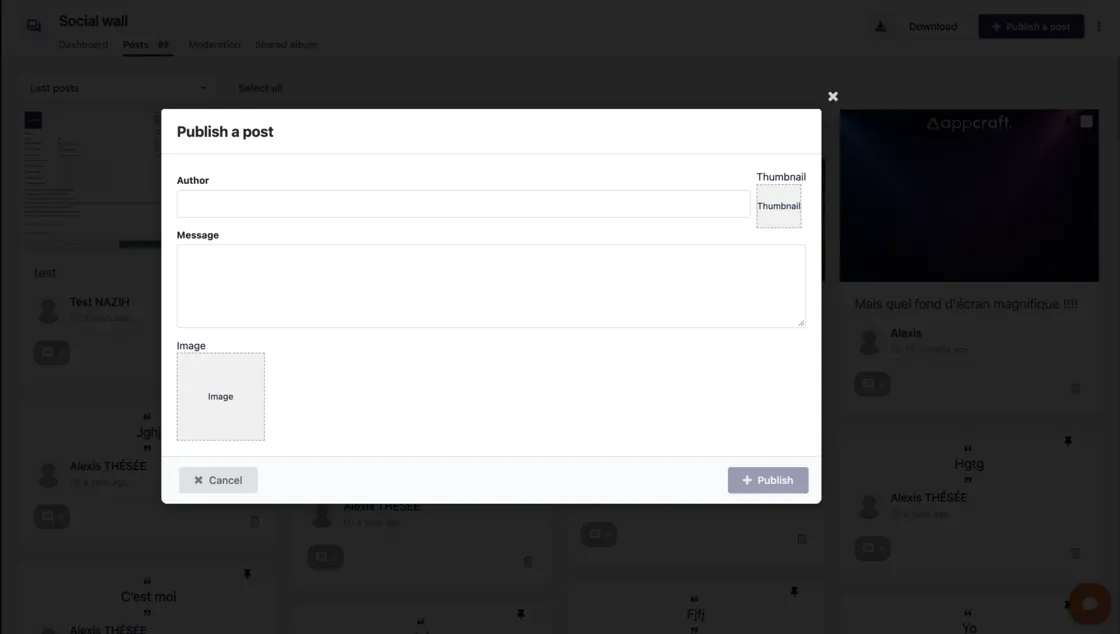
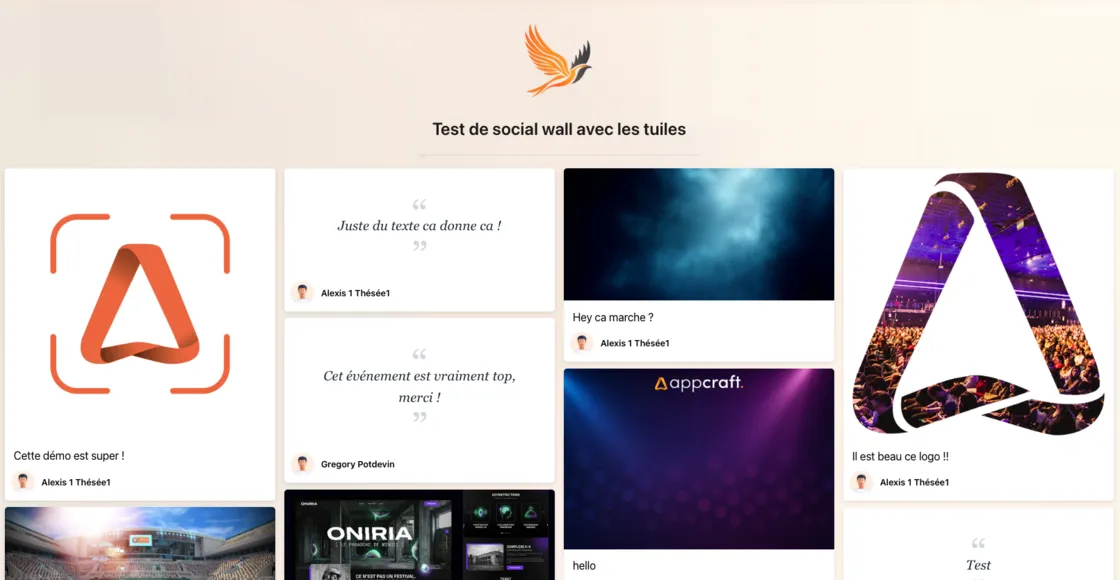
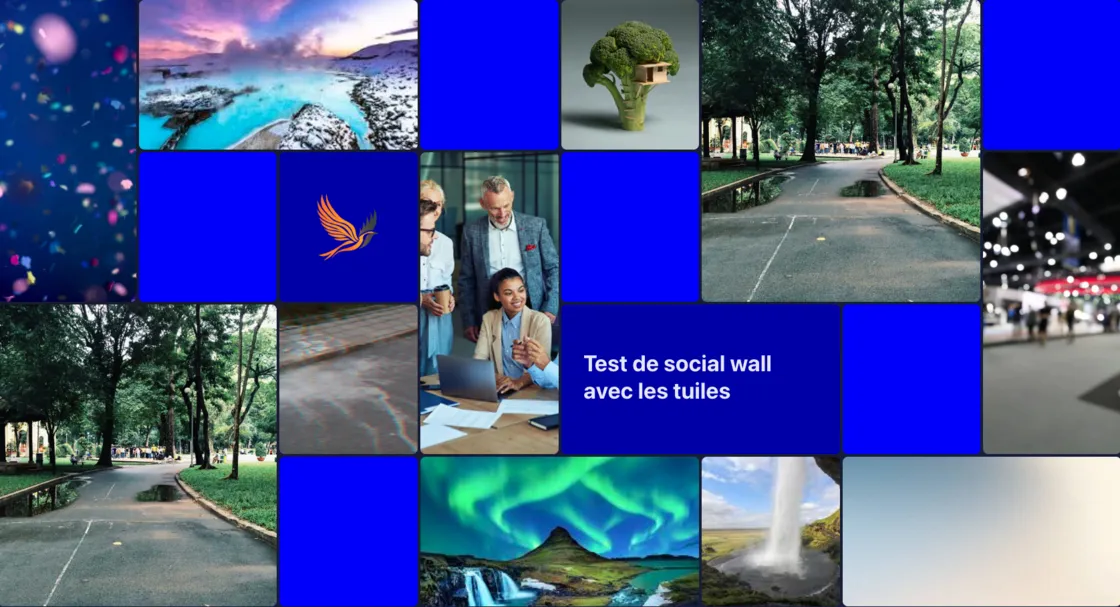
    1. Enrich your media 📸: Easily add images in bulk from the back office to create engaging visual albums.

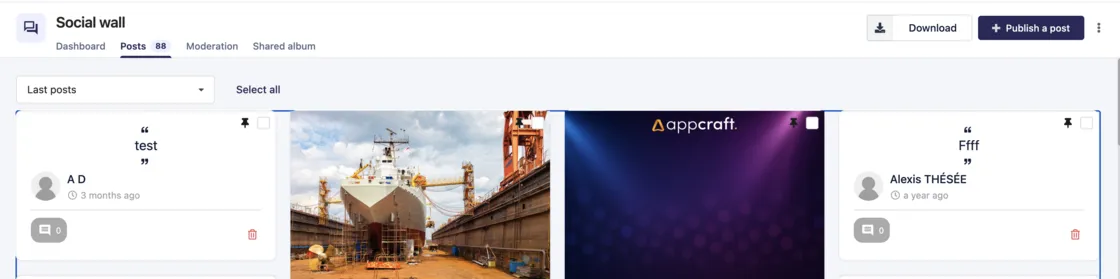
    2. Participant controls 👍💬: Customize the experience by setting permissions to post, comment on, or react to posts.

    3. Simplified management 🧹: Remove selected posts in bulk, making your social wall easier to manage.

    A powerful way to enhance and manage interactions at the heart of your event.

    Section titled “A powerful way to enhance and manage interactions at the heart of your event.”

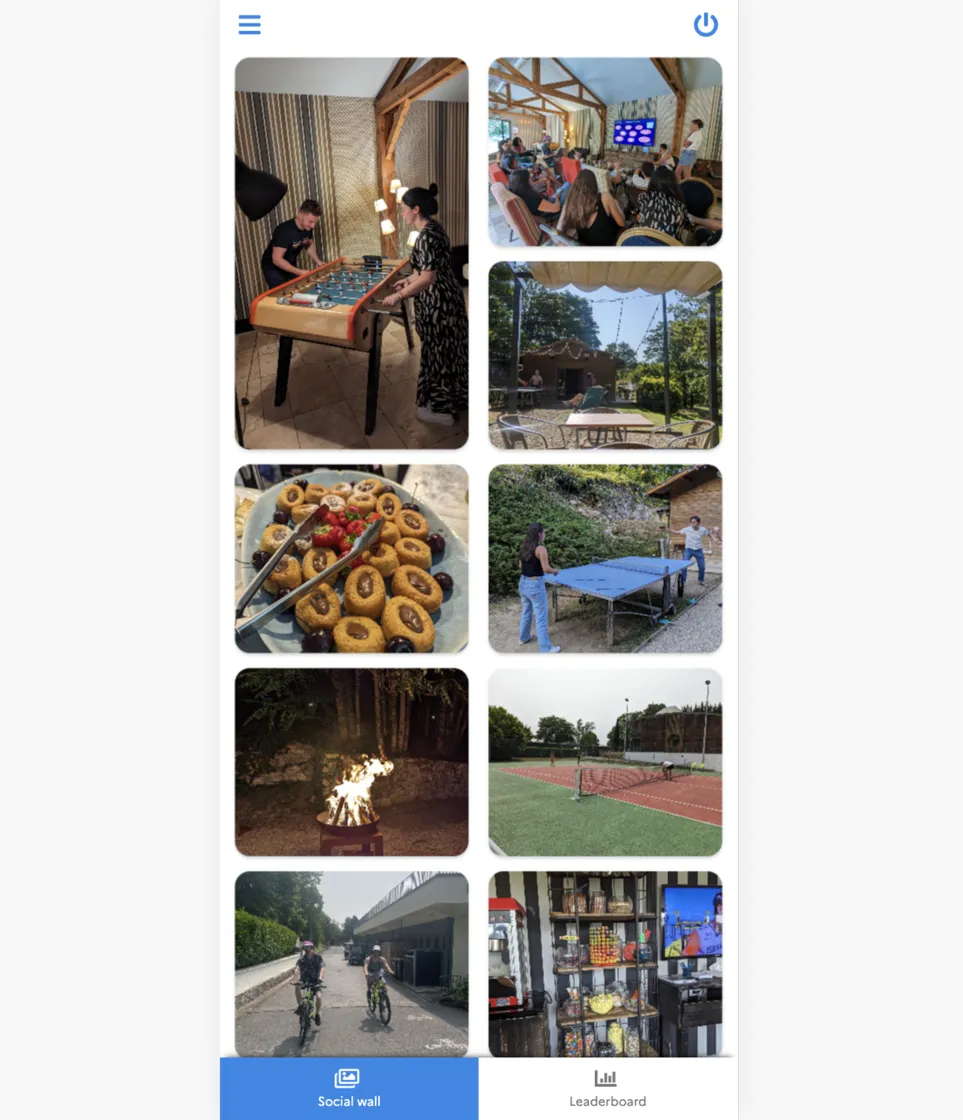
    Illustration: Add media, manage and customize your Social Wall!

    Read the full note
  13. Improvement

    Platform page history

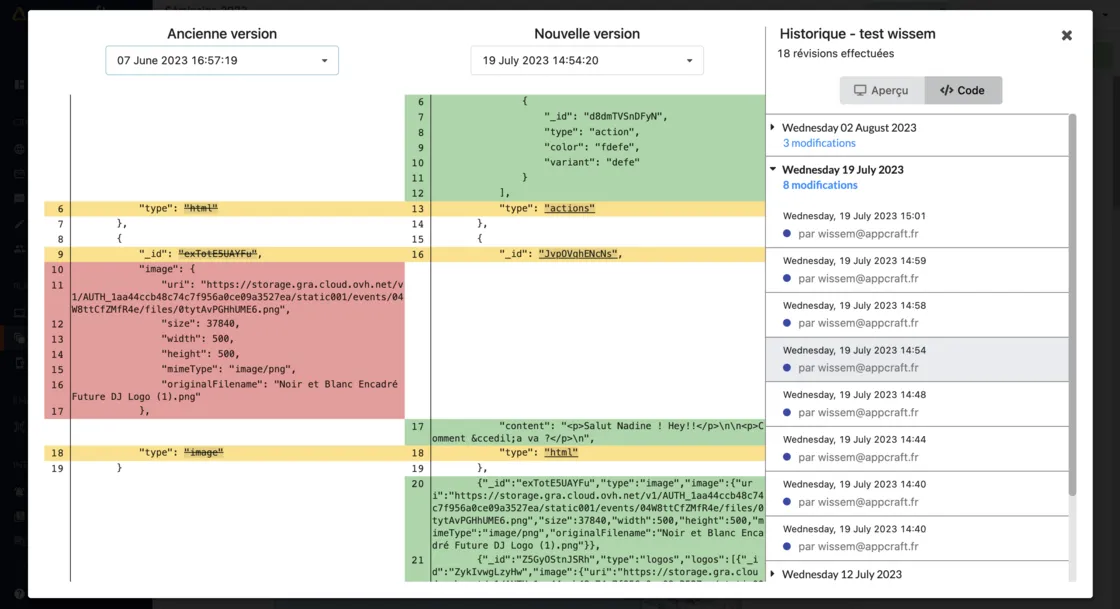
    An optimized page history that makes it easier to manage and compare versions, for well-structured, impactful content.

    • Compare any version of the page with any other version.

    • Display both versions side by side with changes highlighted.

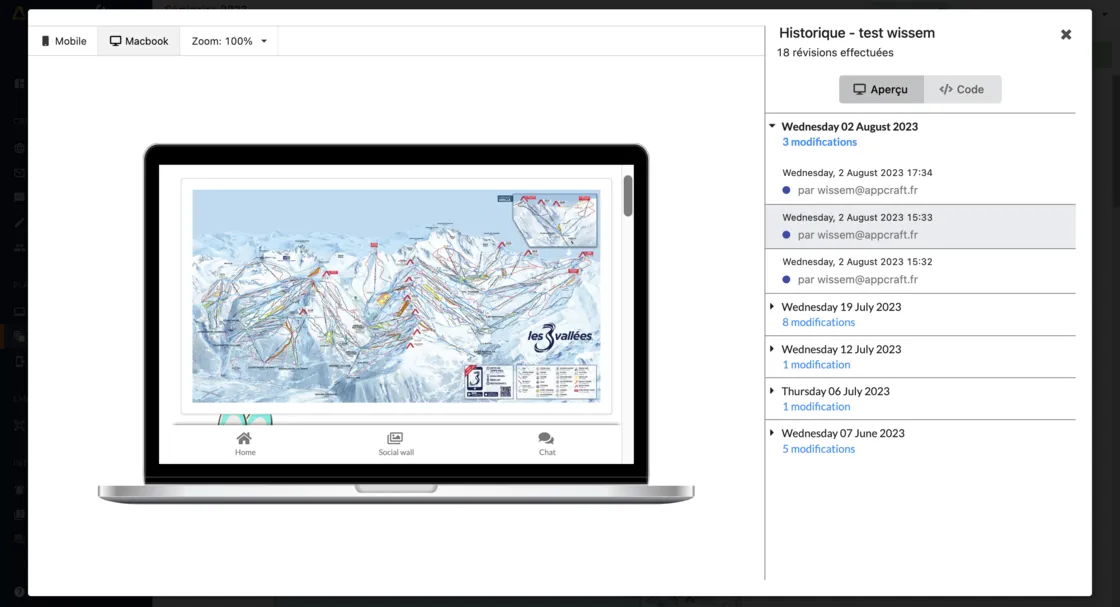
    • Preview the available versions from this screen.

    Optimize your pages and impress your visitors today!

    Illustration: Platform page history

    Illustration: Platform page history

    Read the full note
  14. Improvement

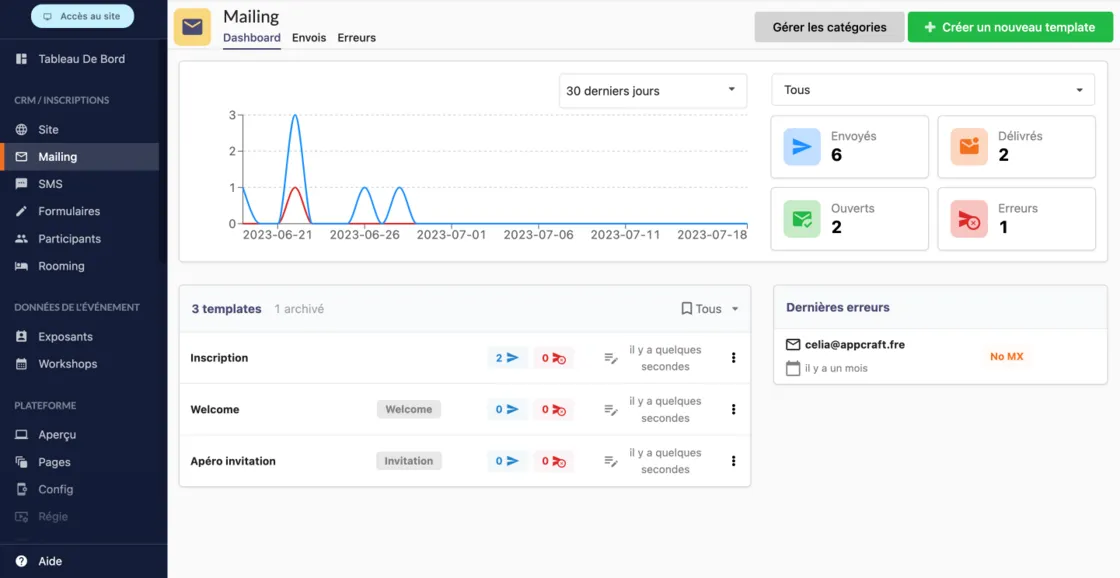
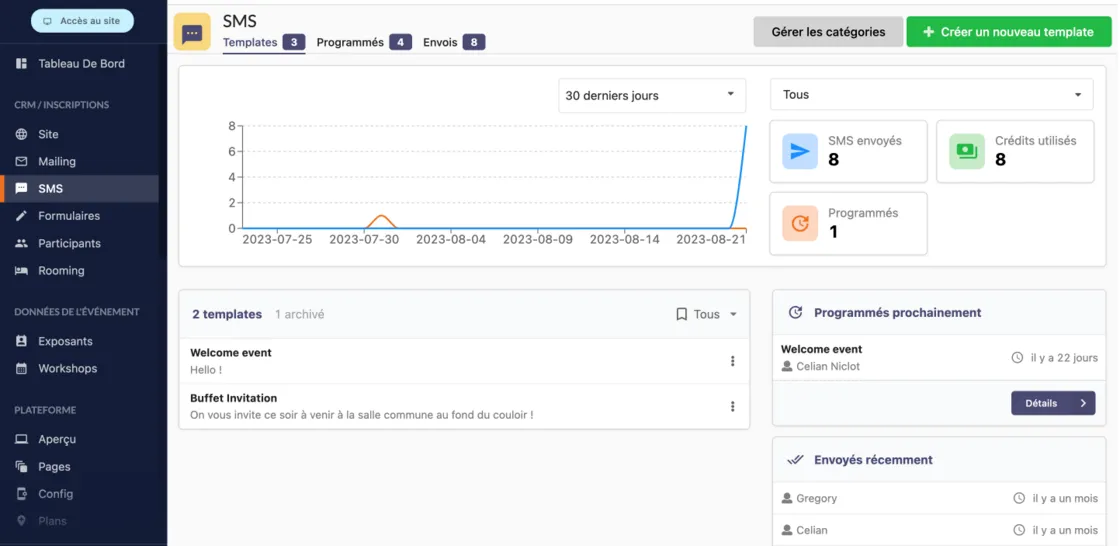
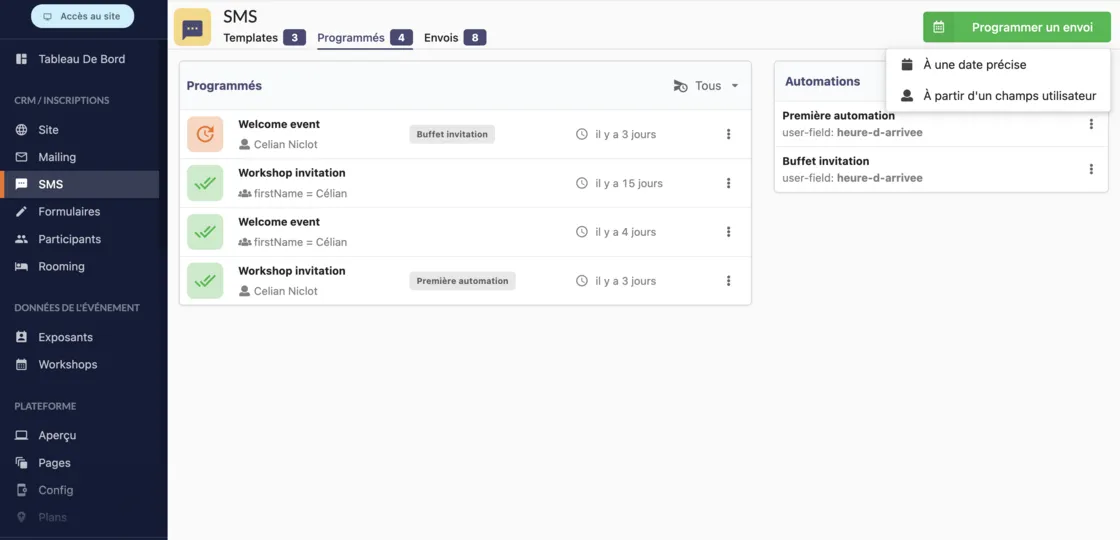
    Mailing and SMS dashboard: redesign

    To improve your user experience, we have redesigned the main screens of the mailing and SMS modules.

    These improvements now give you easy access to statistics, sending charts, and template errors for mailings, as well as to past and upcoming scheduled SMS sends

    In addition, for better organization, you can create categories for your templates or archive them as needed.

    Make the most of our platform to optimize your communications.

    Illustration: Mailing and SMS dashboard: redesign

    Illustration: Mailing and SMS dashboard: redesign

    Illustration: Mailing and SMS dashboard: redesign

    Read the full note
  15. Improvement

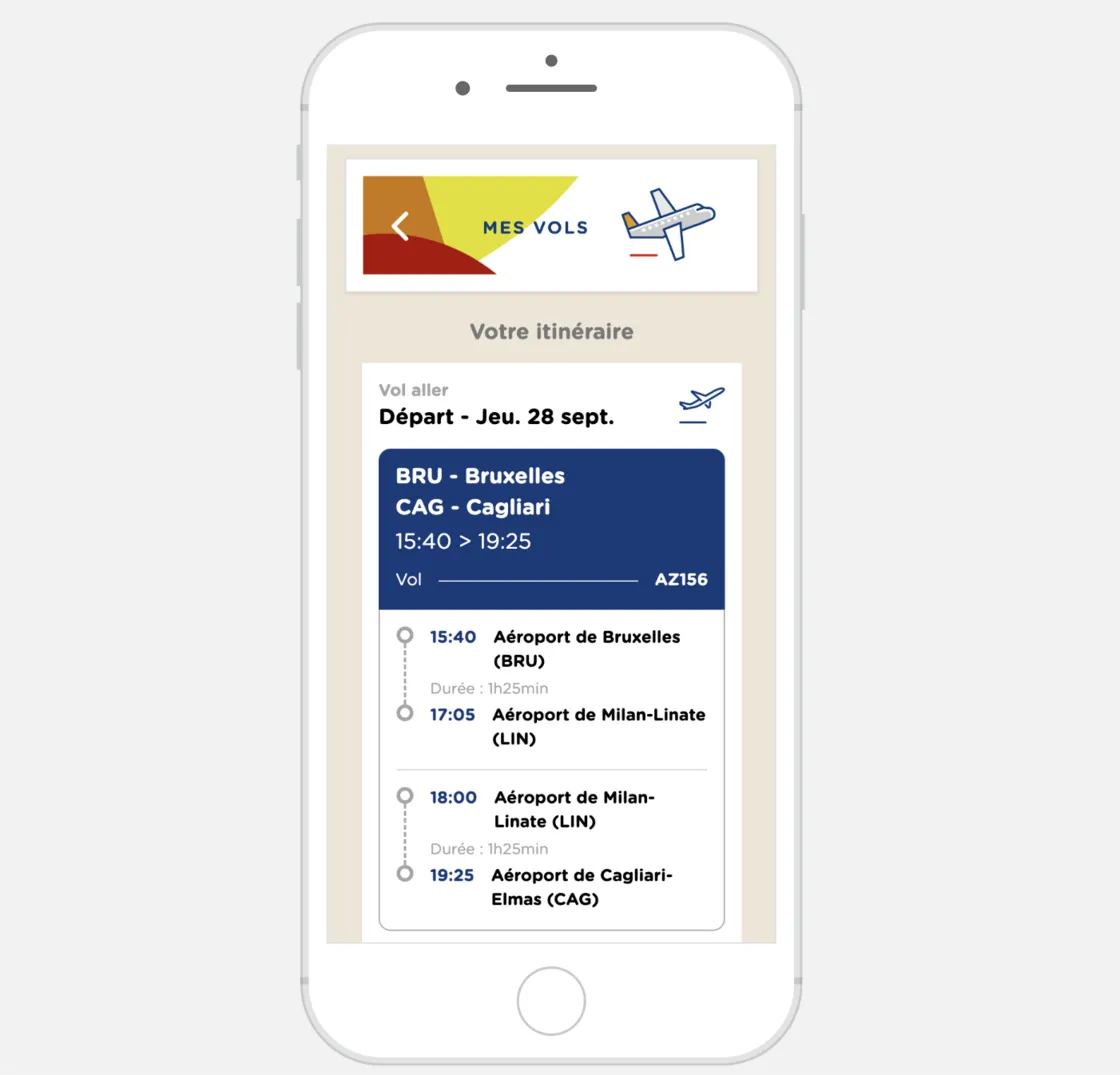
    Share flight information with your participants

    1. Clear itinerary display 🌍:

    Your participants can easily access the details: times, duration, flight numbers, airlines. Everything is clear.

    2. Easy connection management 🔄🛂:

    The full itinerary is visible at a glance, making it easier to plan trips with connecting flights.

    3. All flight information in one place 🗂️:

    Our platform brings everything together for a complete, stress-free overview.

    Take advantage of this new feature for well-organized travel to your events! 🌟✈️

    Section titled “Take advantage of this new feature for well-organized travel to your events! 🌟✈️”

    Illustration: Share flight information with your participants

    Read the full note
  16. New

    Form: transport carbon footprint

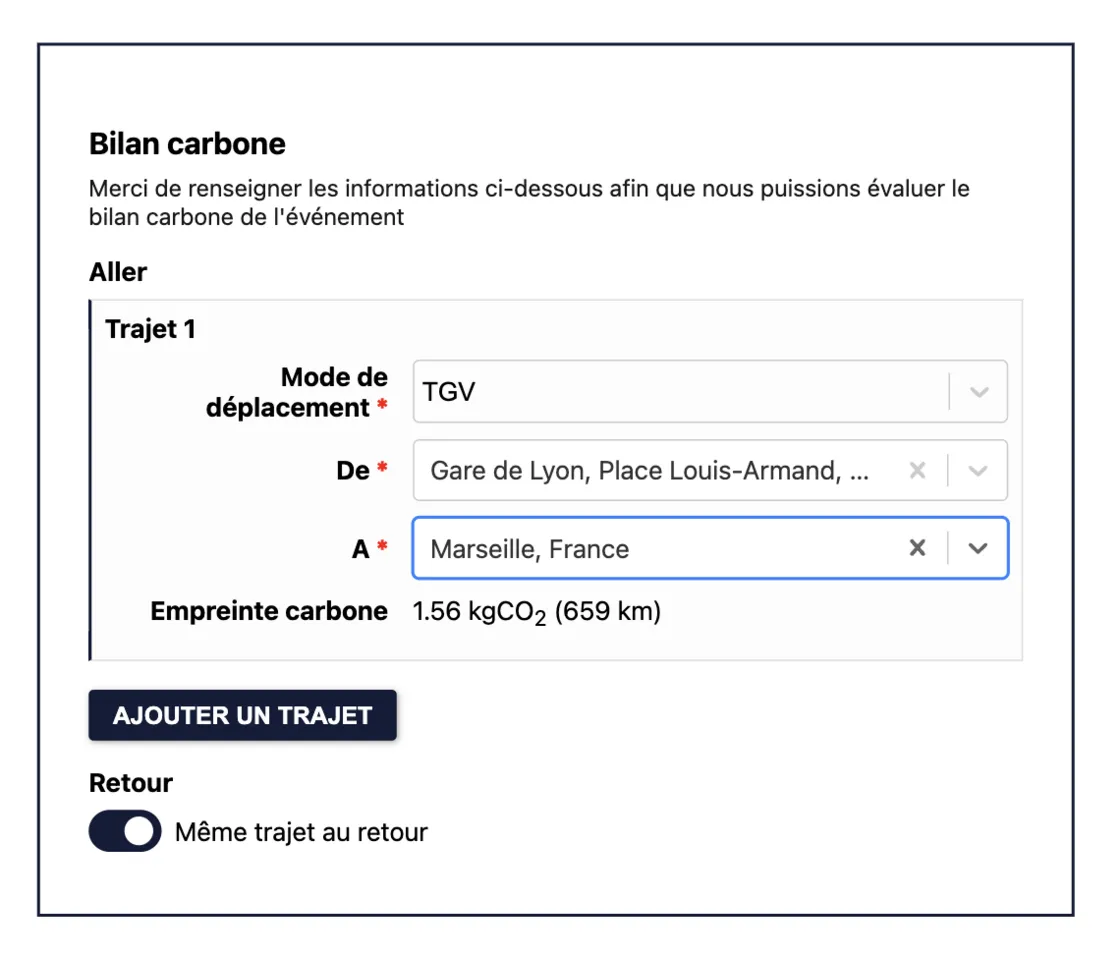
    Discover our new feature that lets you add a new “Transport carbon footprint” field to your forms!

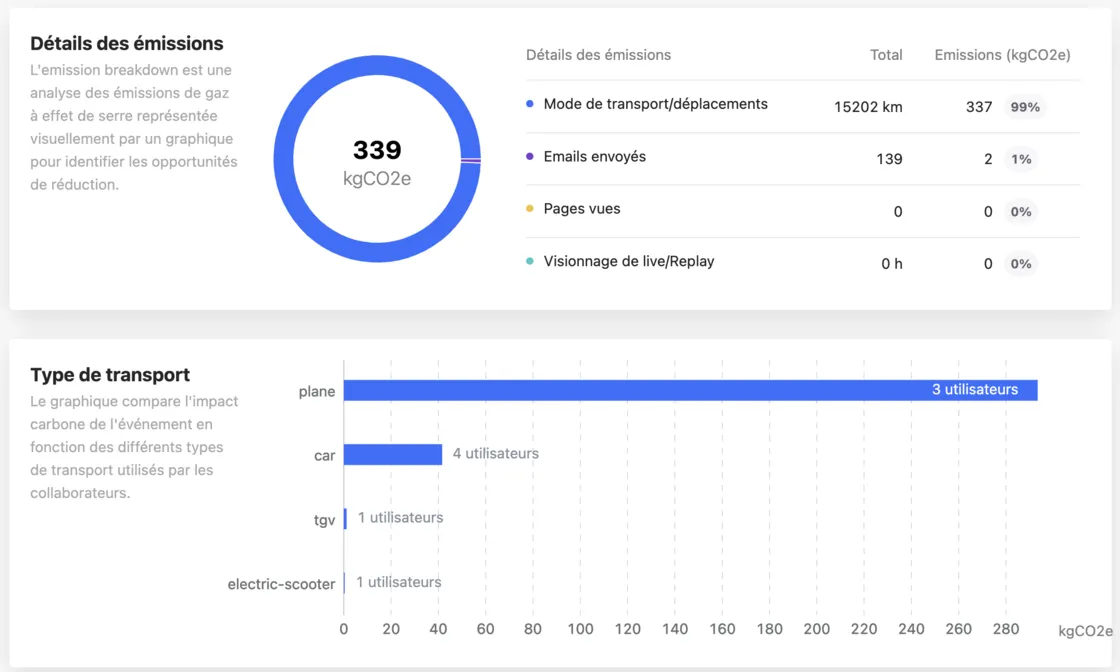
    Your participants can now easily specify the means of transport used for their outbound and return trips, along with the corresponding departure and arrival addresses. We designed this feature with one goal in mind: measuring the carbon footprint generated by everyone’s travel.

    With this new feature, you can:

    • Collect accurate data on your participants’ travel habits
    • Get an estimate of their carbon footprint.

    Illustration: Form: transport carbon footprint

    Illustration: Form: transport carbon footprint

    Read the full note
  17. Improvement

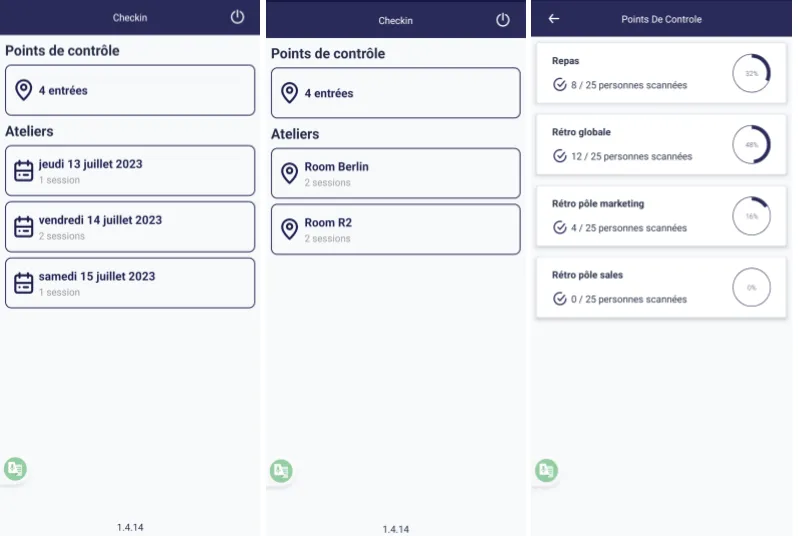
    New check-in app version v1.4.13

    Simplify your event management now. Discover the new version of our check-in app!

    • Easily create custom checkpoint sessions.

    • Automatic synchronization of users and their personal information in the check-in app.

    • Option to hide workshops so they don’t appear in check-in sessions.

    • Customizable session display –> You can choose to group workshops by date, by location, by date and location, or not group them at all.

    Simplify your event management now.

    Illustration: New check-in app version v1.4.13

    Read the full note