


>Phase 1
• Participants register for the event or confirm their attendance.
>Phase 2
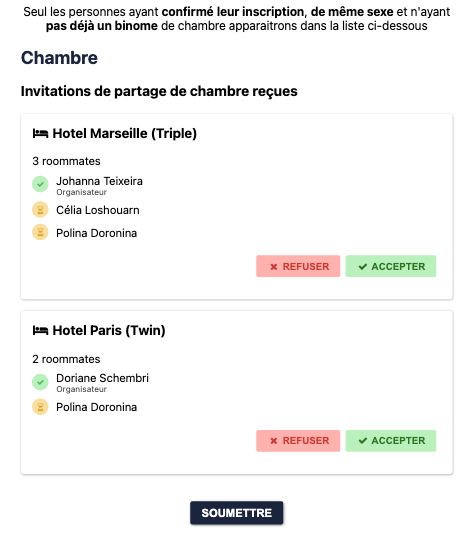
• Participants choose a hotel with rooms that are still available.
• They can then invite one or more participants to share a twin or triple room from the list of people who have confirmed their participation in the event.
• The roommate will receive the invitation by email and must confirm to validate the room
• The organizer can also create and assign rooms directly from the back office.
• Single participants will simply need to select their hotel (we recommend identifying guests as VIPs in the listing, as this will restrict access to single rooms to these VIPs only)
> Summary of listings from the back office by room type – Exportable to Excel file
Tracking the invitation process for all participants
• Facilitates the collection of necessary information and the management of rooming lists for those who have confirmed their attendance
• Offers a personalized experience and allows participants to have control over their accommodation (hotels and rooms in these hotels can be tailored to the participant's profile)
• Promotes interaction between participants, strengthens relationships, and facilitates the creation of a friendly environment during the event
• Enables efficient management of room allocation, simplifies the process, and avoids potential errors
• If participants are staying in twin rooms and have not chosen a roommate, the administrator can easily assign one automatically.
• Facilitates data visualization and participant management


