Create a white-label mini-site for your event: secure access, personalized and responsive templates and content to boost your guests' engagement.


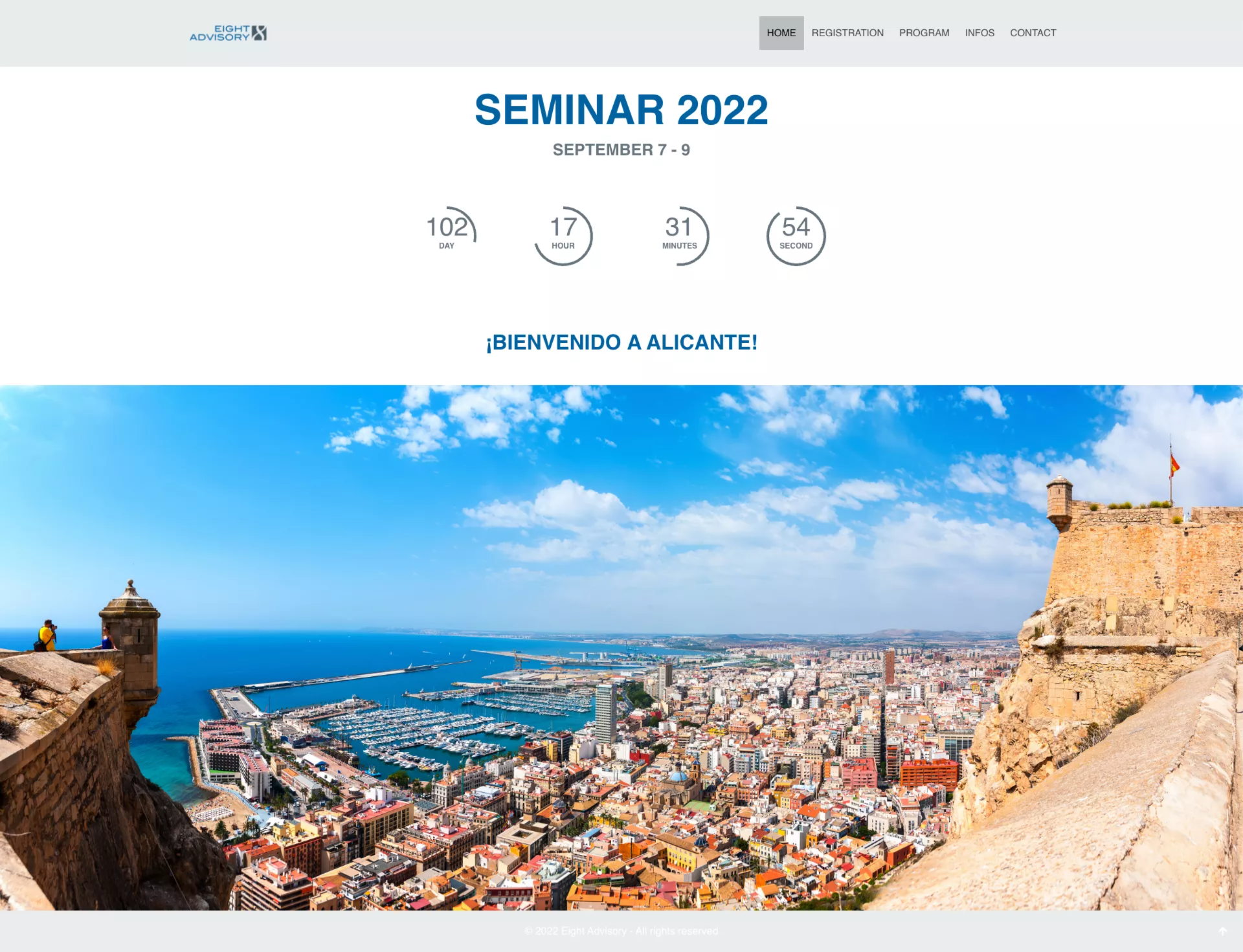
Work independently using our intuitive website editor or with the support of our experts to quickly design an event website that reflects your image. AppCraft allows you to increase guest engagement by easily customizing your mini-site using a user-friendly editor and ready-to-use templates, while clearly structuring your event content with multiple tabs for simple and efficient navigation.
• Choose the URL or domain name for a website that perfectly reflects your event.
• Customize the design by defining the colors, style, and visual elements that match your identity.
• Configure your content blocks by selecting the data to display: speakers, workshops, program, partners, etc.
• Easily manage the site structure with an intuitive and flexible interface, adapted to each type of event.
• Registration form : make it easy to participate in just a few clicks.
• Showcase your speakers with detailed and compelling bios.
• Present the program in a clear and attractive way.
• Share all the practical information to guide your participants.
• Distribute your multimedia content: PDFs, slides, videos, and more.
Help your participants learn about the event with:
• Free or restricted access via a unique link/invitation to an event landing page
• Website editor with 25 templates available: event program, practical information, contacts, speakers, access, speaker bios, registration form integration
• Unlimited number of pages
• Graphic elements can be modified: headers, colors, logos, fonts
• Content available before, during, and after the event (PDFs, slides, videos)
• Information blocks can be customized according to participant type
• Choice of URL/domain name
• Responsive by default: perfect rendering on mobile, tablet, and computer.
• Pre-designed and modular templates: save time while retaining complete freedom.
• Complete customization: colors, design, pages, photos, menus, and submenus to suit your image.
• Add features with a single click: easily integrate everything AppCraft has to offer.
The choice of a platform for creating event websites depends on the format of your event, the level of customization you want, and the features you need: registration, schedule, practical information, or guest-only access.
For an event that only has a single landing page, a standard website builder may be sufficient.
On the other hand, for a seminar, convention, or conference that requires participant tracking, an integrated event platform may be more suitable.
AppCraft lets you create a custom website and connect it directly to registration and other event management features.
An event microsite is a website specifically designed to support an event. Unlike a corporate website, it brings together the information participants need: the program, speakers, venue, schedule, and registration form.
It may be open to the public or restricted to certain guests, depending on the organizer's objectives.
With AppCraft, organizers can create an event website using customizable templates, choose their URL or domain name, and integrate the features needed for the attendee experience.
Yes. A platform with a visual editor lets you create an event website without having to develop each page manually.
AppCraft offers 25 templates and an editor that lets you customize colors, logos, fonts, menus, and content blocks. Organizers can, in particular, include their program, speakers, documents, and registration form.
They can make these changes on their own or receive support from the AppCraft teams. The site is also designed to be compatible with smartphones, tablets, and computers.
For an event with multiple categories of participants, it may be helpful to tailor the information displayed to their needs and access rights.
For example, at a conference, employees can access the schedule, while speakers have access to specific information about their presentations.
AppCraft allows you to customize the display of certain content blocks based on participant type and to offer open or restricted access through individual links.
This customization allows us to provide each guest with the information relevant to their participation.
The most common mistakes include overloading pages, making the registration form difficult to access, or neglecting the mobile display.
To design an effective website, start by identifying the essential information: an overview of the event, the program, speakers, the venue, and registration details. Then organize the content according to the participants' needs.
AppCraft lets you organize the website into multiple pages, integrate registration directly, and update content as the event approaches.
Before publishing, check the links, test the form, and verify how it displays on different devices.