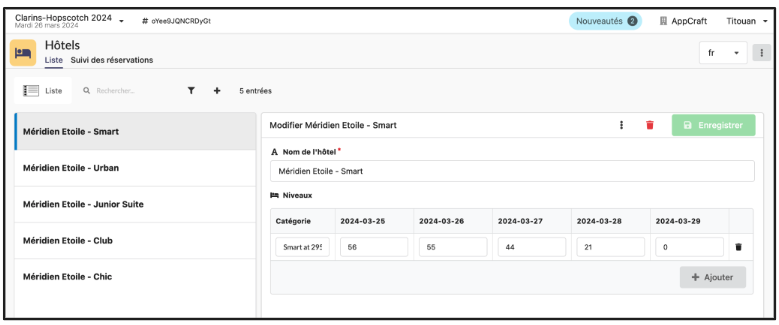
The organizer enters the number of hotels and rooms available in each hotel, broken down by day, in the back office.
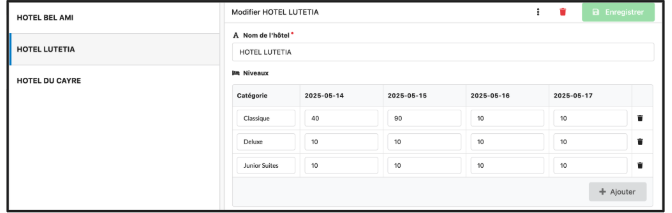
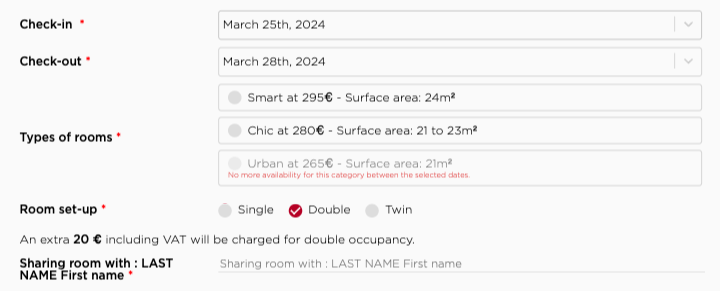
The participant enters their arrival and departure dates in the registration form, and the tool then shows them the available rooms.
Here, the "roommate" field can only be a free text field; the organizer will have to pair up participants themselves in the back office. It is rarely used to indicate a companion who will not be participating in the event (e.g., spouse).
The participant enters their arrival and departure dates in the registration form, and the tool then shows them the available rooms.
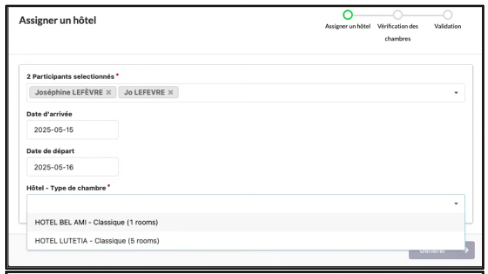
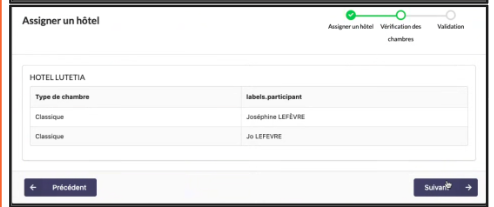
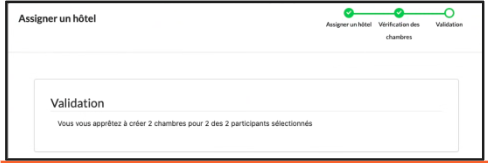
The organizer can also select one or more participants and automatically assign them to available rooms based on the dates they have chosen.
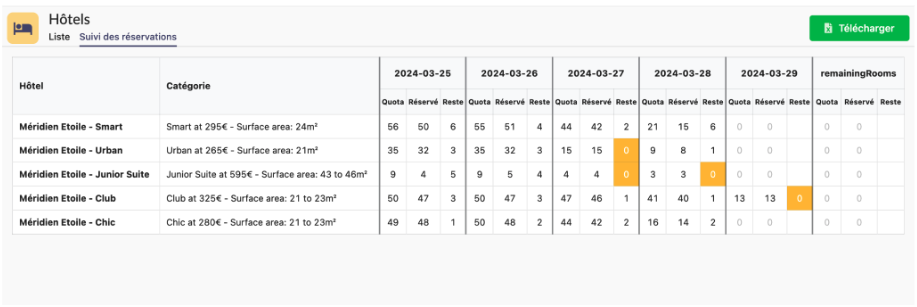
The organizer can track the number of rooms reserved by participants, by date and by hotel, in the back office. Rooms that are fully booked are highlighted with an orange box.
Administrators can independently enter the number of rooms available and the number of places in each room using the form.
• Participants may only choose a room/hotel if the room quota entered in the Back Office by the organizer has not been exhausted.
• Participants may choose to come for a period of consecutive days (e.g., Monday, Tuesday, Wednesday) or non-consecutive days (e.g., Tuesday evening and Thursday evening).
◦ Please note that it is not possible to have both management modes simultaneously (consecutive and non-consecutive nights) for the same event.
◦ If you choose the non-consecutive nights option, all available days are displayed and the participant must check the days of accommodation that interest them.
• If the room quota is exhausted, the hotel is indicated as fully booked to the participant, who must then choose another hotel.
• The organizer can increase the number of rooms available at any time via the AppCraft back office.
Summary of listings from the back office by room type – Exportable to Excel file
• Accurately manage availability and offer participants flexibility in choosing their room based on established quotas
• Ensures that participants will have access to available rooms and avoids confusion or overbooking
• Allows for greater flexibility to adapt to the individual needs of participants
• Allows for real-time management of availability and avoids overbooking situations
• The platform's back office provides a summary of listings by room type. This information can be exported to an Excel file, which facilitates data management and allows for detailed analysis of reservations made