

No longer do you have to choose between interactivity and peace of mind. AppCraft brings together the best of Social Wall, Quizzes, and Q&A in one seamless interface. With automatic photo moderation and message filtering, you can give participants a voice without overburdening your organizing teams.


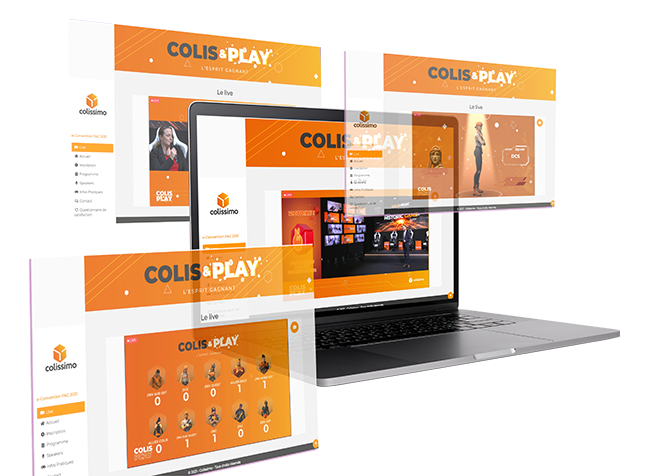
Display your participants' photos and messages on a giant screen to create an immediate sense of belonging. Unlike traditional solutions, our AI analyzes each image before publication to automatically block inappropriate or violent content. You no longer need to assign someone full-time to manually approve each photo: the feed is live, instantaneous, and secure.
Turn monologues into dialogues. Participants ask questions from their mobile phones and vote for the most relevant ones ("Upvote"), allowing the speaker to address priority topics. Thanks to our customizable Blacklist system, sensitive or vulgar keywords are automatically filtered out, ensuring constructive exchanges without the risk of verbal abuse on screen.
Our Quiz module adapts to your scenario. In "Live" mode, energize a plenary session with timed questions and live rankings to wake up the room. In "Autonomy" mode, allow participants play at their own pace (before the event or during breaks) to test their knowledge or earn points, reinforcing the educational impact of your content.
Don't let photos get lost in phone memories. Provide a unique space where organizers and participants can upload their photos. It's a powerful tool for after the event: you can effortlessly collect hundreds of authentic pieces of content for your future communications, while offering guests easy access to memories of the day.
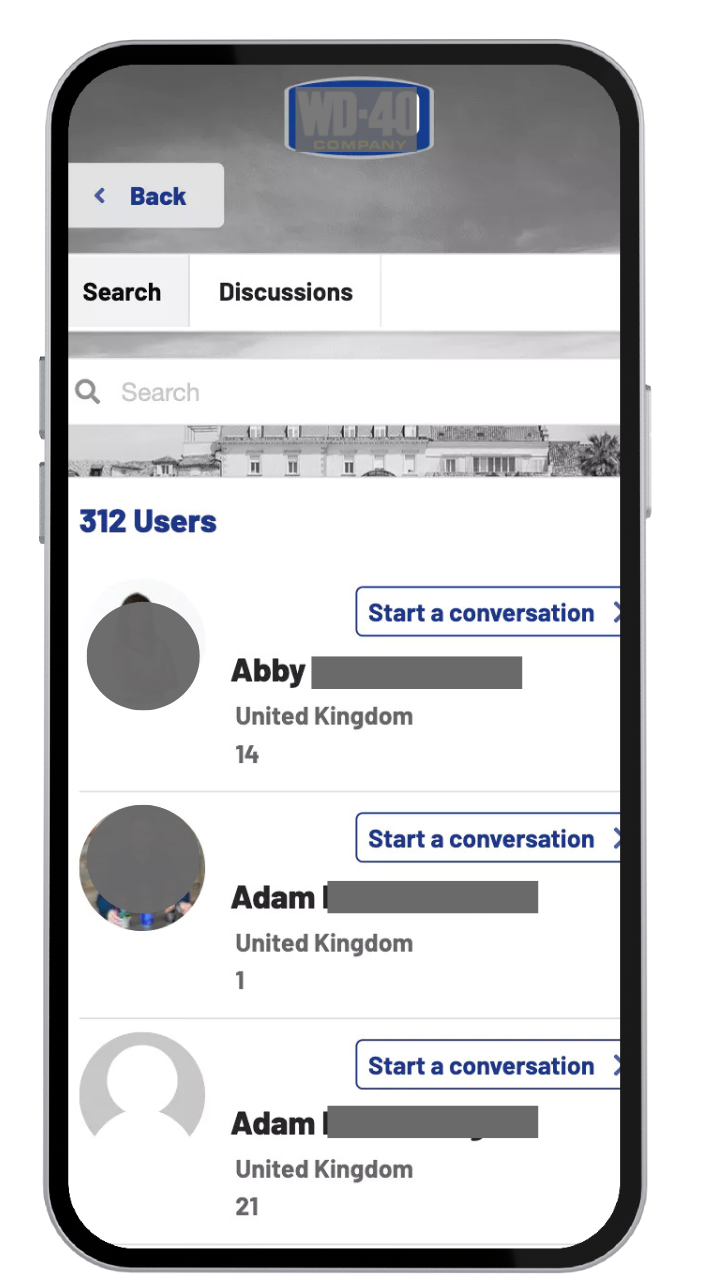
Forget about endless technical settings. Our engagement modules are pre-configured to be activated in just a few clicks, saving you precious time during the pre-event rush. After the event, access a clear dashboard: retrieve all high-definition photos, analyze participation rates, and export voting results to prove the ROI of your event to your stakeholders.
Using interactive features in event contexts is an excellent way to engage the audience, enhance the participant experience, and gather valuable information. Here are some event contexts where integrating interactivity can be particularly relevant:
1. Conferences and seminars: Interactivity can transform passive listening sessions into participatory experiences. Using tools such as live polls, Q&As, and quizzes can encourage participant engagement and allow speakers to gather instant feedback.
2. Workshops and training sessions: In workshops, interactive features such as collaborative brainstorming, quizzes, and small group exercises can improve learning and information retention. This also allows trainers to measure the effectiveness of their teaching in real time.
3. Networking events: : : Interactive apps and platforms can facilitate networking by allowing participants to connect, share information, and schedule meetings during the event.
4. Trade shows and exhibitions : Interactive kiosks, tablet surveys, and mobile apps can enrich the visitor experience by providing personalized information, facilitating lead collection, and encouraging engagement with booths and exhibits.
5. Product launch events: Using interactivity to gather participants' impressions and perceptions of the product can provide valuable insights. Interactive demonstrations also allow participants to have a more immersive product experience.
6. Virtual conferences and webinars: In a virtual setting, interactivity is crucial for maintaining engagement. Tools such as polls, live chats, and Q&A sessions can help replicate in-person interaction and keep participants engaged.
7. Team building events: Interactive activities can strengthen team cohesion and engagement. Games, challenges, and problem-solving activities encourage collaboration and interaction among participants.
8. General assemblies and company meetings: The use of interactive voting systems and feedback sessions can make these meetings more dynamic and allow participants to actively contribute to discussions and decision-making.
By incorporating interactive features into these different contexts, event organizers can not only enhance the participant experience but also obtain valuable data that can be used to optimize future events.
Artificial intelligence (AI) can play a significant role in creating and enhancing interactive modules for your event. Here are a few ways AI can contribute:
1. Personalization: AI can analyze participant data to personalize the event experience based on their interests, past behaviors, and preferences. This can include personalized recommendations for sessions to attend, people to meet, or topics to explore.
2. Real-time data analysis: During the event, AI can process data collected through surveys, social media interactions, and Q&A sessions to provide real-time insights to organizers. This can help adjust the event's flow based on participant feedback.
3. Virtual assistance: AI-powered chatbots can serve as virtual assistants to answer participant questions, provide event information, and guide users through the event program, thereby improving the user experience.
4. Live engagement: AI tools can be used to engage participants in real time, for example, by analyzing survey responses to adjust discussions, using voice recognition to facilitate Q&A sessions, or creating live session summaries.
5. Sentiment analysis: AI can analyze participant comments on social media or via feedback to gauge overall sentiment toward different aspects of the event, allowing organizers to respond quickly to concerns or strengths.
6. Gaming and learning modules: For educational or team-building events, AI can help create interactive games or learning modules that adapt to each participant's level and progress, making the experience more engaging and personalized.
7. Post-event analysis: After the event, AI can analyze the data collected to provide detailed reports on participant engagement, preferences, and behaviors, helping to plan more successful future events.
To integrate AI into your interactivity module, you could collaborate with technology solution providers specializing in events or explore virtual event platforms that already incorporate AI-based features.
Using a word cloud during an event offers several significant advantages, whether in a small group, during training, or at an event with thousands of participants. Here are some of the main benefits:
1. Visualization of key ideas: A word cloud can summarize the most discussed topics or key ideas from a conference, workshop, or any other type of event. This allows participants and organizers to quickly see which topics are most prevalent.
2. Audience engagement: By asking participants to contribute to the creation of the word cloud, for example through survey responses or tweets, or even by answering a simple question, you can increase audience engagement and interaction. This makes the event more interactive and participatory.
3. Real-time feedback: A word cloud can be generated in real time to reflect ongoing discussions or participant feedback. This gives organizers immediate insight into audience reactions and opinions, which can be used to adjust the event's flow if necessary.
4. Effective communication tool: Word clouds are visually appealing and can be used in post-event communications to summarize highlights or share key themes with a wider audience.
5. Trend analysis: By analyzing the most frequent or important words in a word cloud, organizers can identify trends and topics of interest emerging within their community or industry.
6. Facilitating discussions: A word cloud can serve as a starting point for discussions or workshops, identifying the topics that participants find most relevant or interesting.
7. Memorization and recall: Visual representations such as word clouds help reinforce memorization and recall of information, which can be particularly useful for participants who want to remember the topics covered at the event.
In summary, using a word cloud at an event can improve engagement, communication, trend analysis, and memorization, while providing a visually appealing tool for summarizing and sharing key ideas.
Conducting a survey during an event has several significant advantages for both organizers and participants. Here are some key reasons:
1. Real-time feedback collection: A survey allows organizers to gather instant opinions and reactions from participants, which can be crucial for adjusting the event's schedule based on the audience's needs and preferences.
2. Increased participant engagement: By inviting participants to share their opinions and experiences, polls promote interaction and engagement. This can make the event more dynamic and inclusive, as participants feel listened to and involved.
3. Guiding discussions and content: Survey results can guide facilitators, speakers, or organizers in adjusting their content or the direction of discussions based on the interests and preferences expressed by participants.
4. Assessing satisfaction and expectations: Surveys can help assess whether the event meets participants' expectations, which is essential for measuring the event's success and planning future improvements.
5. Collecting data for post-event analysis: Data collected through surveys can be analyzed after the event to learn lessons, improve future events, and understand audience trends and preferences.
6. Encouraging reflection and participation: The questions asked in surveys can encourage participants to reflect on the topics covered and participate more actively in the discussions and activities offered.
7. Creating personalized content: Survey responses can help organizers personalize subsequent sessions of the event or future events by tailoring content to the specific interests of the audience.
8. Community building: Surveys can help create a sense of community among participants by showing that their opinions are valued and fostering a shared dialogue around the event.
In short, conducting a survey during an event enriches the experience for all participants, provides valuable data to organizers, and helps create a more responsive and interactive event.
A survey and a multiple-choice questionnaire (MCQ) are two tools for gathering information that may seem similar, but they have different purposes and structures. Here are the main differences between them:
1. Purpose:
◦ Survey: The main purpose of a survey is to gather respondents' opinions, attitudes, feelings, or behaviors on various topics. Surveys are often used to understand the preferences, experiences, or needs of a group of people.
◦ Multiple-choice questions: Multiple-choice questions are generally used to assess respondents' knowledge or understanding of a specific topic. They are often used in educational or training contexts.
2. Question type:
◦ Survey: Survey questions can be open-ended or closed-ended and allow for a variety of responses. Open-ended questions allow respondents to express their opinions in their own words, while closed-ended questions limit responses to predefined options.
◦ Multiple-choice questions: Questions in a multiple-choice test are structured to offer several possible answers (usually 3 to 5), from which the respondent must choose the correct answer(s). There is no room for open-ended responses in a standard MCQ.
3. Analysis of responses:
◦ Survey: Analyzing survey results can be complex, especially if the survey includes open-ended questions. Responses often need to be categorized and analyzed qualitatively in order to draw conclusions.
◦ Multiple-choice: Analyzing responses to a multiple-choice test is generally simpler and more objective, as each question has one or more predefined correct answers, allowing for direct quantitative assessment.
4. Flexibility of responses:
◦ Survey: Surveys generally offer more flexibility in responses, allowing participants to express nuanced opinions or detailed information.
◦ Multiple-choice questions: Multiple-choice questions limit respondents to choosing from the options provided, which may sometimes not fully reflect their opinion or level of knowledge.
5. Context of use:
◦ Survey: Surveys are widely used in market research, satisfaction assessments, sociological studies, and at events or conferences to gather opinions.
◦ Multiple-choice questions: Multiple-choice questions are commonly used in educational contexts, exams, certifications, and knowledge assessments.
In summary, although surveys and multiple-choice questions may include multiple-choice questions, their objectives, structures, and analysis methods differ significantly.