
ParticipantsArticle 3 of 12
Understanding the automatic participant columns
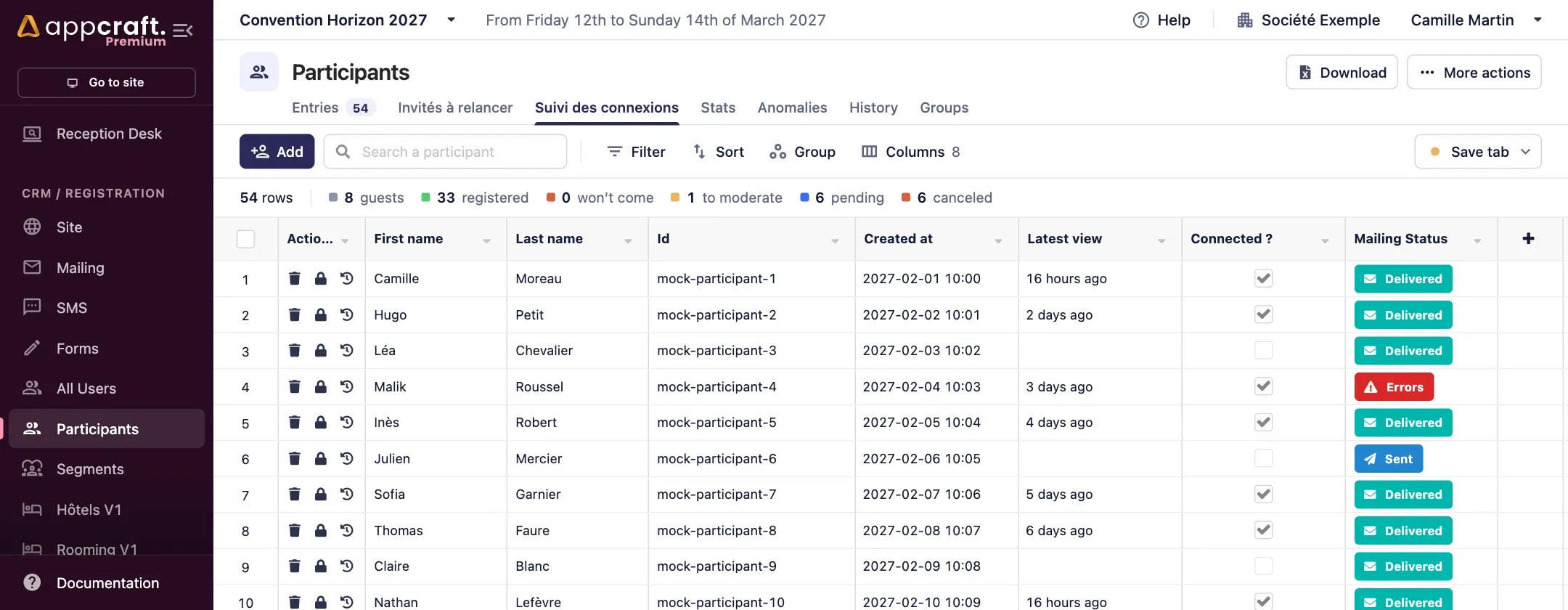
Some columns in the participant list are filled in automatically: the back office calculates them based on registrations, logins, or submissions. You cannot edit them manually. This article explains what each one represents.
These are system columns. If one is missing, add it using Update columns (see “Customize Participant Columns”).
Identity and Registration
Section titled “Identity and Registration”| Columns | What it indicates |
|---|---|
| Id | Unique participant ID, created by the back office. It serves as a key for updates by file. |
| Created at | Creation date: registration date or import date. |
| Registration date | The date the participant filled out the form. |
| Form Language | The language in which the participant filled out the registration form. |
Logging in to the platform
Section titled “Logging in to the platform”| Columns | What it indicates |
|---|---|
| Activation email | Checked when the account activation email has been sent. |
| Connected ? | Checked when the participant has logged in at least once. |
| Date of first connection | Date of first connection. |
| Latest view | Date of last login. |
Emails, Workshops, and Registration
Section titled “Emails, Workshops, and Registration”| Columns | What it indicates |
|---|---|
| Mailing Status | Status of the last email sent (sent, opened, clicked, failed, etc.). Click on the cell to show the send history. |
| Mailing Time | Date of the last email sent. |
| Workshop count | Workshop count for the participant. |
| Workshops registration | Workshop List for workshops for which he is registered. |
| Checked by checkin | Checked when the participant has been scanned at the registration desk. |
Segments
Section titled “Segments”| Columns | What it indicates |
|---|---|
| Segments | The segments to which the participant belongs, each in its own color. Click on the cell to show the complete list, add the person to a static segment (Add to Segment), or remove them (Remove). |
The Segments column is only available if the Segments module is enabled. See Creating and Using Segments.
Individual Accounts
Section titled “Individual Accounts”| Columns | What it indicates |
|---|---|
| Test Account | Check this box for your team’s accounts. They are excluded from certain exports and rooming. |
| Admin Account | Check this box for users allowed to create notifications from the platform (Notifications module). |
See also
Section titled “See also”Was this page helpful?
Thanks for your feedback!
Can’t find your answer? Contact support
© AppCraft EventsAppCraft Events websiteLog inContact support