
InteractionArticle 17 of 17
Hosting a live quiz: links for the moderator, slides, and participants
A live quiz uses three interconnected screens: the moderator’s screen, the screen projected in the room, and the participants’ screen. A shared PIN connects all three.
Before you begin
Section titled “Before you begin”Create the quiz and its questions in Interaction > Quiz: see Create a Quiz.
The three links
Section titled “The three links”At the top of the Quiz module, three buttons open each screen in a new tab.
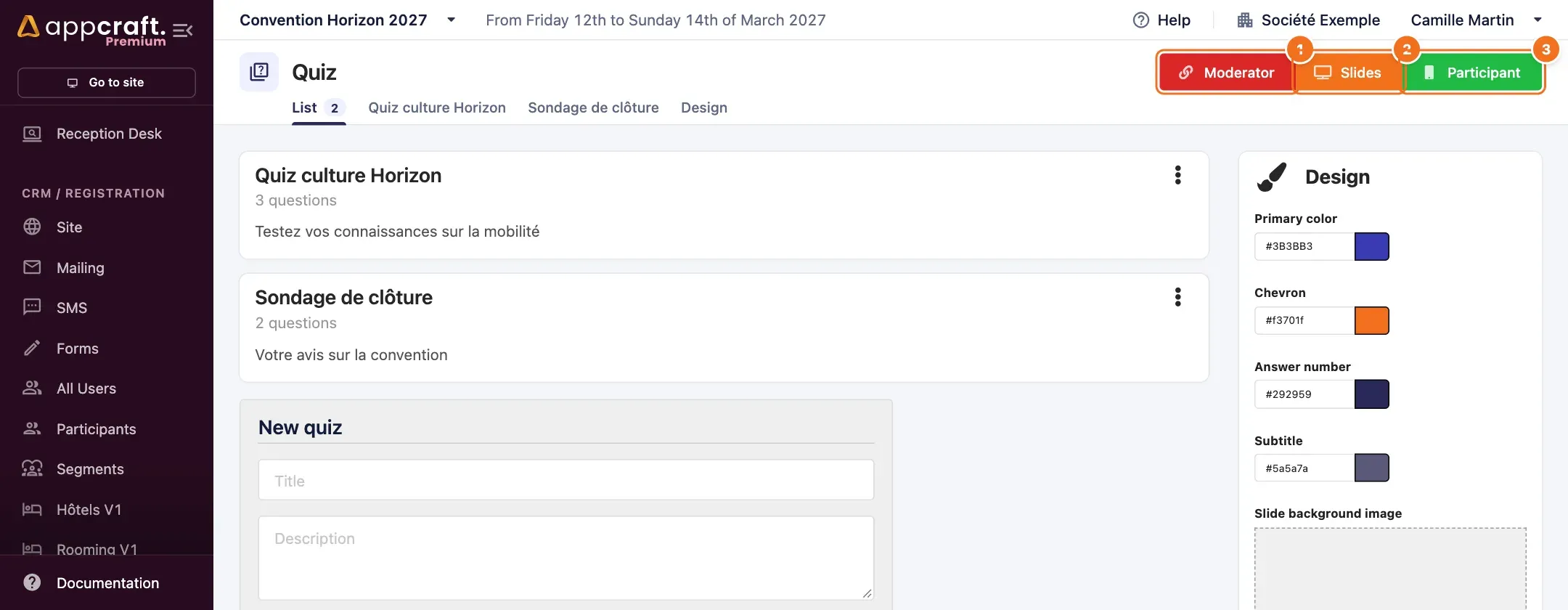
| Button | Role | Address to use |
|---|---|---|
| Moderator | Launch the questions and show the results | https://quiz.appcraft.events/master?eventId=<ID>&pin=<PIN> |
| Slides | Screen projected in the room: current question and results | https://quiz.appcraft.events/slave?eventId=<ID>&pin=<PIN>&autoConnect=true |
| Participant | Participants’ response screen | https://quiz.appcraft.events/client?eventId=<ID>&pin=<PIN>&autoConnect=true |
Settings to complete:
eventId: your event ID. The Moderator button already adds it to the address—copy it from there.pin: a code of your choice, the same on all three links. This code connects the screens.autoConnect=true: Connects the screen directly, without entering the PIN.
Integrate the quiz into the platform or web app
Section titled “Integrate the quiz into the platform or web app”- In Pages, open the page designated for the quiz.
- Add an IFrame block.
- In the Iframe Type section, choose Live Quiz. The address for the participants’ quiz will fill in automatically.
- In Force PIN, enter the same PIN as on the moderator and slides links.
- If necessary, adjust the Iframe height, languages, and anonymous settings.
- Save the page.
Frequently Asked Questions
Section titled “Frequently Asked Questions”Do participants need to enter the PIN?
Section titled “Do participants need to enter the PIN?”No, if you use Force pin in the IFrame block, or autoConnect=true in the participant link.
What does the “Anonymous” option do?
Section titled “What does the “Anonymous” option do?”Answers are not linked to participants’ names in the results.
See also
Section titled “See also”Was this page helpful?
Thanks for your feedback!
Can’t find your answer? Contact support
© AppCraft EventsAppCraft Events websiteLog inContact support