
StatisticsArticle 4 of 9
Track clicks, downloads, and installations
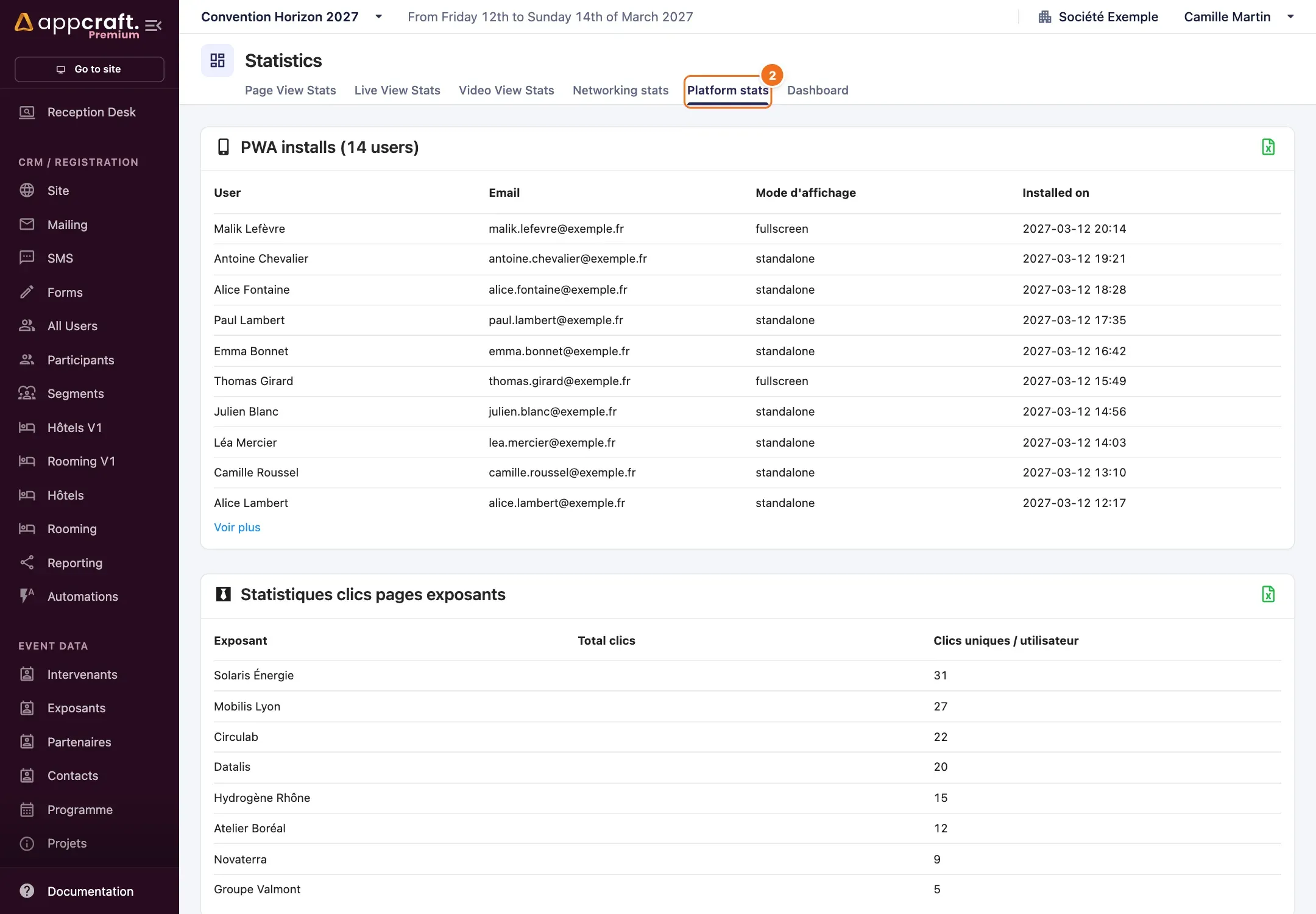
The Platform stats tab measures interest in your content: web app installations, clicks to exhibitor websites, file downloads, and videos viewed by exhibitors.
Open the platform’s statistics
Section titled “Open the platform’s statistics”- In the Platform (or Web App) menu, click Statistics.
- Click the Platform stats tab on the platform.
- Browse the maps from top to bottom.
What Each Card Contains
Section titled “What Each Card Contains”PWA Installations
Section titled “PWA Installations”The number of participants who installed the Web App on their phones, with the User, Email, Display mode, and date (Installed on) listed for each one.
Exhibitor Page Click Statistics
Section titled “Exhibitor Page Click Statistics”Clicks to exhibitors’ websites, when they have provided that information.
- Total clicks: all clicks. Two clicks from the same person count as two. This column is currently empty; the Excel export does not populate it either.
- Unique clicks per user: the number of different participants who clicked.
File Download Statistics
Section titled “File Download Statistics”File downloads from the platform, both on content pages and exhibitor pages: Title, Exhibitor (if the file comes from an exhibitor), Total downloads, Unique downloads per user, and URL.
Exhibitor files and videos
Section titled “Exhibitor files and videos”At the bottom of the tab, two cards show only the content added by exhibitors to their pages:
- Exhibitor file download statistics;
- Exhibitor video view statistics, including Total Views, Number of views per user, and Video URL.
See also
Section titled “See also”- Set up exhibitor pages
- Configure access and login (API tab) (Web App installation, PWA)
- Analyze page views
- Track video views
Was this page helpful?
Thanks for your feedback!
Can’t find your answer? Contact support
© AppCraft EventsAppCraft Events websiteLog inContact support