
Accommodation and travelArticle 4 of 11
Manage Created Rooms
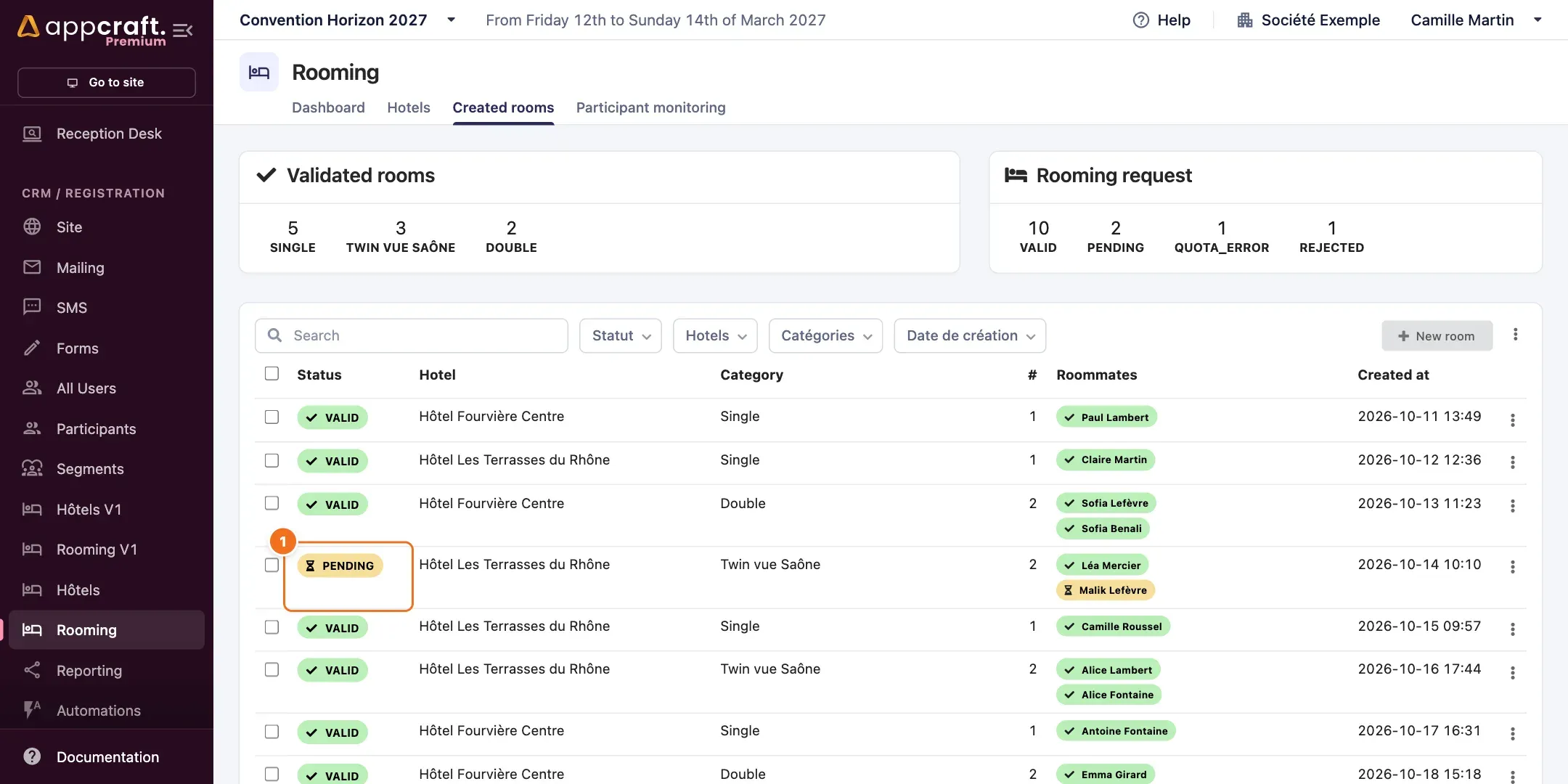
The Created Rooms tab in the Rooming module lists all rooms requested by participants or created by you. Here, you can track their status, edit them, and export rooming lists to hotels.
View the list of rooms
Section titled “View the list of rooms”At the top of the tab, Validated Rooms shows the number of validated rooms by type, and Rooming Requests shows the number of rooms by status.
| Status | Meaning |
|---|---|
| Validate | The room has been validated. |
| PENDING | At least one guest has not yet replied. |
| QUOTA_ERROR | The quota was reached before validation. Participants can submit a new request. |
| REJECTED | A guest has refused the request. |
In the Roommates column, the color of each name indicates their response: green for accepted, orange for pending, and red for refused.
Filter the list by Status, Hotels, Categories, or Creation date using the filter bar.
Change a room’s status
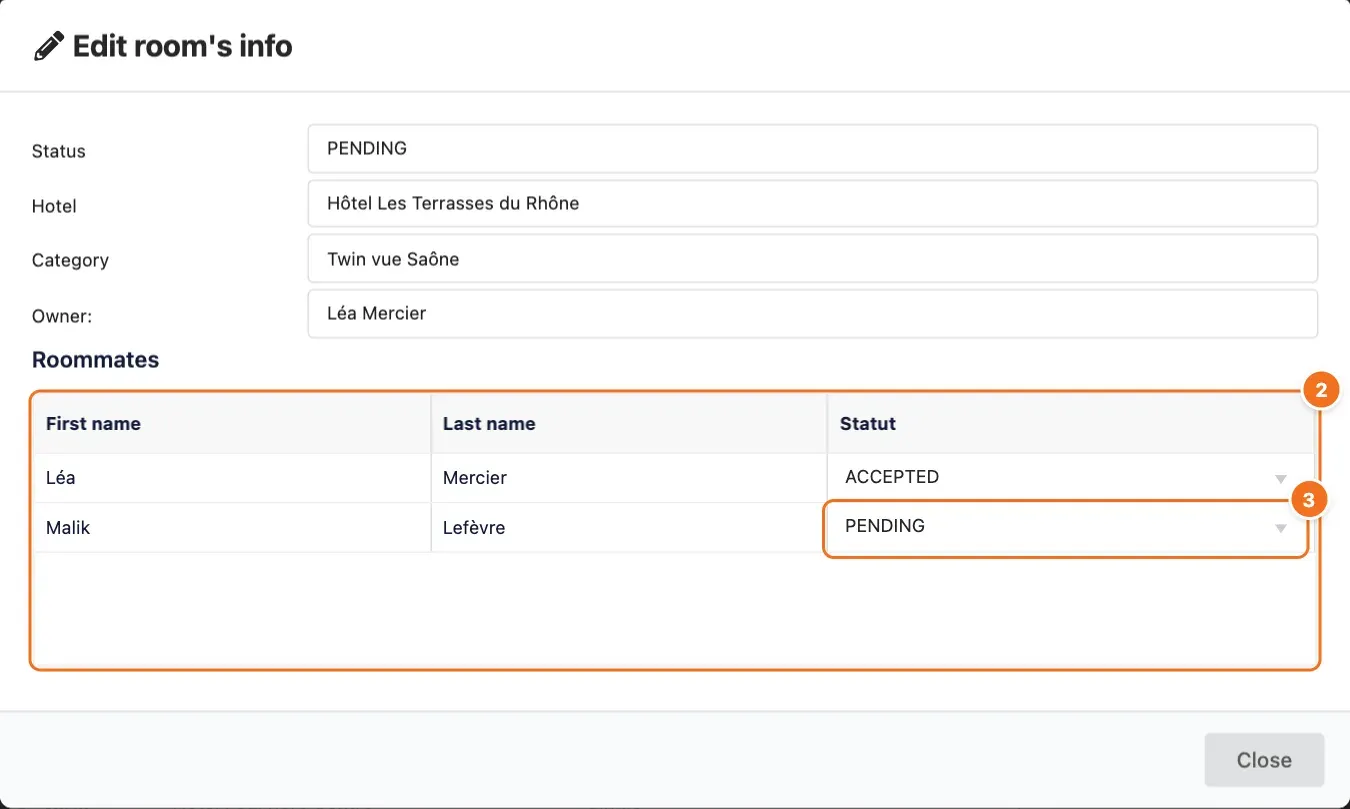
Section titled “Change a room’s status”- Click on the room in the list.
- In the Edit room’s info window, locate the participant under Participants.
- In the Status column, choose the new status.
| Participant Status | Result |
|---|---|
| PENDING | Reset the request to pending. |
| ACCEPTED | Accept the room for this participant. |
| QUOTA_ERROR | Mark the room as exceeding the quota. The participant can submit a new request. |
| REJECTED | Decline the room for this participant. |
| CANCELED | Cancel the room for this participant. |
Create a room from the back office
Section titled “Create a room from the back office”- Click New room.
- Choose the Hotel.
- Choose the Category. The list shows the number of remaining rooms.
- Select the Participants, then click Validate.
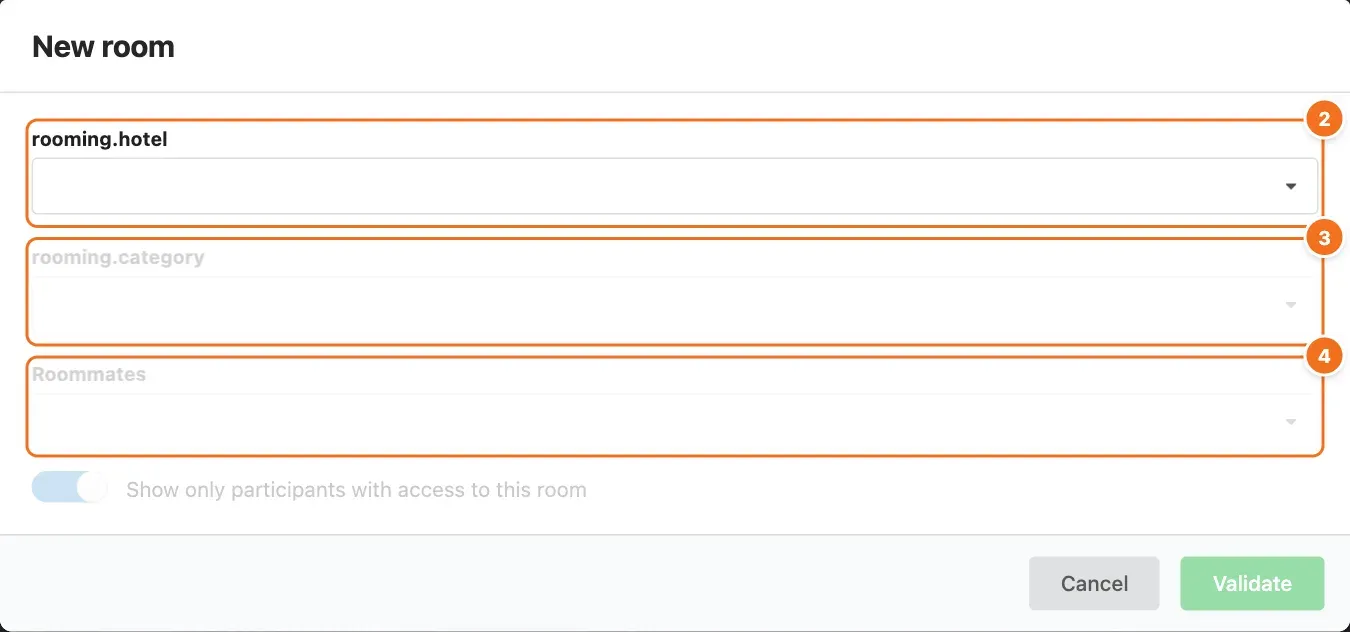
Enable Show only participants with access to this room to show only participants eligible for this category.
Export rooming lists
Section titled “Export rooming lists”- Click the … menu next to New room.
- Choose Download rooming list.
- Choose All listings to view a ZIP file with one file per hotel, or click on a hotel to view its rooming list only.
Delete rooms
Section titled “Delete rooms”In the … menu:
- Delete selected items deletes the checked rooms.
- Deleting rejected rooms deletes all rooms marked as REJECTED at once.
See also
Section titled “See also”Was this page helpful?
Thanks for your feedback!
Can’t find your answer? Contact support
© AppCraft EventsAppCraft Events websiteLog inContact support