
Event dataArticle 4 of 6
Publish a list of projects and track the votes
A data list showcases projects, startups, or initiatives on your platform. Participants can vote, and you can track the results by category from the back office.
Before you begin
Section titled “Before you begin”- The list is created by your project manager. It appears in the event data category in the menu, under the chosen name (for example, “Projects”).
- The fields on the project page and the voting tab depend on this configuration.
Add a project
Section titled “Add a project”- In the menu, click on your list (for example, Projects).
- Click +.
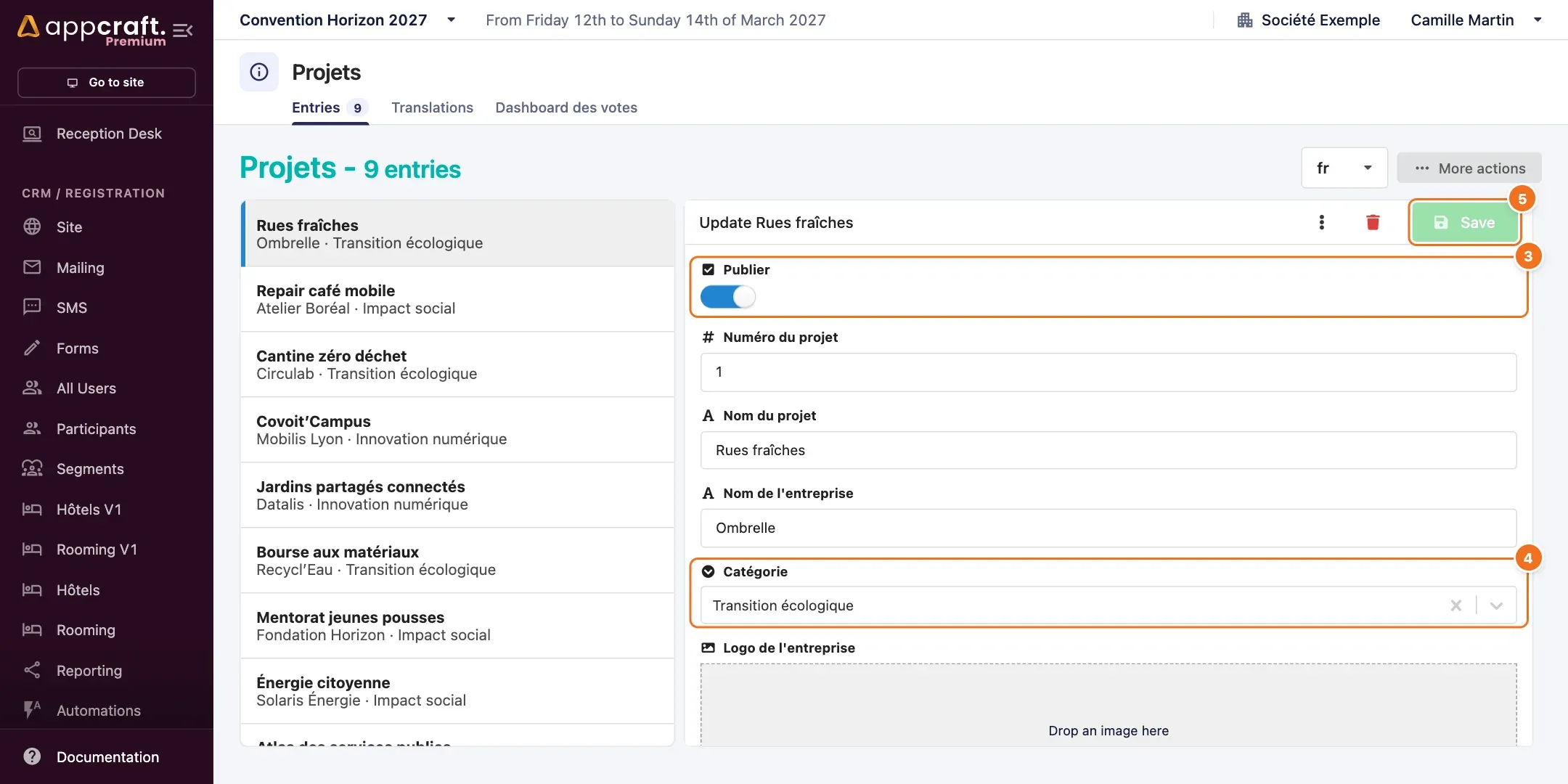
- Enable Publish to make the project visible to participants.
- Fill in the fields on the form, for example:
- Project number: the order in which projects are displayed on the projects page;
- Project Name and Company name;
- Category: This is also used to group votes;
- Company logo, Short description, and Description.
- Click Save.
Import or translate projects
Section titled “Import or translate projects”- To create multiple projects at once, open the More actions menu and click Batch import, then paste the rows from your spreadsheet.
- If your platform is available in multiple languages, choose the language from the header selector, or open the Translations tab to translate all fields in a table. The Translate All option in the More actions menu initiates an automatic translation.
Track the votes
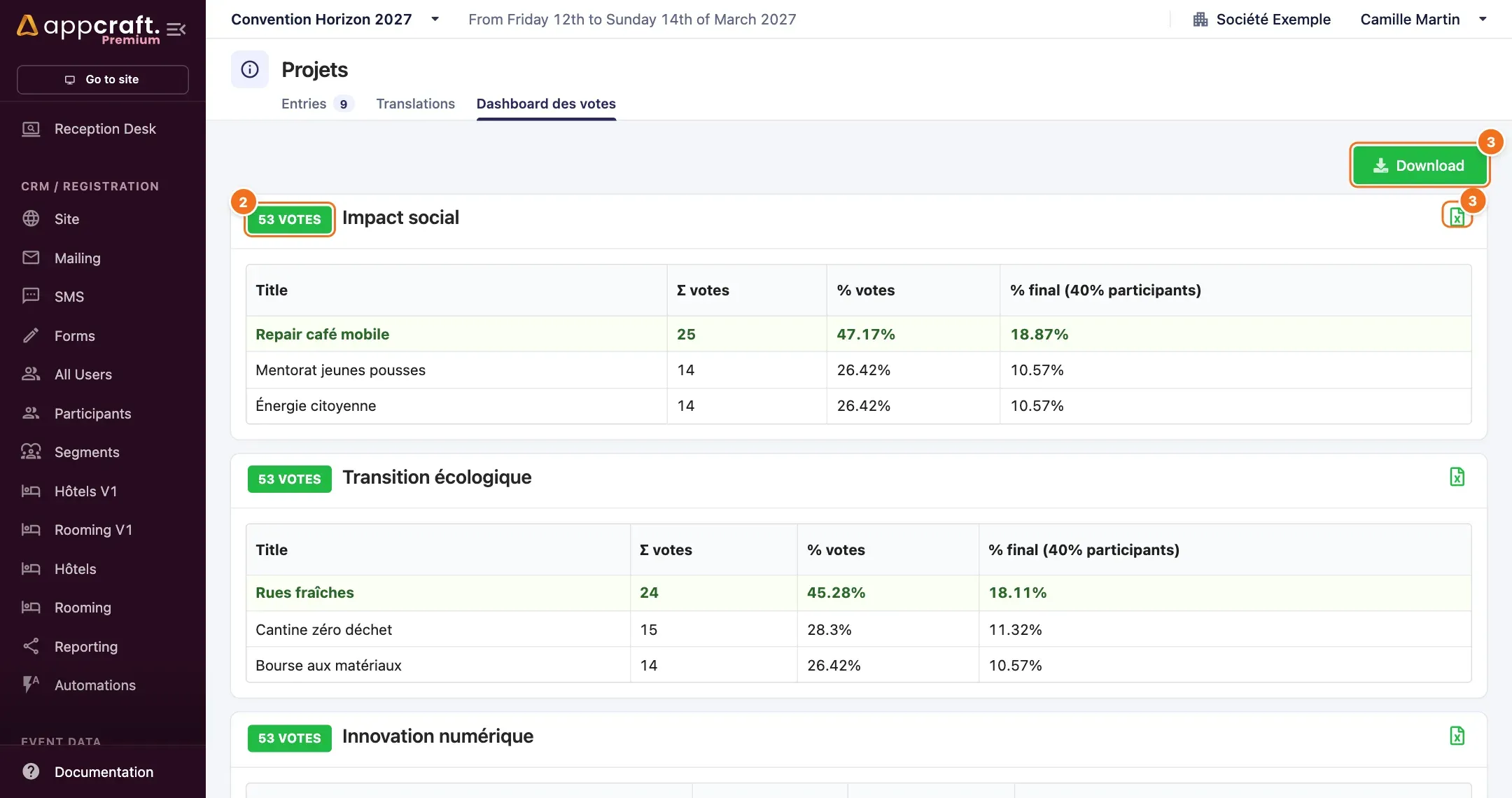
Section titled “Track the votes”- Open the list’s voting tab (often called the “Voting Dashboard”).
- View the results by category. Each block shows the total number of votes, followed by the number of votes (Σ votes) and the percentage (% votes) for each project. The leading project is shown in bold.
- To export, click the Excel icon for a category, or click Download in the top right to export all categories.
Frequently Asked Questions
Section titled “Frequently Asked Questions”What does the “Final % (40% of participants)” column mean?
Section titled “What does the “Final % (40% of participants)” column mean?”This is the percentage of votes multiplied by 0.4: the portion of the public vote when it accounts for 40% of the final score. The remaining 60% (from a jury, for example) is not calculated in the back office.
A project does not appear in the voting results
Section titled “A project does not appear in the voting results”Check that it has a Category: votes are grouped by category.
See also
Section titled “See also”Was this page helpful?
Thanks for your feedback!
Can’t find your answer? Contact support
© AppCraft EventsAppCraft Events websiteLog inContact support