
Accommodation and travelArticle 7 of 11
Track hotel reservations
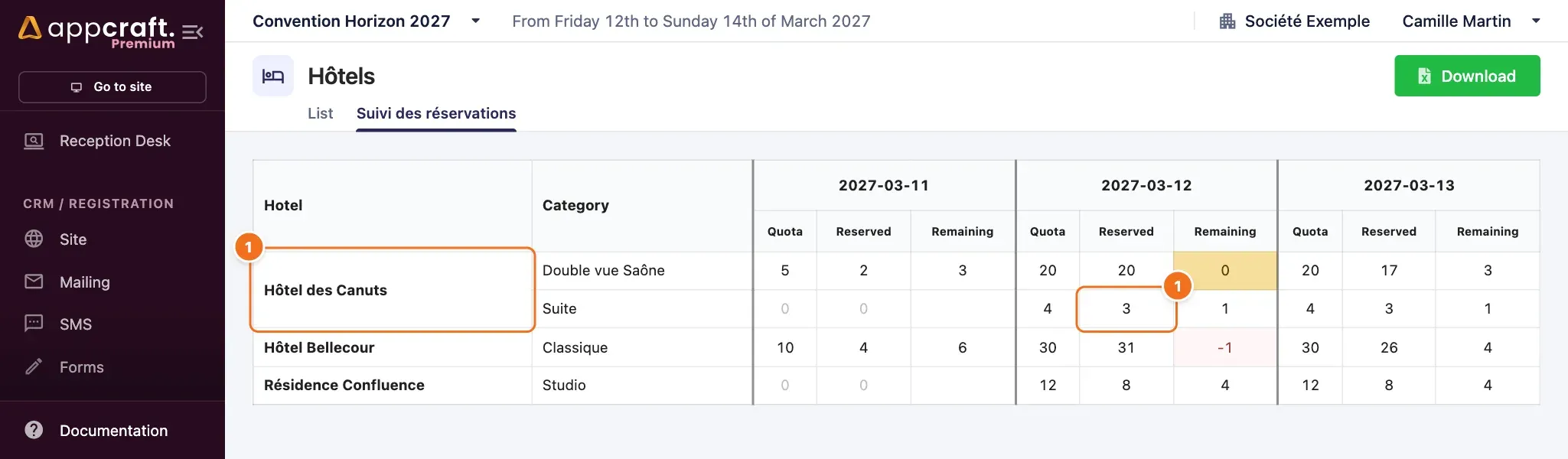
The Reservation Tracking tab in the Hotels module shows, for each hotel and room category, the number of rooms reserved and remaining, night by night. You can also download rooming lists there.
View the table
Section titled “View the table”For each night, there are three columns: Quota (planned rooms), Reserved, and Remaining.
- A Remaining box that is yellow: the room quota has been reached; there are no more rooms available.
- If the Remaining box is red, reservations have exceeded the quota.
Download the table
Section titled “Download the table”Click Download in the Top Right. The Excel file contains the table displayed on the screen: quotas, reservations, and remaining rooms by night and by category, without participant details.
View and edit a hotel’s reservations
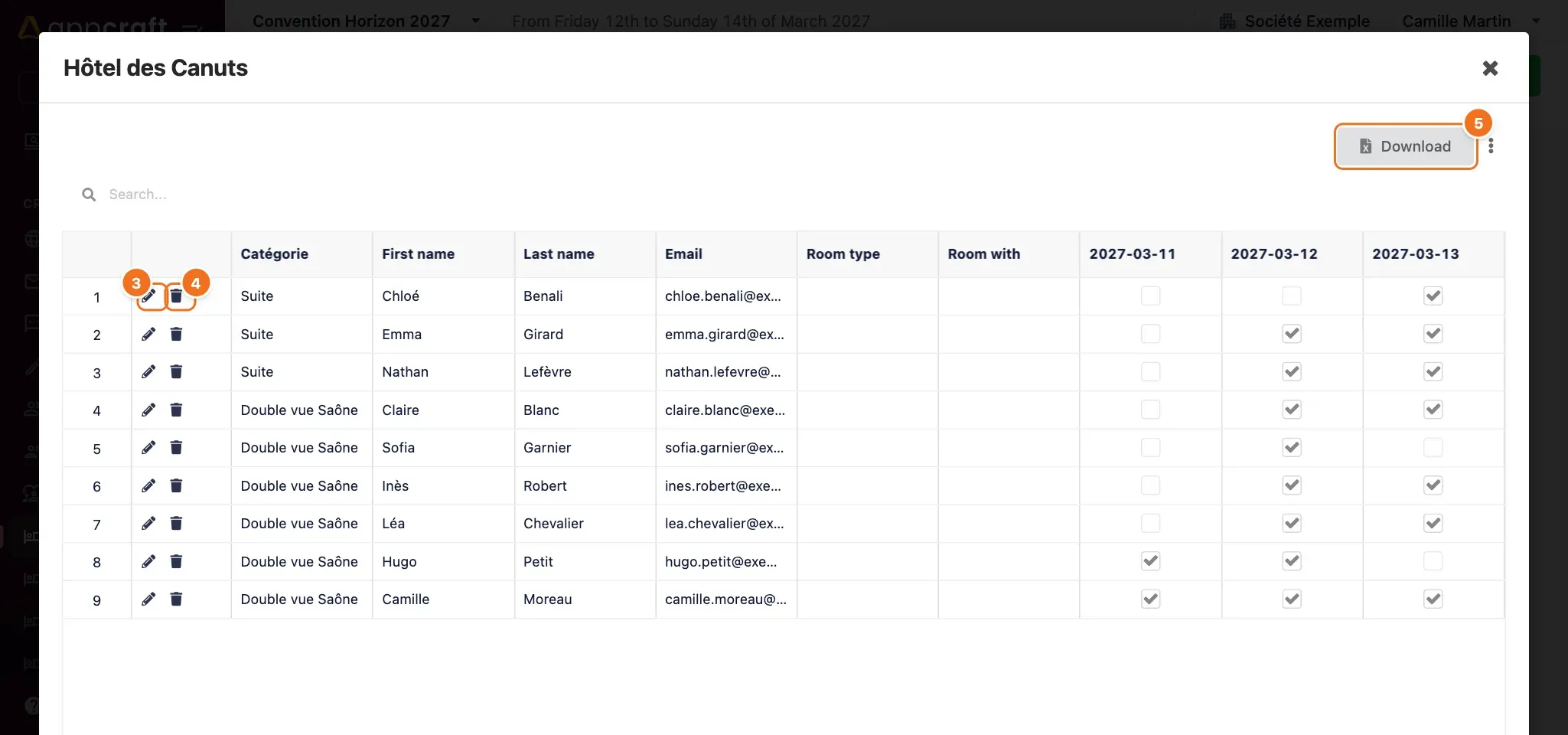
Section titled “View and edit a hotel’s reservations”- In the table, click the hotel name. To filter, click a category instead, or click a number in the Reserved for one night column.
- The window lists the guests: Category, First Name, Last Name, Email, Room Type, Room Number, and the number of nights booked.
- To change a participant’s nights, click the pencil icon (Edit accommodation).
- To cancel a reservation at this hotel, click the trash can icon (Delete Accommodation) and confirm.
- To export the hotel’s rooming list, click Download and choose the columns.
See also
Section titled “See also”Was this page helpful?
Thanks for your feedback!
Can’t find your answer? Contact support
© AppCraft EventsAppCraft Events websiteLog inContact support