
StatisticsArticle 6 of 9
Track video views
The Video View Stats tab counts the views of videos hosted on your content pages, page by page.
View a video’s views
Section titled “View a video’s views”- In the Platform (or Web App) menu, click Statistics, then click the Video View Stats tab.
- Locate the block on the page that interests you. Its header displays the total number of views and users for that page.
- To find out who has watched a video, click on its number of views (Views) or unique views (Unique).
- To export a page’s statistics to Excel, click Download in its section.
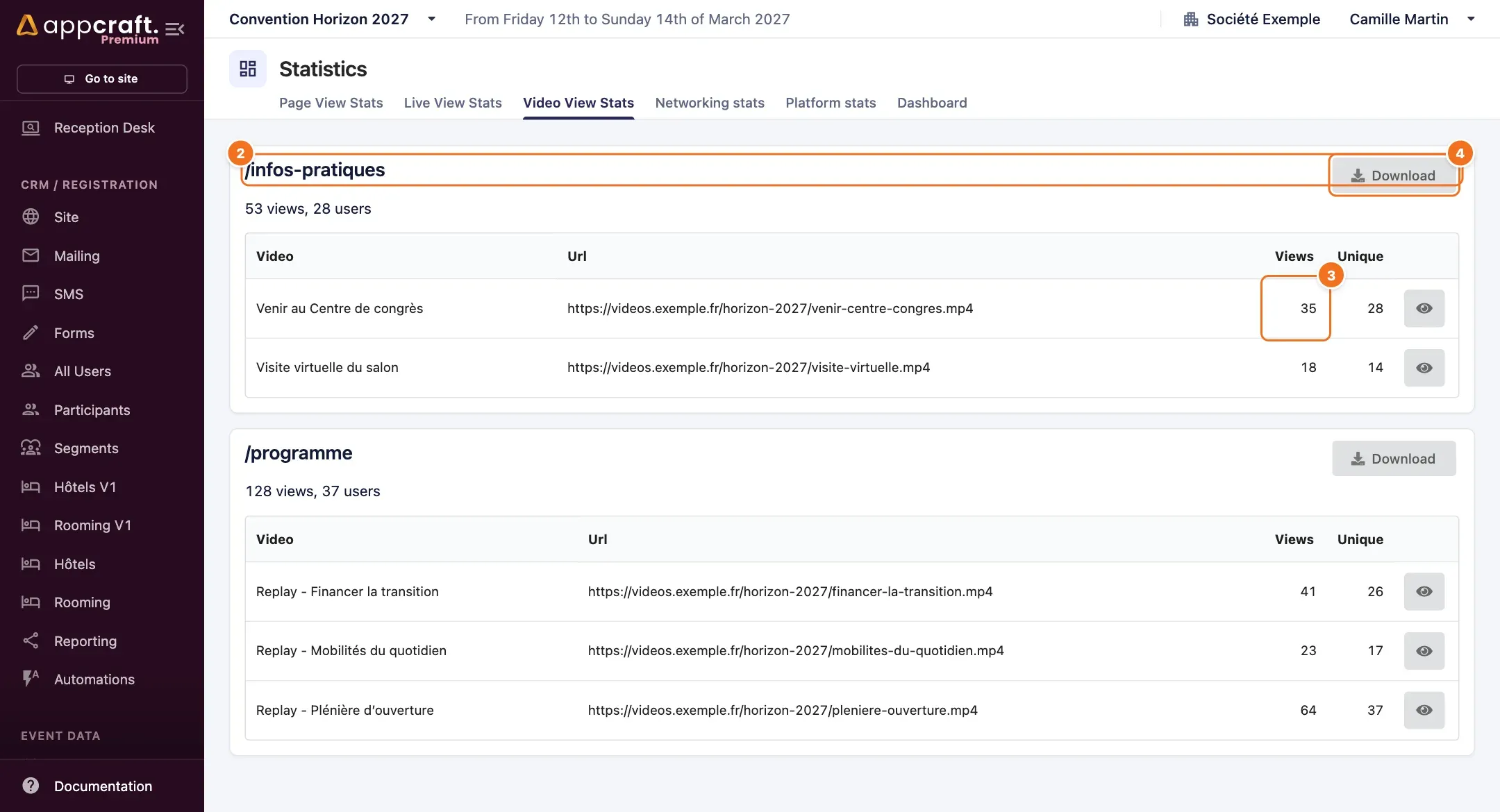
The columns remain in English on the screen:
- Video and URL: the video’s title and link;
- Views: all views. A participant who watches a video twice counts as two;
- Unique: the number of different visitors;
- The eye icon: plays the video.
See also
Section titled “See also”- Build a CMS Page using blocks (Video and Videos blocks)
- Track Live View Stats
- Track clicks, downloads, and installations
Was this page helpful?
Thanks for your feedback!
Can’t find your answer? Contact support
© AppCraft EventsAppCraft Events websiteLog inContact support