
Site and formArticle 13 of 30
Add custom CSS to the form
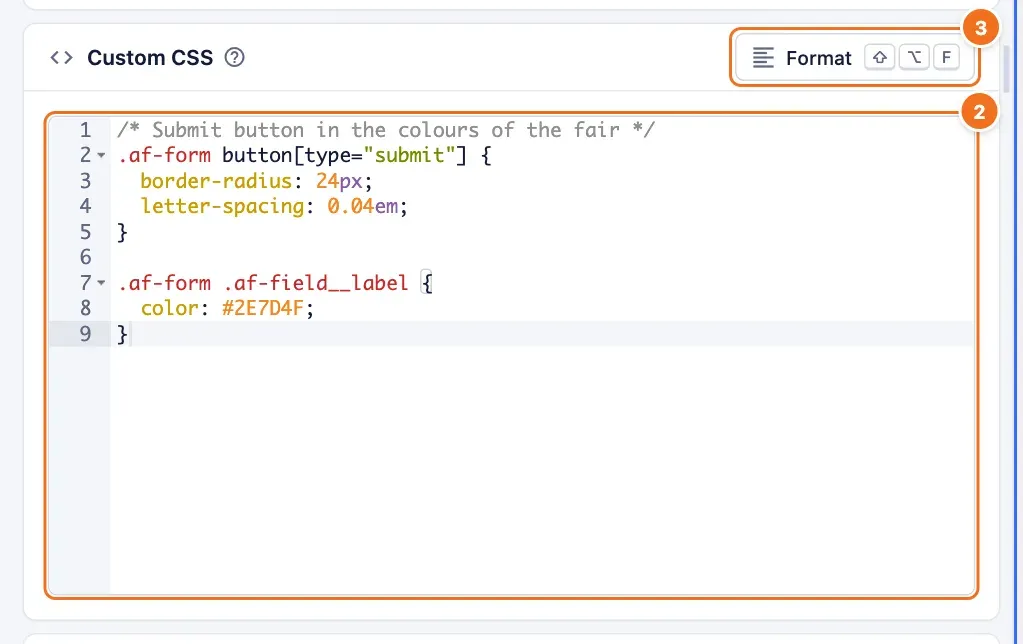
Custom CSS, at the bottom of the Appearance tab, is for tweaks that the other settings don’t offer: precise spacing, button style, hiding an element… It’s mostly used by your project manager.
CSS is the language that describes the formatting of a web page. A mistake can break the form’s display: only edit it if you know what you’re doing.
Add your CSS rules
Section titled “Add your CSS rules”- Open the form, go to the Appearance tab, then scroll down to Custom CSS.
- Type or paste your rules in the editor. They apply after the other settings in the tab, on the public form and in the preview.
- Click Format to clean up the code (shortcut ⇧ ⌥ F on Mac, Shift Alt F on Windows), then Save.
See also
Section titled “See also”Was this page helpful?
Thanks for your feedback!
Can’t find your answer? Contact support
© AppCraft EventsAppCraft Events websiteLog inContact support