
Accommodation and travelArticle 9 of 11
Offer a hotel choice in the form
The Hotels module lets your participants book their hotel directly in the registration form, based on their arrival and departure dates. You define the hotels, room categories, and quotas per night; the back office counts down the rooms as registrations come in.
Before you begin
Section titled “Before you begin”- The module is enabled by your project manager. It appears in the menu, CRM / Registration section, under the name chosen for your event (for example Hôtels V1).
- The dates (nights) offered are created and edited by your project manager.
The steps
Section titled “The steps”-
Create your hotels and their quotas in the List tab of the module. See Add hotels and their room quotas.
-
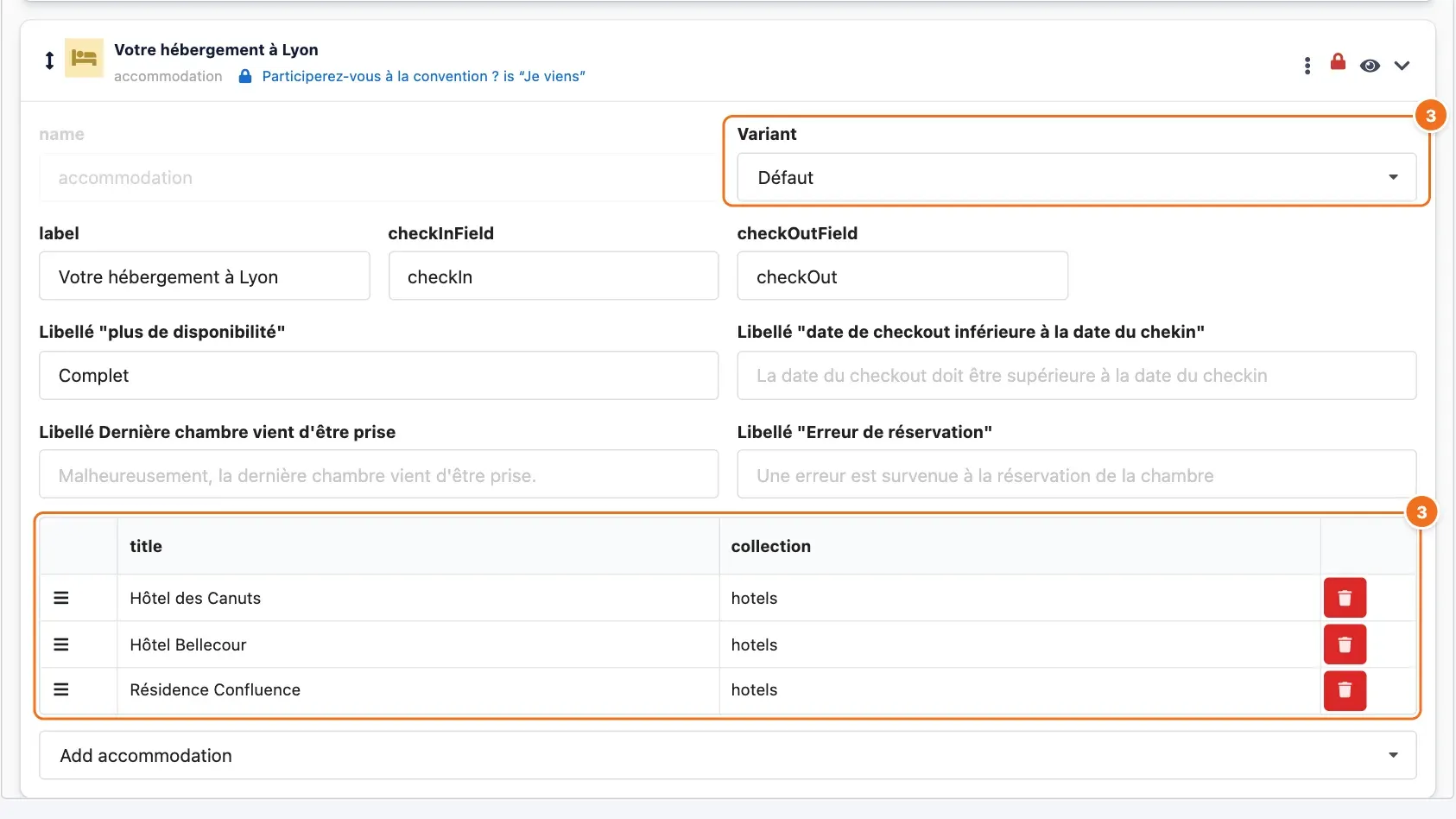
Add the Accommodations field to the registration form: Questions tab, Add new field, then search for “Accommodations” (or Custom fields, Advanced fields category).
-
In the field settings, click Add accommodation and choose the hotels to offer. Choose the variant: Default (the participant enters their arrival and departure dates) or Per date (they choose night by night).
-
Track bookings in the module’s tracking tab. See Track hotel reservations.
What you can do next
Section titled “What you can do next”From the module, you can download each hotel’s rooming list, edit or delete a participant’s nights, and adjust your quotas.
See also
Section titled “See also”Was this page helpful?
Thanks for your feedback!
Can’t find your answer? Contact support
© AppCraft EventsAppCraft Events websiteLog inContact support